As an in-house payroll solution, ezPaycheck is designed to save your business both time and money. By automating complex tax calculations and offering flexible printing options, it streamlines your entire payday process.
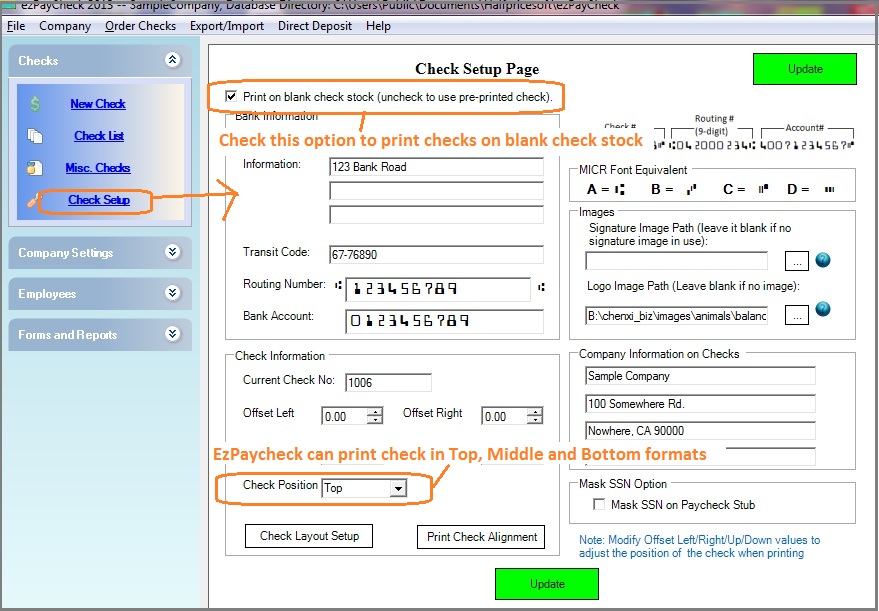
Whether you prefer using traditional pre-printed checks or want to drastically cut costs by printing directly onto affordable blank stock, ezPaycheck adapts to your workflow. Our user-friendly interface makes it easy to customize your check layout—allowing you to add your company logo, a digital signature, custom fonts, and extra text labels in seconds.
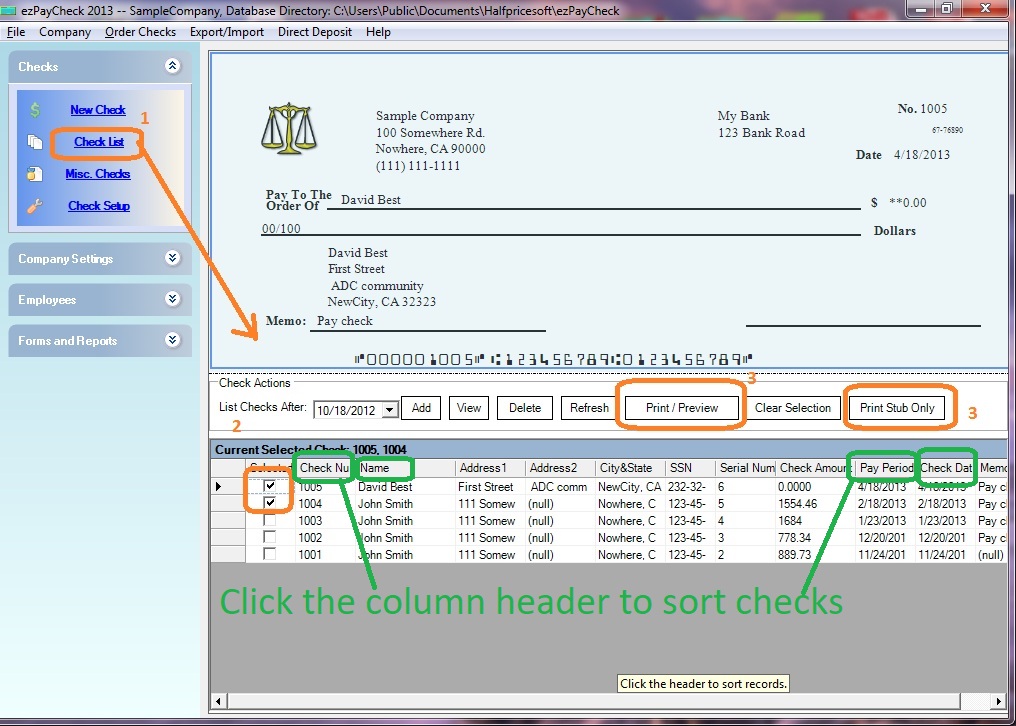
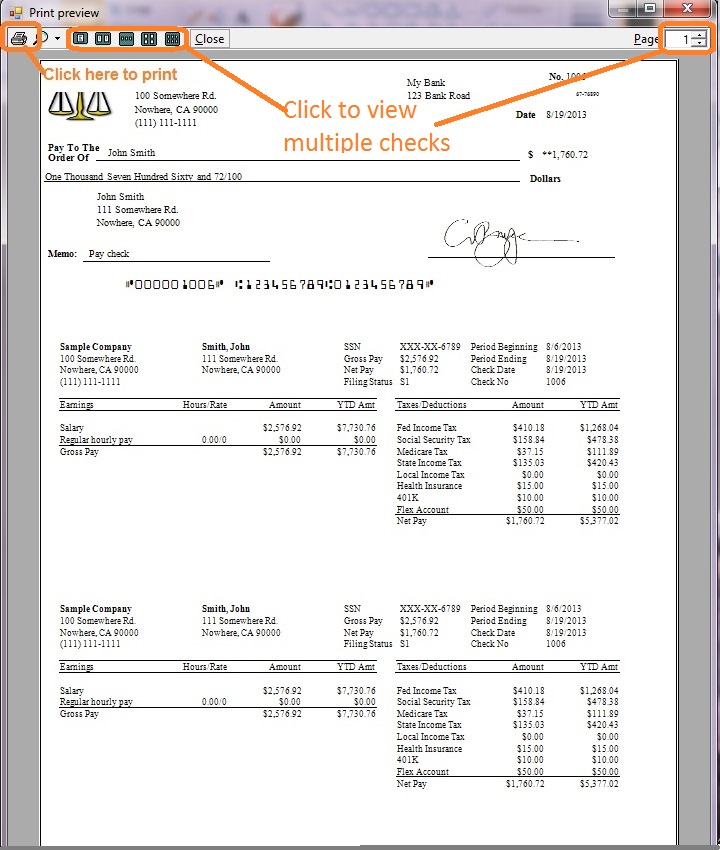
How to Print a Paycheck on Blank Stock (Step-by-Step):
 | ezPaycheck Makes Payroll An Easy, In-House Task!(For Windows and Mac )
Act Now: Save with the ezPaycheck 2025 + 2026 Combo. Automate payroll with ease.. Try it free for 30 days with no obligation. No credit card required. |

