accouting software, payroll software, check printing software, w2 1099 software accouting software, payroll software, check printing software, w2 1099 software Make payments with PayPal - it's fast, free and secure!
HOME   |  BOOKMARK US   |  CONTACT US    |  ABOUT US  
tell friends about accounting software, payroll software,check printing software, w2 1099 software E-MAIL TO A FRIEND   |  print inforamtion about accounting software, payroll software,check printing software, w2 1099 software PRINT PAGE   suggestions for our accounting software, payroll software,check printing software, w2 1099 software SUGGESTION
PRODUCT
  • ezPaycheck 2009
  •      Faqs
         Tutorial
         State Tax Tables
         State Tax Sites
         Federal Tax Tables
         Federal Tax Sites
         Minimum Wage Rate
         Business Tax Calendar
  • Free ezCheckPrinting
  •      Tutorial
         Faqs
  • ezCheckPersonal Edition
  •      Tutorial
         Faqs
  • ezBarcodePrinting
  •      Tutorial
  • ezTimeSheet
  •      Tutorial
         Faqs
  • ezW2 2008
  •      Faqs
         Tutorial
         Form W2 & W3
         Form 1099 & 1096
  • Blank Computer Checks
  • Special Offer
  • Free Stuff
  •      Free Templates
    SUPPORT
    PURCHASE
    DOWNLOAD
    BUSINESS RESOURCES
  • Payroll Tax Center
  •      Federal Payroll Taxes
         State Payroll Taxes
  • Knowledge Base
  •      Glossary
         W-2
    CONTACT US
    NEWS RELEASE
    ARTICLES
    SITE MAP
     
     
    ezCheckPrinting
    Design and Print Professional
    Looking Checks Yourself!

    free check printing software, free check writing software
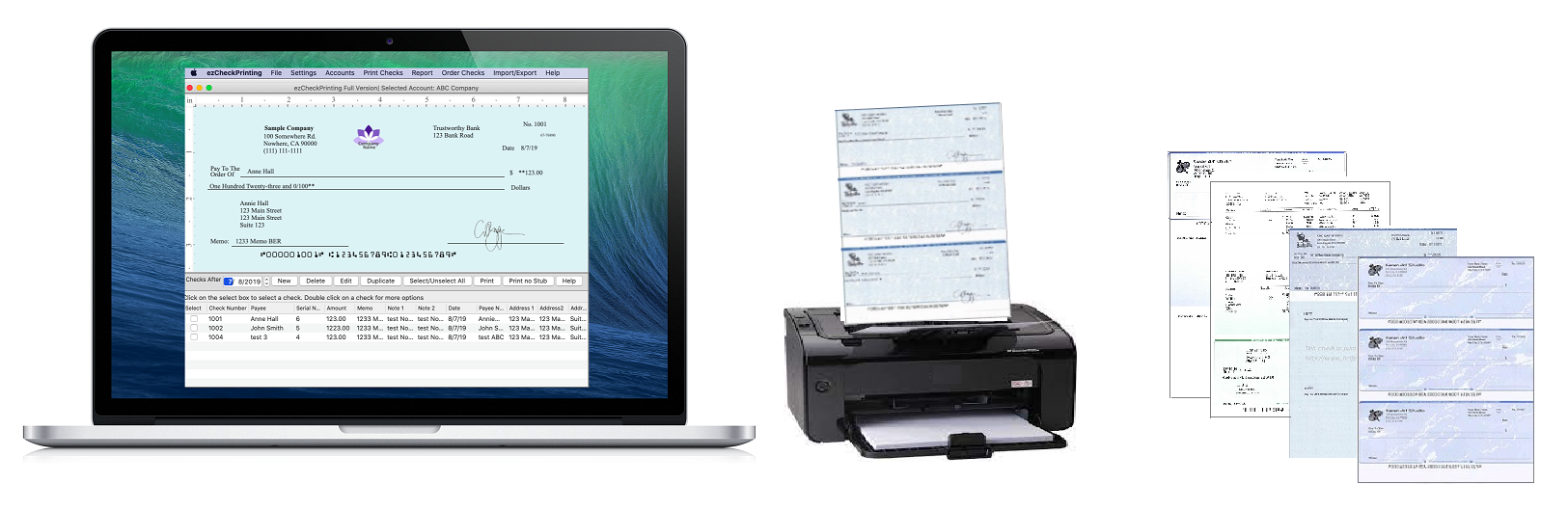
    ezCheckPrinting Software - Complete Business Check Printing and Management Solution
    ezCheckPrinting(Lite Version) is a free version check designing and check printing software for small to mid-sized business. ezCheckPrinting will work with any blank/preprinted computer check paper with 8-1/2" X 11" size. ezCheckprinting is Trusted by Thousands of Customers.
    Make payments with PayPal - it's fast, free and secure! download free check printing software ,check writing software ezCheckPrinting Software prints checks on blank check stock or pre-print checks. And it can also create pre-printed bank checks for accounting applications including ezPaycheck, Quicken, QuickBooks or Microsoft Money. The registered business version allows user to edit check layout and create customized company checks.

    Professinal Looking
  • Design your professional looking checks yourself and print them from your laser printer. And the full version even allows you customize your check layout.

    Easy to use
  • There is no frustrating learning curve, and checks can be printed as soon as you install the check printing application.

    Efficient
  • Help save money to print your checks on blank computer checks.
  • Import check data from other application and print bulk checks.

    Affordable
  • You can print company computer checks by using the free version ezCheckPrinting without time limit. You can purchase ezCheckPrinting software for more functions with $24.00.You are getting great value for your money.

  • What is New of ezCheckPrinting (versin 2.2.1)

  • Import check data
    The new version of ezCheckPrinting can import data from .cvs file. This feature will allow you use this software together with software such as ezTimeSheet, Excel file, QuickBooks, Microsoft Money and other software.
  • Export check data within the specified date range.


  • Price List   (Learn More About Purchase)   (Want to get the full version free?)
    ezCheckPrinting Software (Business Edition of Check Printing Software)
    (No CD included)
    (License key will be sent to your email account once the transaction is done.)
     $24.00 (per installation) Make payments with PayPal - it's fast, free and secure!
    ezCheckPrinting Software CD
    (no license key included.)
     $9.95 (Each CD by USPS Flat Rate Mail, US Only) Make payments with PayPal - it's fast, free and secure!
    Click here to see how to get free license and free check paper    

    Note: The software on the CD is the same as the one you download from our site. The CD option does not include the license key. If you can download this software from our site, you do not need the CD. You can just purchase the license key. The CD is for the users who cannot download software or who wants to keep a hard backup copy.

    Key Features
    ezCheckPrinting Software Feature List Free Lite Version Full Version
    Support Unlimited Bank Accounts   Yes for check printing software
    Print your own checks on blank computer check or pre-printed checks Yes for free check printing software Yes for check printing software
    Print image siganiture on checks Yes for free check printing software Yes for check printing software
    Print logo image on checks Yes for free check printing software Yes for check printing software
    Edit check layout and create customized company checks;   Yes for check printing software
    Easy to use reports Yes for free check printing software Yes for check printing software
    Print Blank Company Check (Check-on-Top, check-in-middle, check-at-bottom and 3-check-per-page)   Yes for check printing software
    Printing multiple checks by one click   Yes for check printing software
    Import/Export Check Data   Yes for check printing software
    Price Free $24.00

    Checks Printed by ezCheckprinting Software

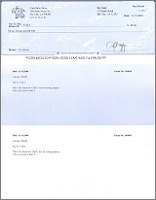
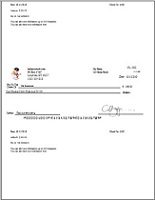
    Sample Check For baby Store

    You can customize your check by moving the image or the labels or the bank information to other locations easily. You can even add new descriptions or new lines on your checks.

    Let me try it
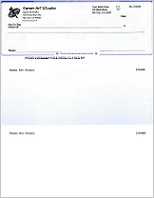
    business check for baby store

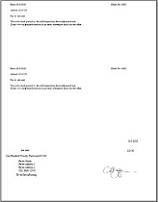
    3-per-page preprinted blank checks -- you can fill in manually or used with other software
  • 2-line transit code
  • Store Name is bold
  • 3-per-page

    Let me try it
  • business check for baby store

    CHECK SOFTWARE BASICS

    Is it legal to print check from my printer?

    Yes, printing checks from your own printer is perfectly legal. However, they must be printed on special paper.

    Do I need special toner?

    Most banks accept checks printed with regular laser print toner. Optical check readers enable banks to electronically process checks not printed with Magnetic Ink Character Recognition (MICR) toner. If your bank does not use optical check readers, the check will be processed manually instead of electronically. According to our experience, the checks printed by your laser printer are good enough for most banks. A jet or dot matrix printer CAN'T be used to print checks.

    However, checks must be printed on special check paper.

    What kind of blank check paper is acceptable?

    DO NOT use plain paper! Blank check stock has security features (watermarks, micro printing, etc.) which help prevent fraud. ezCheckPrinting will work with any blank computer check paper with 8-1/2" X 11" size and check on top with size 8-1/2" X 3-1/2", check on middle with size 8-1/2" X 3-1/2", check on bottom with size 8-1/2" X 3-1/2"or 3 checks per page. Or you can print check on pre-printed checks (by uncheck the top check box on Check Setup form).

    Does this check printing software print MICR encoding on checks?

    Yes.ezCheckPrinting does print the MICR encoding on checks. You can print MICR bank routing numbers, account numbers, check numbers and bank information on blank check stock using a laser printer.

    What are the system requirements for ezCheckPrinting?

  • Windows 98, 2000, XP, 2003, Vista or windows 7
  • .Net Framework v1.1 or later
    ezCheckPrinting can run on both 32-bit and 64-bit machines.


  • ABOUT PURCHASE

    Is the check out process safe?

    Yes.

  • The payment is done by PayPal official site. We do not store your credit card number
  • The payment is secure under SSL with 128bit encryption (Learn more about PayPal Encryption ).
  • With PayPal you also have fraud insurance (Learn more about PayPal Buyer Protection).
  • I do not have Paypal account. How can I check out?

    Don't have a PayPal account? No Problem.
  • Click the "Proceed to Checkout button" button
  • On PayPal login page, Click the "Continue" link of "Don't have a PayPal account".
  • Then you can pay securely using your credit card.

  • How long it takes to get the license key?

    Our system will send the license key to your email account once the transaction is completed. Usually, you can get it in 1 to 5 minutes depending on how often your mailbox is updated.

    Some mail servers may block messages sent by machine. If you cannot find the key in your Inbox folder or Junk Mail folder after one hour, please contact us at services@halfpricesoft.com. We are glad to send the key to you manually.


    HOW IT WORKS

    How to setup bank check?

    On check setup page, you can do:
  • Uncheck the "Use Blank Check Stock" check box to print check on preprinted check. The default is checked.
  • Specify the bank information: Bank name, addresses, transit code, Routing Number, Bank Account.
  • Define the current check number. This number will increase by one automatically after each check printing.
  • You can adjust the check print out position by modifing the "Offset left", "Offset right", "Offset up" and "Offset down" text box.
  • Specify the check position on page by selecting Top, Middle, Bottom or 3 per Page.
  • You can print out "Check Alignment Page" and align you check on the bottom and right line to check if the Routing Number fits inside the correct box. The "Print Check Alignment" button is on "Check Setup Page". The Routing Number includes the leading symbol.
  • Specify the signature image on check.
  • Input compay name address displayed on check.
  • business check setup screenshot of check printing software

    How to customize check layout?

    ezCheckPrinting is very flexible check design and printing software. On "Setting->check layout" forms,
  • you can move the label and image to ideal position
  • you can change font size, font type
  • you can change line style
  • you can resize the image
  • you can hide/show the text/line
  • you can add new line or new label. You can add expiration information there or you can customize your transit code to two-line format.
  • business check layout configuration screenshot of check printing software

    How can I adjust the check printing position?

    You can adjust the check print out position by modifing the "Offset left", "Offset right", "Offset up" and "Offset down" text box.

    How to print multiple bank checks by one click?

    You can select the checks you want to print from the check list, then press the print button to print them together.

    How do I know if the check is properly aligned?

    You can print out "Check Alignment Page" and align you check on the bottom and right line to check if the Routing Number fits inside the correct box. The "Print Check Alignment" button is on "Check Setup Page". The Routing Number includes the leading symbol.

    What kind of file format is acceptable for signature?

    The signature image file can accept .bmp, .jpg, .gif, .tiff and .png.

    How can I create a signature file for my bank check?

    The easiest way is using free Windows Paint from Accessories -> Paint. You can set the image size to 150 X 50 in Pixel from Image->Attibutes. And then use the pen to draw your signature.

    How to print check on pre-printed check?

    You can select this option from check setup form. You can access check setup form by clicking the top menu "settings->check setup". Then you can uncheck "Use Blank Check Stock" option to use pre-printed check.

    How to use 3-per-page check paper?

    ezCheckPrinting supports check-on-top, check-in-middle, check-at-bottom and 3-per-page format. You can select this option from check setup form.

  • Click the top menu "settings->check setup" to open check setup page.
  • change the value of the check position field from "TOP" to "3-per-page". (the last item in check information group).
  • Click the Update Button to save your changes.

  • How to use two images on my bank checks, one for the bank logo and one for my company logo?

    On the "Settings->Check Setup" form, you can use logo for the company logo and use signature field for the bank logo. Then you can open "Settings->Check Layout" form to modify the position and size.

    The transit code on my bank check is in two lines. Does ezCheckPrinting support this bank check format?

    Yes. You can open "Settings->Check Layout" form to add a new text and a new line to support the bank check format.

    How to import data from the external source into this check printing software?

    Yes. You can save data from other software, SQL server, access database or excel files to csv file first. Then ezCheckPrinting can import data from cvs file.

    How to import the check data from my Microsoft Excel documents?

    Yes, but you need to save the data to a cvs file first. Followings are the steps:

  • Open you excel file
  • click "File->Save As" to save your file to other format. In the dropdown "Save as type", select "CSV (Comma delimited) (*.cvs) " as your new file type.
  • Then you can start ezCheckPrinting and import data from your cvs file.

  • How to export data to external file?

    You can click the top menu "Import/Export->Export to cvs file" to export your data from check software to external file.


    Blank Computer Check

    check-on-top: for check printing software      3-per-page for check printing software

    Click here to order blank computer check.

    MORE INFORMATION
    download this free Check writing and printing software now Download ezCheckPrinting.
    Download ezCheckprinting and try it for FREE now
    download sample check data cvs file to import to this Check writing and printing software now Download Sample check data cvs file.
    This is the cvs check data sample file that you can import into ezCheckprinting. Our import functions is very flexible. So your file can be different.
    Payroll software ezPaycheck Payroll Software.
    A lot of users like to use ezCheckPrinting together with ezPaycheck.

    ezCheckPrinting can print pre-printed blank business checks for a lot of other payroll accounting software.
    ezTimeSheet - Employee Time Attendence Software.
    ezTimeSheet allows you to track employee attendence and generate payroll data. You can export these data from ezTimeSheet to a cvs file. You can import these check data from the cvs file to ezCheckprinting and print out paychecks easily by a few clicks.
    personal check printing software ezCheckPersonal - Personal check printing software.
    If you need to print pocket size personal bank checks, please try ezCheckPersonal. You can get this software and compatiple check paper for FREE through our special promotion program.

    Bookmark -  Del.icio.us  |  Digg  |  Furl It  |  Spurl  |  RawSugar  |  Simpy  |  Shadows  |  Blink It  |  My Web

     
  • ezPayCheck Payroll Software
  • Federal Tax Tables
  • Federal Payroll Taxes
  • State Tax Site
  • State Tax Site
  •   
  • ezCheckPrinting - Business Version
  • ezCheckPersonal - Personal Version
  • ezW2
  • ezBarCodePrinting
  • ezTimeSheet
  •   
  • Home
  • Support
  • Download
  • Purchase
  • links
  • Web site and all contents Copyright Halfpricesoft.com 2008, All rights reserved.