Customer Testimonials
I love your software so I bought a license on 8/20/2010.
I have a computer repair business and will let my business customers know about your software.
Chris
We were very impressed with the software so far. ezPaycheck gives us exactly what we need.
Regards, Linda
Wow, you are amazingly fast! I thought it would take a while to get this up and running again but that is as close to as instant customer service/response as you can get!
Thank you again,
Laure
Great. We do a lot of check printing for our clients and used another check printing software which was not flexible at all. Yours is very simple and kind of what we were looking for, so that’s why I am trying to give feedback so you can do it even better.
jtort
All I can say is WOW!! I know that I made those suggestions and you had said something about a gift. I honestly didn't think you would take it to this level. I want you to know that is it so nice and( I say that from the bottom of my heart) cause you know that most people would not have even remembered that they said anything about that and would have charged me for the upgrades. So I want to Thank you and the people of Halfpricesoft.com. If for nothing else than for renewing my faith in people and companies. Tell the bosses that everyone deserves a raise. WOW ! Again I want to thank you all. You all have made a friend today.
Your new Friend
Michael (but all friends call me Mike)
Thanks a bunch. You are the first one in a business that has ever been really nice like that.
Mike
I have to start by saying that you folks are amazing. I've been in the software business for over 20 years and I've never heard of such a quick response to a customer inquiry. I am really impressed and send you kudos or high fives or whatever is current now (fist bumps?).
Really great customer service.
Steve
Thank you for your prompt and excellent support. Not many customer-servicers have the capacity to look beyond getting a dollar today, I think most would have said, "well, we have his money, and it was HIS choice to buy 2010-only rather than wait until the bug was fixed, so case closed". They would keep my dollar today, but never get another one from me again. You, on the other hand, now have my loyatly (though perhaps not much for me to buy from you, haha)
If you don't have a sincere desire to help others, you should not be in "CUSTOMER service", eh?
Thank you again.
Regards,
Chris
ezCheckpersonal worked out great! the Logo option really makes a difference on the checks. i went ahead and purchased this version.
Thanks again!
Vikki
ezPaycheck worked great! Thank you so much...
You have already given me 1000% more customer service than company I am changing from.
I appreciate that.
Stacey
|
|
ezCheckPrinting (for Business Checks)
Design, Write and Print Professional Looking Checks on Blank Stock
with
Logo and
Signature
in House!
|
Check Writing and Printing Software
(To print pocket size personal checks, please check ezCheckPersonal, the check printing software for family users.)
|
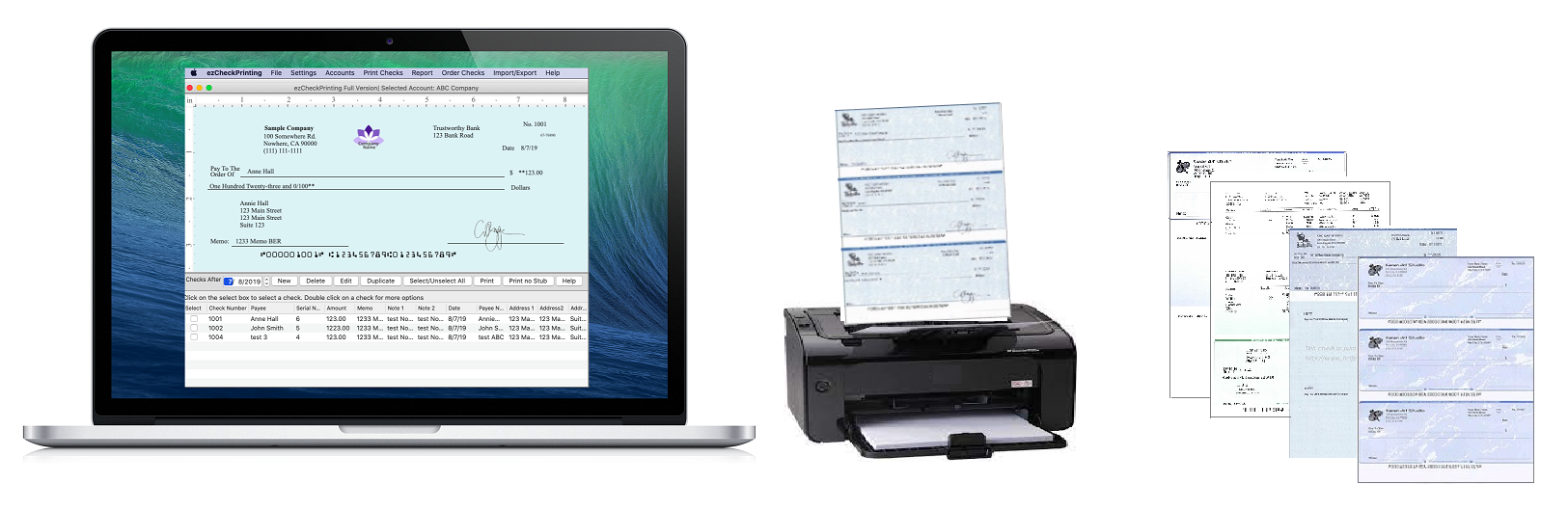
ezCheckPrinting is the easy-to-use business version MICR and laser check writing and check printing software.
This check printing software works with any standard blank check stock and preprinted check with 8-1/2" X 11" size.
ezCheckPrinting Software eliminates the needs of the expensive preprinted Checks by printing checks with MICR encoding on blank check paper. And it can also create pre-printed MICR bank checks for accounting applications including ezPaycheck, Quicken, QuickBooks and Microsoft Money.
Priced from $39, FREE through TrialPay offer, our PC check writer is affordable for any business.
|
|
Why our check printing software is trusted by thousands of customers:
Easy to Use - Save You Time and Money
WYSIWYG user-friendly interface design with point-and-click simplicity
Supports check-on-top, middle, bottom and 3-per-page formats
Supports blank check paper and pre-printed checks
Prints pre-printed blank checks
Fast data import to print bulk checks
Eliminates the Needs of Preprinted Checks
Prints checks for ezPaycheck, QuickBooks, Quicken, Peachtree, Microsoft Money and others
Generates QuickBooks Compatible pre-printed checks
Affordable - No Annual Fee and Hidden Cost
Single user version is just $39
Supports unlimited accounts and checks
Marketing
Supports logo/signature images and get your brand out
Free Trial Version Download
No registration needed, no obligation and totally risk free
No internet needed to run this check printing software
No verification needed.
|
|
|
|
|
Check Printing Software Key Features
|
| ezCheckPrinting Check Writer Software Feature List
|
Single-user, Stand-along Version
|
Multiple-user, network Version
|
Check Printing - Stop ordering expensive pre-printed checks
- Print unlimited professional checks on both blank stock and pre-printed checks
- Print checks with MICR encoding line
- Support unlimited bank accounts
- Print checks with logo and signature
- Print check with stubs
- Supports Check-on-Top, check-in-middle, check-at-bottom and 3-check-per-page formats
- Print multiple checks with one click
- Write recurring checks easily
|
Yes
|
Yes
|
Draft Check
- Print pre-printed draft check to receive payment via phone, email, fax and online quickly
|
Yes
|
Yes
|
Customzie Check Layout
- You can customize any field on check
- Customize Check layout with different font, signature, logo
- Add extra text labels and lines on checks
- Customize Check Stub
|
Yes
|
Yes
|
Print Pre-printed Blank Checks with MICR Encoding
- Print pre-printed blank checks with MICR encoding line that you can fill in manually and use with other software
|
Yes
|
Yes
|
Account Management
- Support unlimited bank accounts with no extra charge
- Add a new account quickly by duplidating an existing account
- Account backup and restore easily
- Data backup reminder
|
Yes
|
Yes
|
Easy to use reports
- You can generate report by payee name, date range
- You can generate report by category, date range
|
Yes
|
Yes
|
Import/Export Check Data
- Import bulk data from .csv file
- Export Check data to .csv file
|
Yes
|
Yes
|
Work with other software
- Print Quickbooks, Quicken, Peachtree, Microsoft Money ezPaycheck compatible MICR pre-printed blank checks
- Import check data from external file to speed up cheque printing
|
Yes
|
Yes
|
Enable QuickBooks and Quicken Customers to Print Checks on Blank Stock
- Support check printing for QuickBooks 2013 and previous online and desktop versions.
- Support check printing for Quicken 2013 and previous versions
- Support both MISC checks and paychecks
|
Optional with Virutal Printer
|
Optional with Virtual Printer
|
| Network access (Multiple users can share the same database)
|
No
|
Yes
|
Direct Deposit
ezACH direct deposit software can import data from ezCheckPrinting database and generate the ACH file to direct deposit.
|
Optional with ezACH software
|
Optional with ezACH software
|
Purchase and Support
- Free trial available
- Purchase once and enjoy it for life time.
- Purchase cheque software now and get the key code instantly
- No hidden cost
- Free email and livechat support
|
Yes
|
Yes
|
| Price
|
from $39.00
Free Offers available
|
From $99
|
|
|
Price List
(Learn More About Purchase)
(Want to get the full version free?)
|
| |
Version |
Price |
ezCheckPrinting Single-User Basic Version
(No CD included) (License key will be sent to your email account after the transaction completes.)
|
Unlimited accounts and checks (This version cannot import data from QuickBooks directly)
|
Free
(Regular Price: $39)
Check Out through TrialPay
|
$39.00 (per installation)
|
ezCheckPrinting Virtual Printer for QuickBooks/Quicken
(No CD included) (License key will be sent to your email account after the transaction completes.)
This virtual printer can't be used stand-alone. ezCheckPrinting Software is requred.
|
You need to use it together with ezCheckPrinting
|
Free
(Regular Price: $39)
Check Out through TrialPay
|
$39.00 (per installation)
|
ezCheckPrinting Single-User QuickBooks Bundle Version (ezCheckPrinting single user version + Virtual Printer for QuickBooks) (No CD included) (License key will be sent to your email account once the transaction completes.)
|
Unlimited accounts and checks QuickBooks/Quicken check printing
|
$69.00 (per installation)
|
| |
Check Writer Bunlde Version for Business and Family
(ezCheckPrinting single user version for business + ezCheckpersonal single user version) (No CD included) (License key will be sent to your email account once the transaction completes.)
|
Spring Promotion
|
$58.00 (per installation, regular price $68)
|
| |
ezCheckPrinting 3-User network version (No CD included) (License key will be sent to your email account once the order completes.)
|
Unlimited accounts and checks
|
$99.00 (per site)
|
ezCheckPrinting 3-User network + QuickBooks Bundle version
(3-user ezCheckPrinting network version + 3-user Check Virtual Printer for QuickBooks/Quicken) (No CD included) (License key will be emailed to you once the order completes.)
|
Unlimited accounts and checks
|
$169.00 (per site)
|
| |
ezCheckPrinting Unlimited-User Network version (No CD included) (License key will be sent to your email after the transaction completes.)
|
Unlimited accounts and checks
|
$159.00 (per site)
|
ezCheckPrinting Unlimited-User Network + QuickBooks Bundle version
(unlimited-user ezCheckPrinting network version + unlimited-user Check Virtual Printer for QuickBooks/Quicken) (No CD included) (License key will be sent to your email account once the transaction completes.)
|
Unlimited accounts and checks
|
$249.00 (per site)
|
| |
ezCheckPrinting Software CD
(No license key included.)
|
 
|
$9.95 (Each CD by USPS Flat Rate Mail, US Only)
|
Special Offer: 50 sheets blank laser computer check stock 3-per-page and check-on-top Free Shipping
|
More blank check stock options
|
Free
(Regular Price: $16)
Check Out through TrialPay
|
Note: The software on the CD is the same as the one you download from our site. The CD option does not include the license key. If you can download this software from our site, you do not need the CD. You can just purchase the license key. The CD is for the users who cannot download software or who want to keep a hard backup copy.
|
|
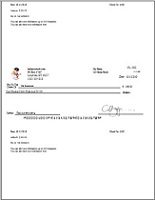
What if you add logo to the bank checks? They will catch more eyes.
You will never know who will handle your checks. The customized bank checks are also a great way to differentiate your company and get your brand out in the marketplace.
View the four-step guide on how to add logo to your check with our check printing software.
Let me try it now
|
|
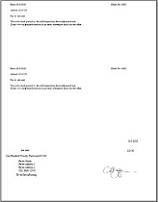
Never order checks from banks. Our check printing software can print preprinted blank checks with MICR encoding -- you can fill in manually or written with other software
2-line transit code
Store Name is bold
3-per-page
Let me try it now
Buy it Now!
Get it free now!
|
|
|

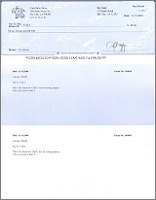
Check-on-top with stubs
Click image to enlarge
|

QuickBooks Blank Check
Click image to enlarge
|

Check-in-middle with stubs
Click image to enlarge
|

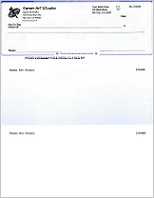
Check-at-bottom data only
Click image to enlarge
|
|
|
What is EzCheckPrinting Virtual Printer for QuickBooks/Quicken
The virtual printer is the optional add-on of ezCheckPrinting software. It allows you print the checks from QuickBooks and Quicken on blank stock in one step.
It can works with QuickBooks/Quicken desktop, network and online version.
All checks printed through the virtual printer will be imported into ezCheckPrinting software automatically
|

|
|
ezCheckPrinting check writer comes with the sample database. Most customers can print first check in minutes
|
Check Printing Software Main Screen
Print checks in house from your printer is totally legal.
Add/Edit/Delete check(s)
Print one or multiple check
Duplicate checks
Preview check on screen
Click the column header to sort the checks
Print pre-printed blank checks
Print Quickbooks pre-printed checks
Free Download now
Buy it Now!
Get it free now!
|
|
Check Setup
Add bank information
Check paper type: blank or pre-printed
check format: check-on-top, check-in-middle, check-at-bottom or 3-per-page
Logo image path
Signature image path
Reset current check number
User can print check alignment paper
User can move the whole check up/down/left/right by modify the offset values.
|
|
Customize Check layout
Hide/Show any field
Change Font, Color, Size
Move image
Resize image
Add new labels
Add new lines
|
|
Add/Edit check
Hide/Show any field
Change Font, Color, Size
Move image
Resize image
Add new labels
Add new lines
|
|
Import Data
ezCheckPrinting cheque software can import data from csv file.
Free download now
Buy it Now!
Get it free now!
|
|
Export Data
Export data from check printing software into .csv file.
|
|
Account Management
Support unlimited accounts
Add new bank account
Delete one bank account
Backup bank account
Select current account
Our check printing software can support unlimited bank accounts and checks with no extra charge.
|
|
Easy to use report
You can generate the report
by payree name
by pay period
Let me try it now
Buy it Now!
Get it free now!
|
|
|
|
CHECK PRINTING SOFTWARE BASICS
Is it legal to write and print check from my printer?
Yes, writing and printing checks from your own printer is perfectly legal. However, you must print checks on special check paper.
Do I need special toner to print checks?
If you have pre-printed checks with MICR line, you can use any printer. If you need to print checks on blank stock, we suggest customers to use MICR (Magnetic Ink Character Recognition) toner and MICR ink for the best printing quality. However, many US bank are using Optical check reader today which can scan the checks printed on blank stock with regular office/home laser printers. A jet or dot matrix printer CAN'T be used to print checks on blank check stock.
However, checks must be printed on special check paper.
What kind of blank check paper is acceptable for check printing?
Does this check writing software print MICR encoding on checks?
Yes.ezCheckPrinting cheque software does print checks with the MICR encoding. You can print MICR bank routing numbers, account numbers, check numbers and bank information on blank check stock using a laser printer.
What are the system requirements for ezCheckPrinting check writer?
Windows 98, 2000, XP, 2003, Vista, 7 and 8
.Net Framework v1.1 or later
ezCheckPrinting check writer can run on both 32-bit and 64-bit machines.
ABOUT PURCHASE
Is the check out process safe?
I do not have Paypal account. How can I check out?
Don't have a PayPal account? No Problem.
Click the "Proceed to Checkout button" button
On PayPal login page, Click the "Continue" link of "Don't have a PayPal account".
Then you can pay securely using your credit card.
|
|
How long it takes to get the license key?
Our system will send the check printing software download link and license key to your email account after the transaction is completed. Usually, you can get it in 1 to 5 minutes depending on how often your mailbox is updated.
Some mail servers may block messages sent by machine. If you cannot find the key in your Inbox folder or Junk Mail folder after one hour, please contact us at services@halfpricesoft.com. We are glad to send the key to you manually.
HOW IT WORKS
How to setup bank account inside this check writer?
On check setup page, you can do:
Uncheck the "Use Blank Check Stock" check box to print check on preprinted check. The default is checked.
Specify the bank information: Bank name, addresses, transit code, Routing Number, Bank Account.
Define the current check number. This number will increase by one automatically after each check printing.
You can adjust the check print out position by modifing the "Offset left", "Offset right", "Offset up" and "Offset down" text box.
Specify the check position on page by selecting Top, Middle, Bottom or 3 per Page.
You can print out "Check Alignment Page" and align you check on the bottom and right line to check if the Routing Number fits inside the correct box. The "Print Check Alignment" button is on "Check Setup Page". The Routing Number includes the leading symbol.
Specify the signature image on check.
Input compay name address displayed on check.
|
|
How to customize check layout?
|
ezCheckPrinting is very flexible check designing and printing software. On "Setting->check layout" forms,
you can move the label and image to ideal position
you can change font size, font type
you can change line style
you can resize the image
you can hide/show the text/line
you can add new line or new label. You can add expiration information there or you can customize your transit code to two-line format.
|
|
How can I adjust the check printing position?
You can adjust the check print out position by modifing the "Offset left", "Offset right", "Offset up" and "Offset down" text box. You can access this screen by clicking check software top menu "settings->check setup".
How to print multiple checks by one click?
Start check printing software, select multiple checks from the check list, then click the PRINT button to print them together.
How do I know if the check is properly aligned?
You can print out "Check Alignment Page" and align you check on the bottom and right line to check if the Routing Number fits inside the correct box. The "Print Check Alignment" button is on "Check Setup Page". The Routing Number includes the leading symbol.
What kind of file format is acceptable for signature?
The signature image file can accept .bmp, .jpg, .gif, .tiff and .png.
How can I create a signature file for my bank check?
The easiest way is using free Windows Paint from Accessories -> Paint. You can set the image size to 150 X 50 in Pixel from Image->Attibutes. And then use the pen to draw your signature.
How to print checks on pre-printed check?
You can select this option from check setup form. You can access check setup form by clicking the top menu "settings->check setup". Then you can uncheck "Use Blank Check Stock" option to use pre-printed check.
How to use 3-per-page check paper?
ezCheckPrinting supports check-on-top, check-in-middle, check-at-bottom and 3-per-page format. You can select this option from check setup form.
Click the top menu "settings->check setup" to open check setup page.
change the value of the check position field from "TOP" to "3-per-page". (the last item in check information group).
Click the Update Button to save your changes.
How to use two images on my bank checks, one for the bank logo and one for my company logo?
On the "Settings->Check Setup" form, you can use logo for the company logo and use signature field for the bank logo. Then you can open "Settings->Check Layout" form to modify the position and size.
The transit code on my bank check is in two lines. Does ezCheckPrinting support this bank check format?
Yes. You can open "Settings->Check Layout" form to add a new text and a new line to support the bank check format.
How to import data from the external source into this check printing software?
Yes. You can save data from other software, SQL server, access database or excel files to csv file first. Then our check printing can import data from cvs file.
How to import the check data from my Microsoft Excel documents?
Yes, but you need to save the data to a cvs file first. Followings are the steps:
Open you excel file
click "File->Save As" to save your file to other format. In the dropdown "Save as type", select "CSV (Comma delimited) (*.cvs) " as your new file type.
Then you can start ezCheckPrinting check application and import data from your cvs file.
How to export data to external file?
You can click the top menu "Import/Export->Export to cvs file" to export your data from check software to external file.
|
|
Blank Computer Check

You can get these compatible check sheets for FREE through the special offers!
Click here to order blank computer check.
|
|
|
MORE INFORMATION
|
|
Download ezCheckPrinting.
Download ezCheckprinting and try it for FREE now
|
|
Download Sample check data cvs file.
This is the cvs check data sample file that you can import into ezCheckprinting. Our import functions is very flexible. So your file can be different.
|
|
ezPaycheck Payroll Software.
A lot of users like to use ezCheckPrinting together with ezPaycheck.
ezCheckPrinting can print pre-printed blank business checks for a lot of other payroll accounting software.
|
|
ezTimeSheet - Employee Time Attendence Software.
ezTimeSheet allows you to track employee attendence and generate payroll data. You can export these data from ezTimeSheet to a cvs file. You can import these check data from the cvs file to ezCheckprinting and print out paychecks easily by a few clicks.
|
|
ezCheckPersonal - Personal check printing software.
If you need to print pocket size personal bank checks, please try ezCheckPersonal. You can get this software and compatiple check paper for FREE through our special promotion program.
|
|
|