In 2026, employer responsibilities for tracking and reporting tips and overtime (OT) will transition from 2025's "reasonable estimate" period to mandatory, standardized reporting under the One Big Beautiful Bill Act (OBBBA).
Standard IRS information return penalties will apply to inaccurate reporting for the 2026 tax year.
Qualified overtime (OT) is:
Under the One Big Beautiful Bill Act (OBBBA), the IRS allows employees to deduct the overtime premium portion of their pay from their federal income taxes. This applies for tax years 2025 through 2028.
Employers should inform employees that:
John Smith worked 40 regular hours at $20 per hour and 5 overtime hours paid at $30 per hour.
Break down of this payment is as follows:
| Type | Hours | Rate | Total | W-2 Reporting (2026) |
|---|---|---|---|---|
| Regular Pay | 40 | $20 | $800 | Box 1 (Included in Gross) |
| Overtime (Base) | 5 | $20 | $100 | Box 1 (Included in Gross) |
| Qualified Overtime (Premium) | 5 | $10 | $50 | Box 1 (Included in Gross) Box 12, Code TT |
Qualified Overtime(Premium) refers exclusively to the premium (the "half" in time-and-a-half) mandated by the Fair Labor Standards Act (FLSA).
- The Overtime Premium: He receives an extra $10/hour specifically because it is overtime ($30 total - $20 base = $10 premium).
- The Calculation: 5 hours x $10 premium = $50 of Qualified Overtime.
So Only that $50 can be labeled as Qualified Overtime and may be deducted from his federal taxable income when he files his 2025 taxes.
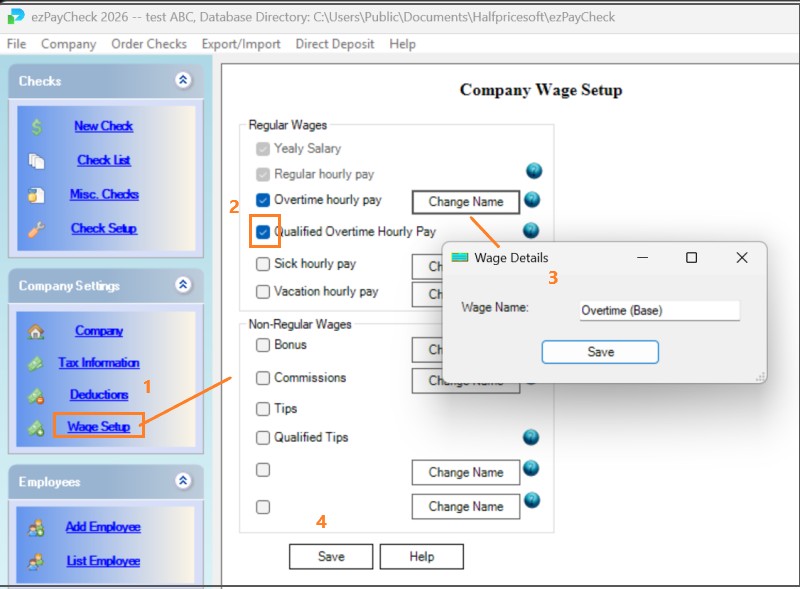
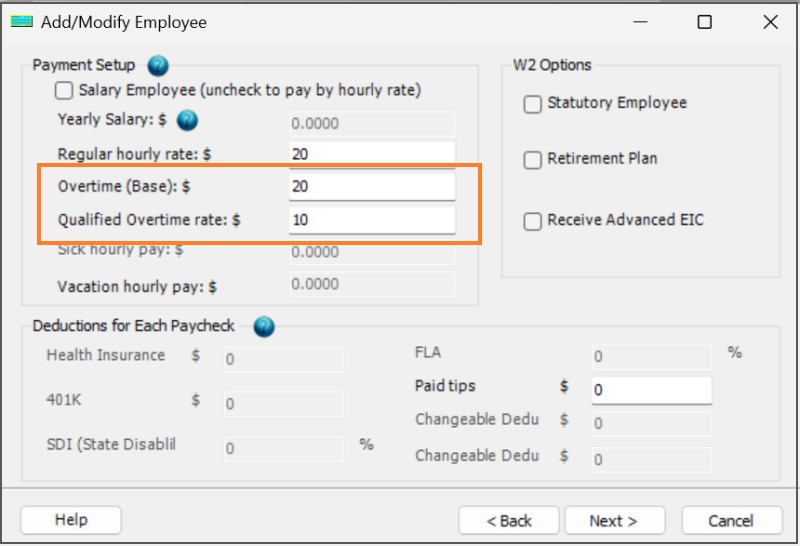
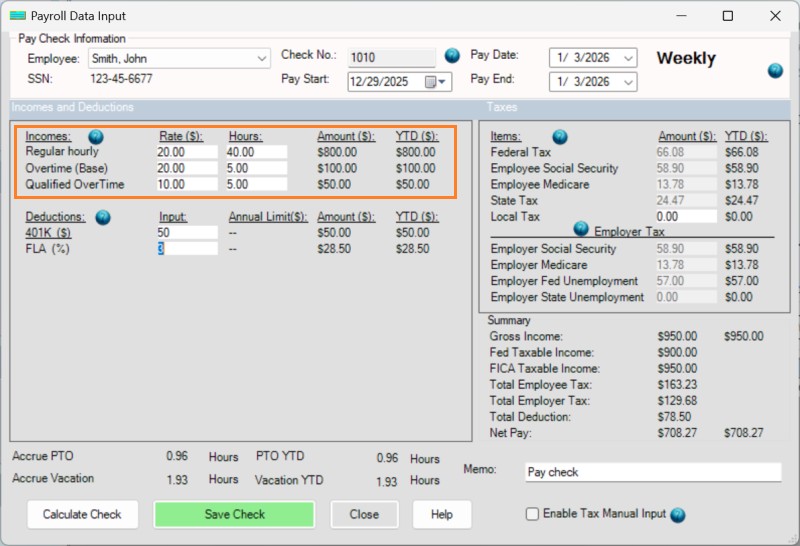
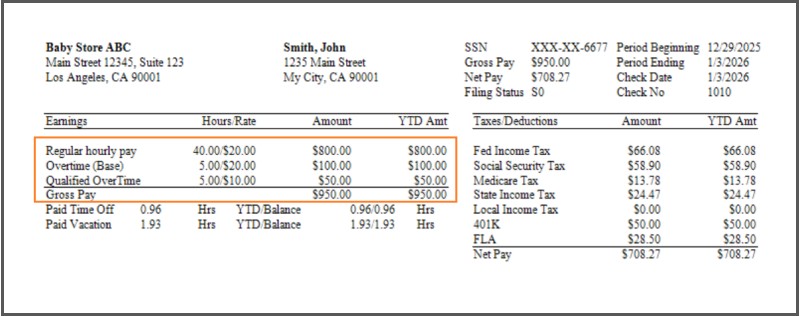
No.
Employers should continue labeling all qualified tips and overtime, even if:
Caps and income limits are handled by the employee on their personal tax return, not by payroll.
Please feel free to contact us whenever you need assistance. Our support team is glad to assist you.

