Mac license and trial watermarks
- Checks print with a TRIAL watermark, or
- ezCheckPrinting for Mac reports a license or registration error.
Windows keys are covered in License registration errors.
1. Confirm the version
Open Help > About ezCheckPrinting, and note the version.
Version 5 and version 6 use different licenses. Version 6 was released on August 9, 2019, and the license is an in-app purchase from the App Store.
2. Version 6
-
In the App Store purchase history, confirm the ezCheckPrinting Mac version 6 order is completed.
-
If this Mac has more than one Apple ID, install and open ezCheckPrinting with the Apple ID that was used to purchase it.
-
Click Restore Purchases. If the license does not restore, restart the Mac and try again.
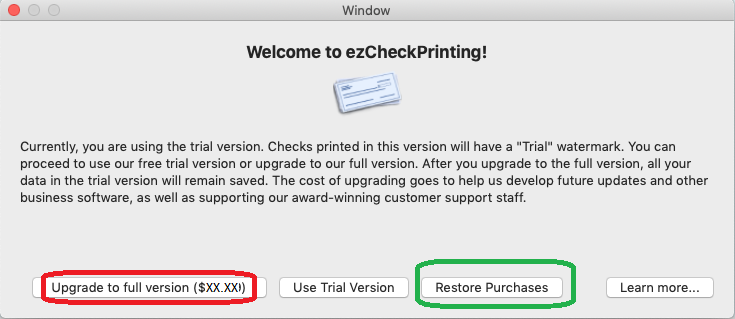
-
If Restore Purchases still fails, contact Apple. Version 6 was submitted to the App Store, and Apple manages that license.
3. Version 5
Paste the version 5 key into the license screen, including the dashes. The key is case sensitive. If the email added hidden characters, paste the key into a plain-text editor first, then copy it from there.
Highlight the key in the license email and press Ctrl + C. Click the registration box and press Ctrl + V.
If the license is still missing
Reply to support with:
- Whether the ezCheckPrinting purchase appears in App Store purchase history on this Mac.
- Whether the App Store is signed in with the Apple ID that bought it.
- Any error from Restore Purchases.
- The macOS version. How to check the macOS version.