HalfpricesoftHalfpricesoft
Now in beta

Direct Deposit Portal

Sync paychecks from ezPaycheck Desktop so employees can see their employee portal and get paid by direct deposit.

Works with ezPaycheck Desktop.

Direct deposit

Sync the paychecks you ran in ezPaycheck Desktop, check the total, and approve. Net pay goes straight to each employee's bank account.
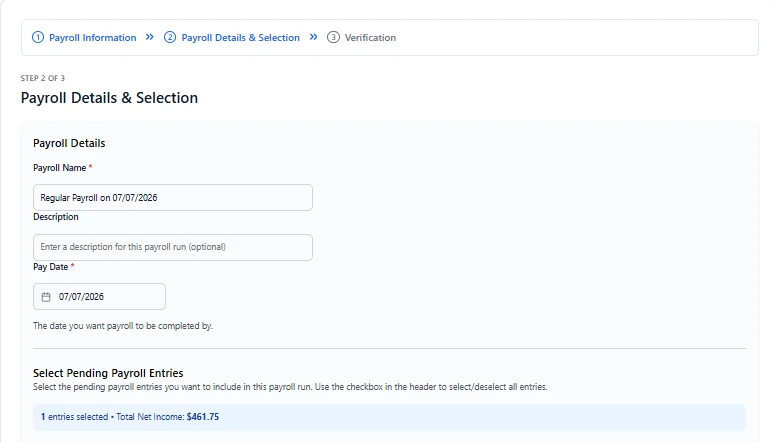
  • ✓Choose which paychecks go in each run
  • ✓See the total net pay before you approve
  • ✓Pay goes to the account each employee sets up
Direct Deposit Portal payroll run showing the pay date and total net income for the selected paychecks

Employee portal

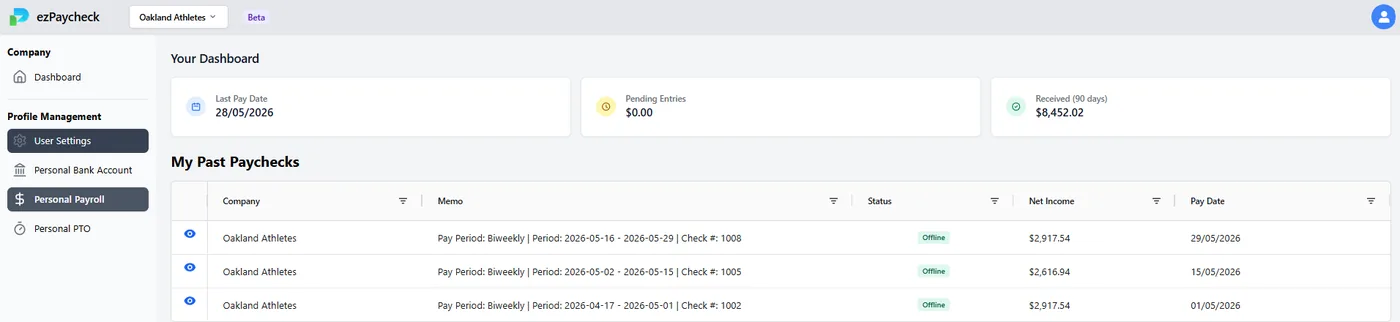
Each employee gets their own sign-in to see past paychecks and download paystubs any time, without asking you for a copy.

  • ✓ Paystub PDFs
  • ✓ PTO balance
  • ✓ Their own deposit account

What employees see

Employee portal listing past paychecks with net income and pay dates

What you see

Invite employees by email, or import them from ezPaycheck Desktop.
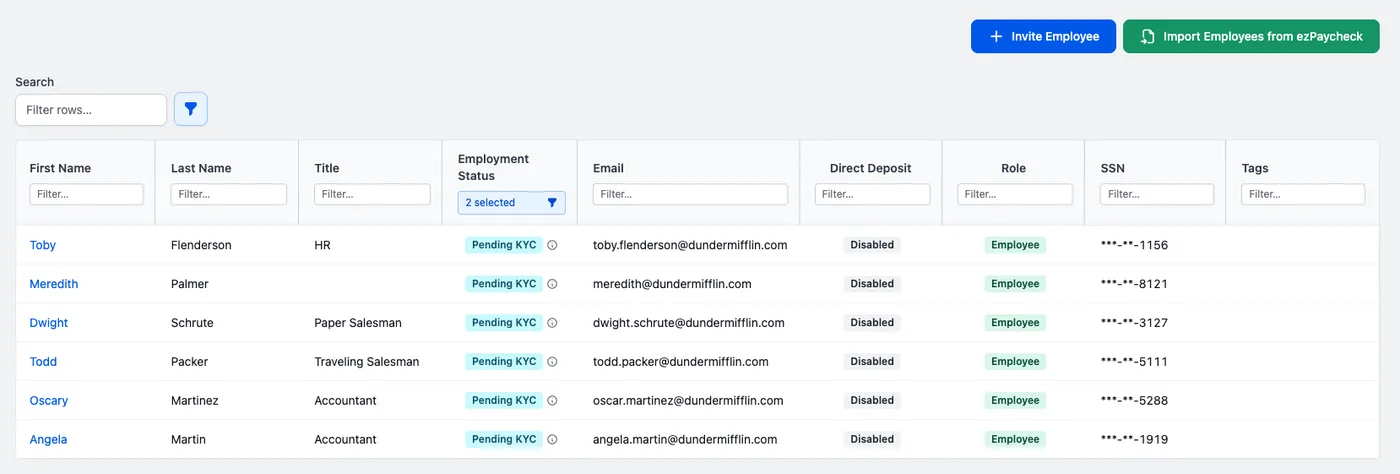
Employee list in the Direct Deposit Portal with Invite Employee and Import Employees from ezPaycheck buttons

How it works

  1. 1

    Run payroll in ezPaycheck Desktop

    Calculate paychecks the way you do today.

  2. 2

    Sync to the portal

    Send the finished paychecks from the offline software.

  3. 3

    Approve the deposit

    Employees get paid and see their paystub in the employee portal.

A checklist walks you through first-time setup. See the quick start guide for details.
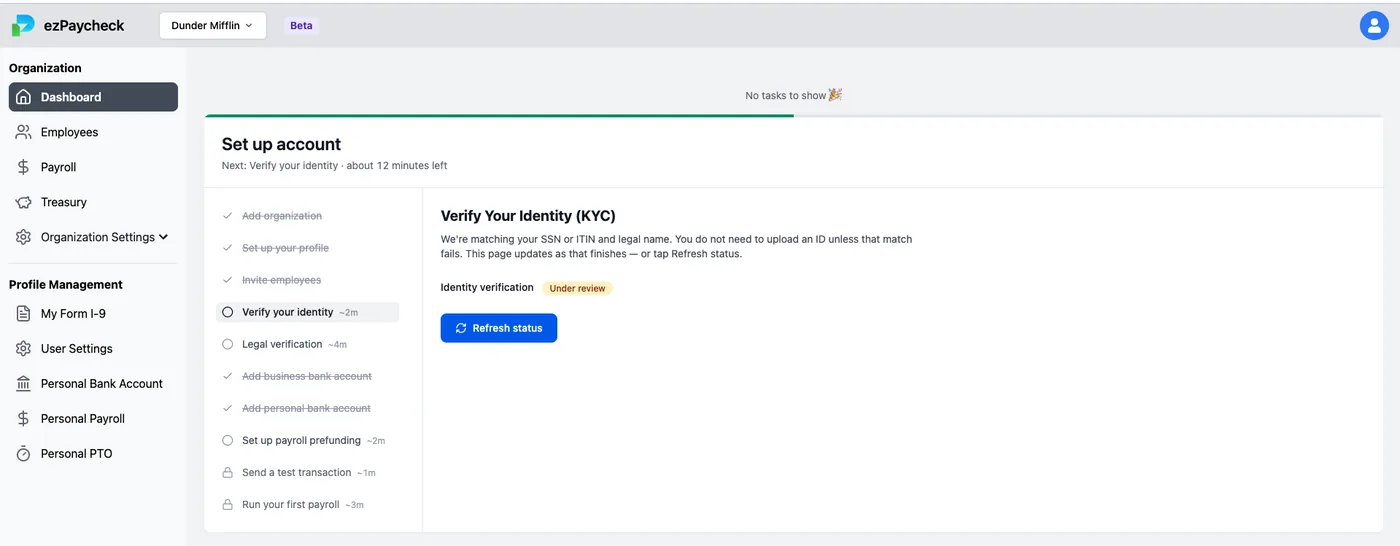
Direct Deposit Portal dashboard with the account setup checklist

Questions

Do I still need ezPaycheck Desktop?
Yes. You calculate paychecks in ezPaycheck Desktop as usual, then sync them to the Direct Deposit Portal so employees can view the employee portal and get paid by direct deposit.
What do employees get?
Each employee gets their own sign-in to the employee portal. They can view and download paystub PDFs, check their PTO balance, and manage the bank account their pay goes to.
Is there any setup before the first deposit?
Yes, a one-time setup verifies your identity and business and connects your company bank account. The quick start guide walks through each step.
How do I join the beta?
Sign up on the Direct Deposit Portal beta page to request access. Questions go to [email protected].

Try the Direct Deposit Portal

The Direct Deposit Portal is in beta. Sign up to request access.