Remote support
If you already have TeamViewer installed, please go directly to Step 4.1) Download TeamViewer
Click the link below
https://download.teamviewer.com/download/TeamViewerQS.exeAfter downloading, you should see TeamViewerQS.exe in your Downloads folder.
2) Install TeamViewer
Double-click the TeamViewerQS.exe file to install the program.
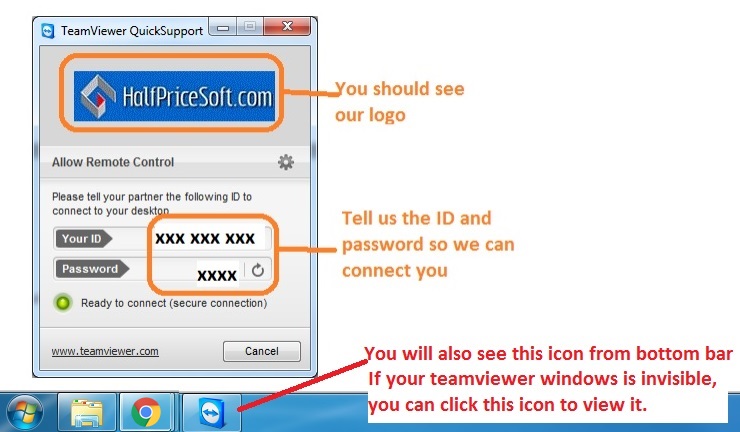
4) Start TeamViewer
Open TeamViewer, and provide us with the
ID and
Password shown on your TeamViewer screen.
We will be ready to connect and assist you.