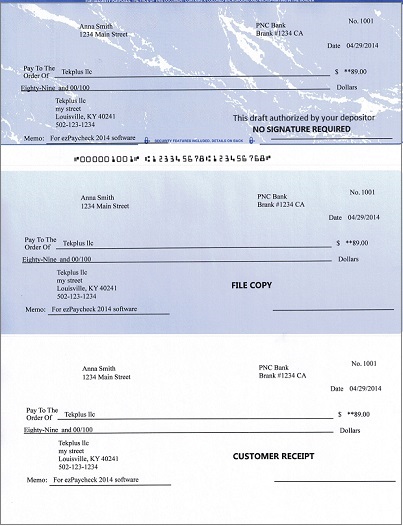
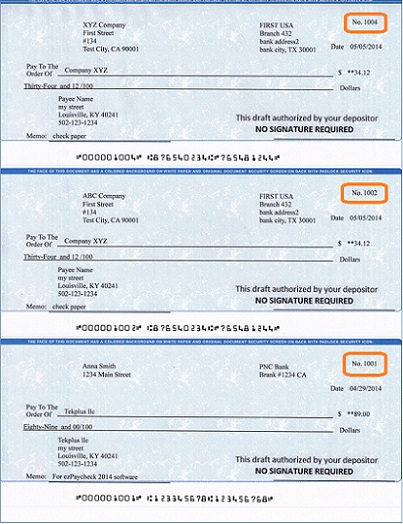
Any business can create a check draft. A regular check is created by the account holder, and signed (authorized) by the account holder. A check draft is created by the merchant, and the signature is not required. The account holder must authorize the merchant to create a check draft.
Followings are the steps to create a check draft if you receive a check by phone, fax or online.
You double click the desktop icon to start this application.

Click the top menu "Settings → check setup" to open the check setup page. (You can skip this step for test drive or if you have already set up your account.)
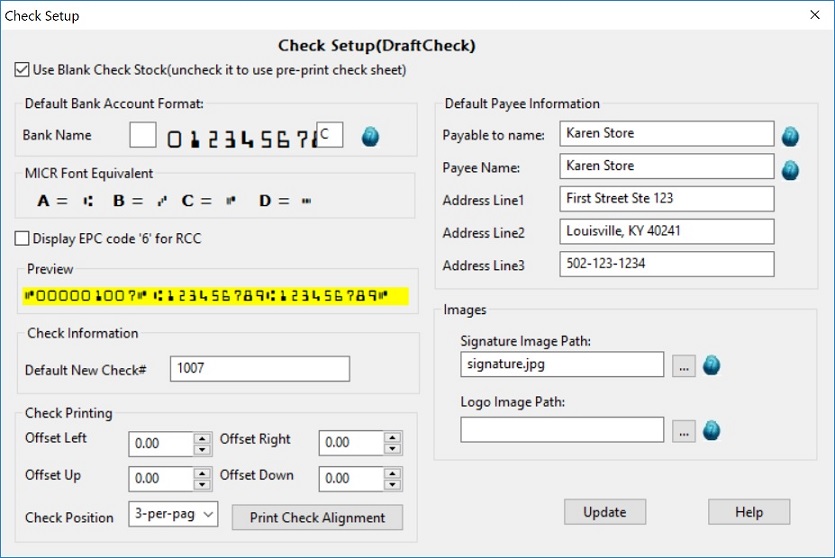
You can add the draft checks manually or you can import checks from .csv file.
Option 1: add a check manually
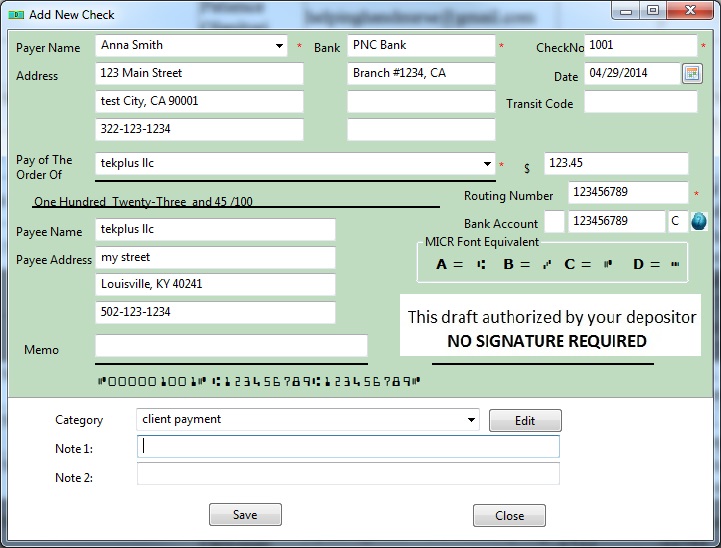
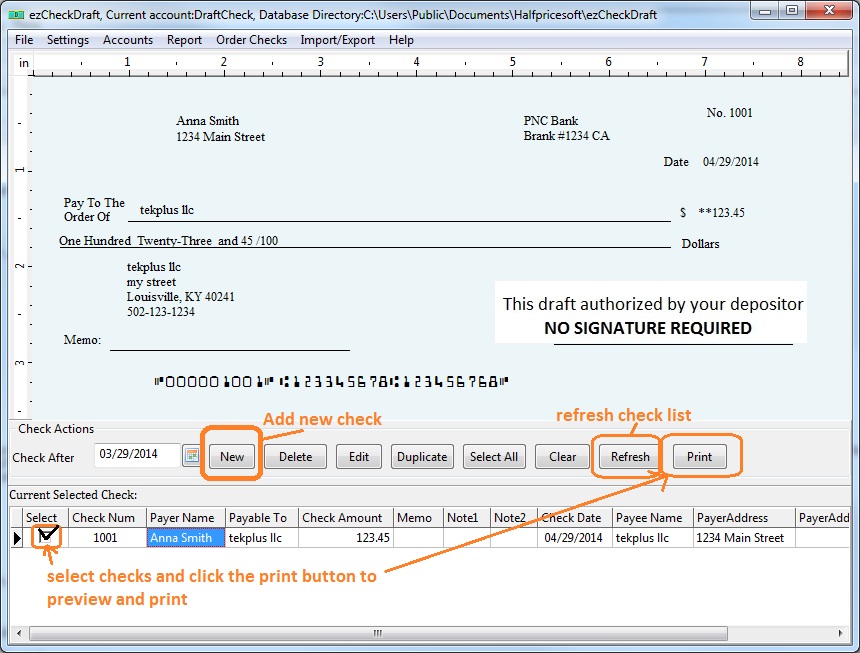
Go back to the main page. Click the New button to add a check. Select this check from the check list and click the Print button to print your check.
Option 2: Import checks from .csv file
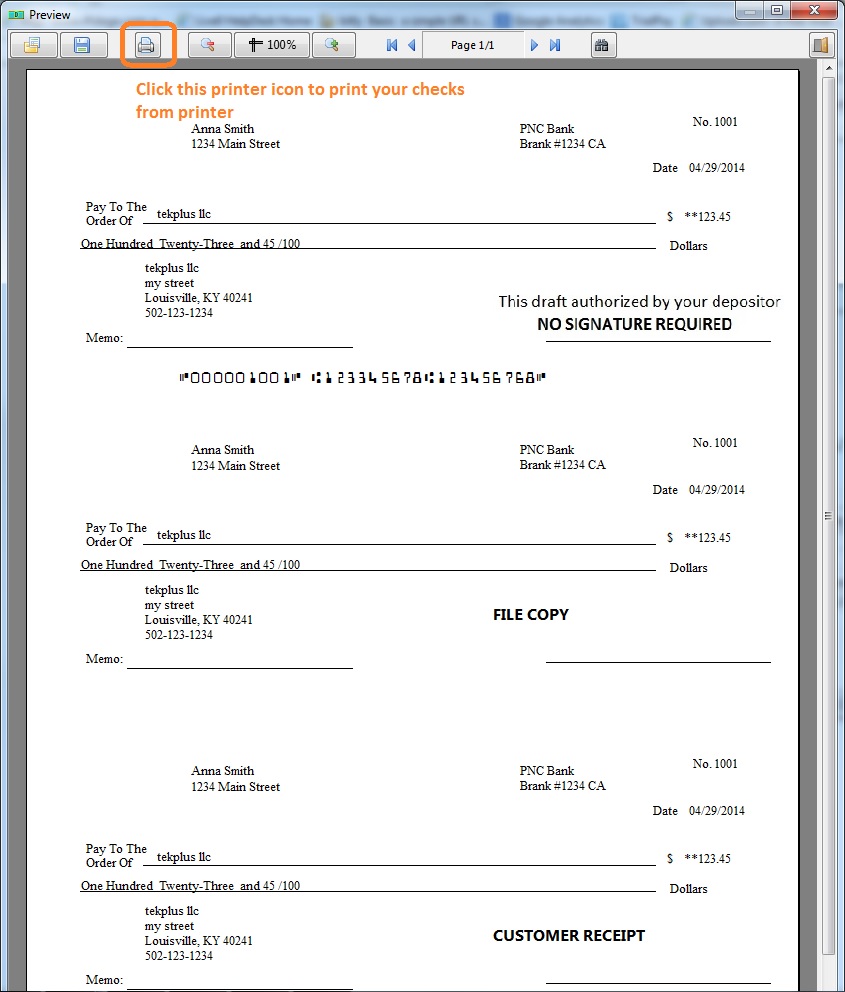
select the check(s) from list and click the PRINT button to preview/print checks.
Please feel free to contact us whenever you need assistance. Our support team is glad to assist you. You can also check the FAQs page or email [email protected].