ACH Payments: Create ACH File Try ezACH now Buy it now ezACH software makes it easy to generate the NACHA ACH (Automated Clearing House) file for electronic funds transfers. Here is instruction on how to create ACH file.
< Previous Step:
Transaction Management Next Step:
Upload ACH file to Bank >
Create ACH File
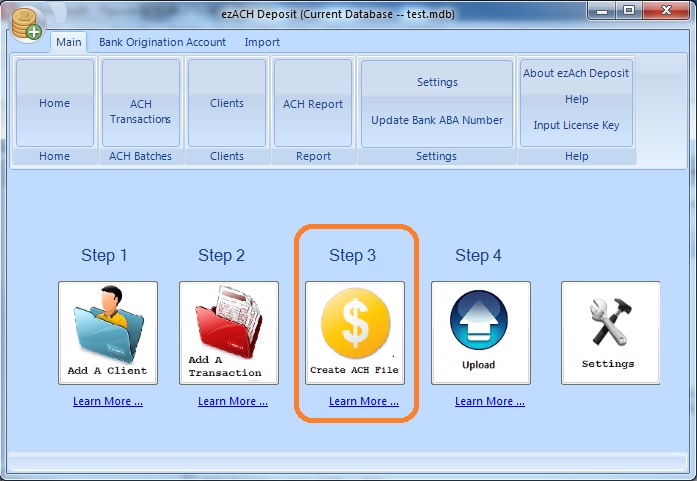
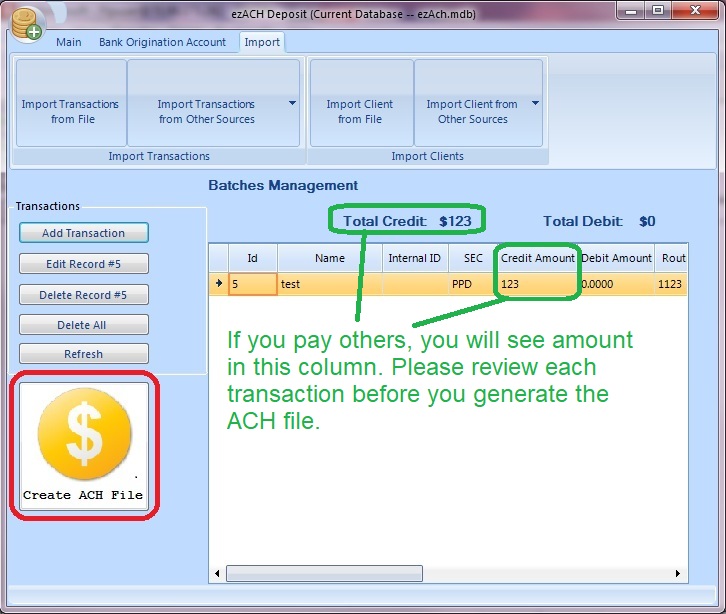
1. Click the "Create ACH File" button to view transaction list.
2. Review the transaction list and create the ACH file.
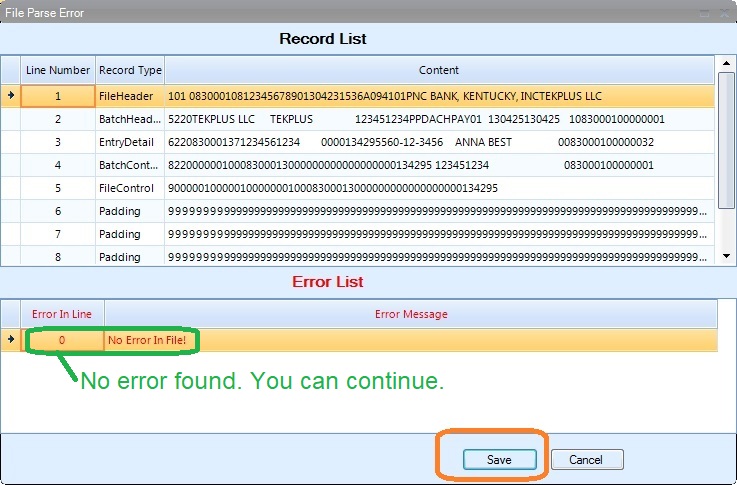
3. If there is no error from error list, you can click the
SAVE button to save the ACH file.
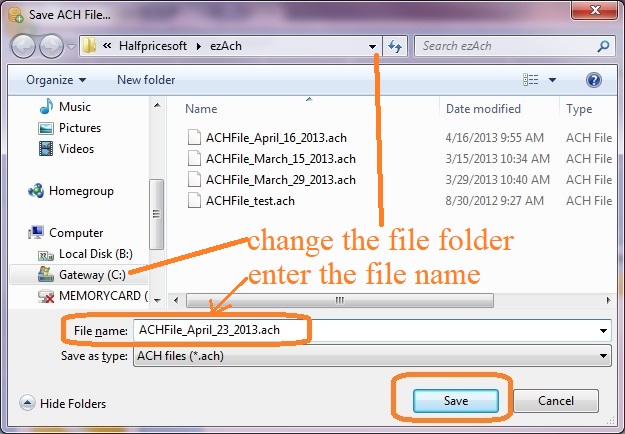
4. You can specify the ACH file path and file name when you save the file.
The default path is:
C:\Users\Public\Documents\Halfpricesoft\ezAch
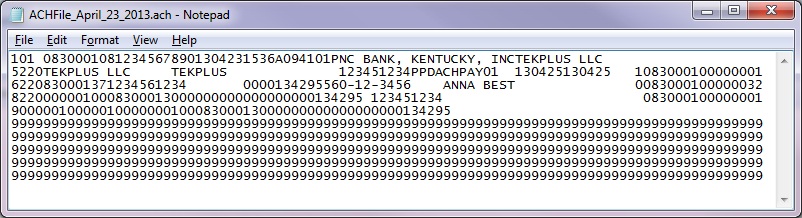
Sample ACH file
5. You can
upload the ACH file to your bank to process the transactions .
< Previous Step:
Transaction Management Next Step:
Upload ACH file to Bank >