ezACH software makes it easy to generate the NACHA ACH (Automated Clearing House) file for electronic funds transfers. Here is instruction on how to add, edit and delete transaction.
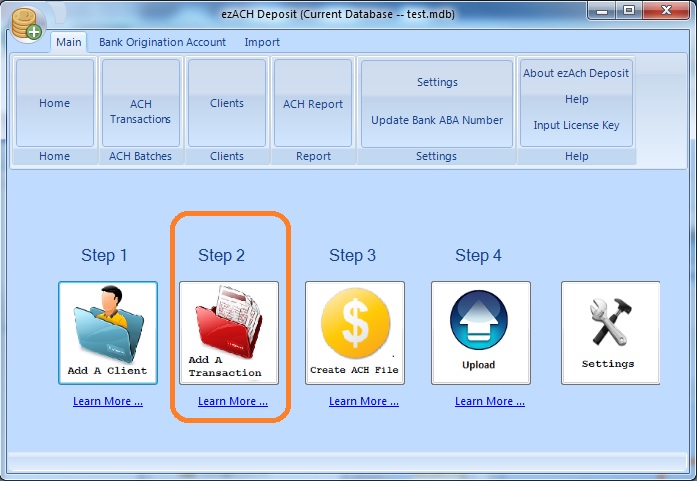
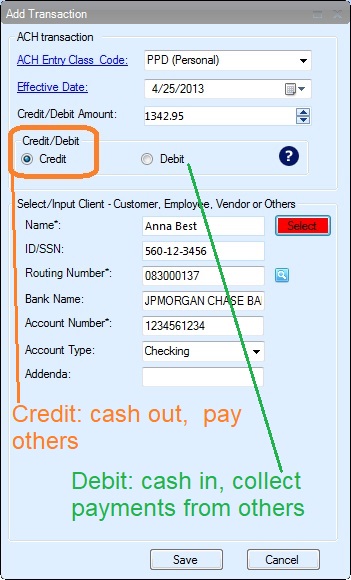
- Once you start ezACH software, you can click the "Add a transaction" button to add a new transaction quickly.
- You can also click the top menu "ACH Transaction" to view transaction management screen to add a transaction.
- You can import transaction by clicking import button to import transactions from ezPaycheck payroll software, ezCheckPrinting software and external .csv file.
2. Duplicate transactions for recurring payments/charges
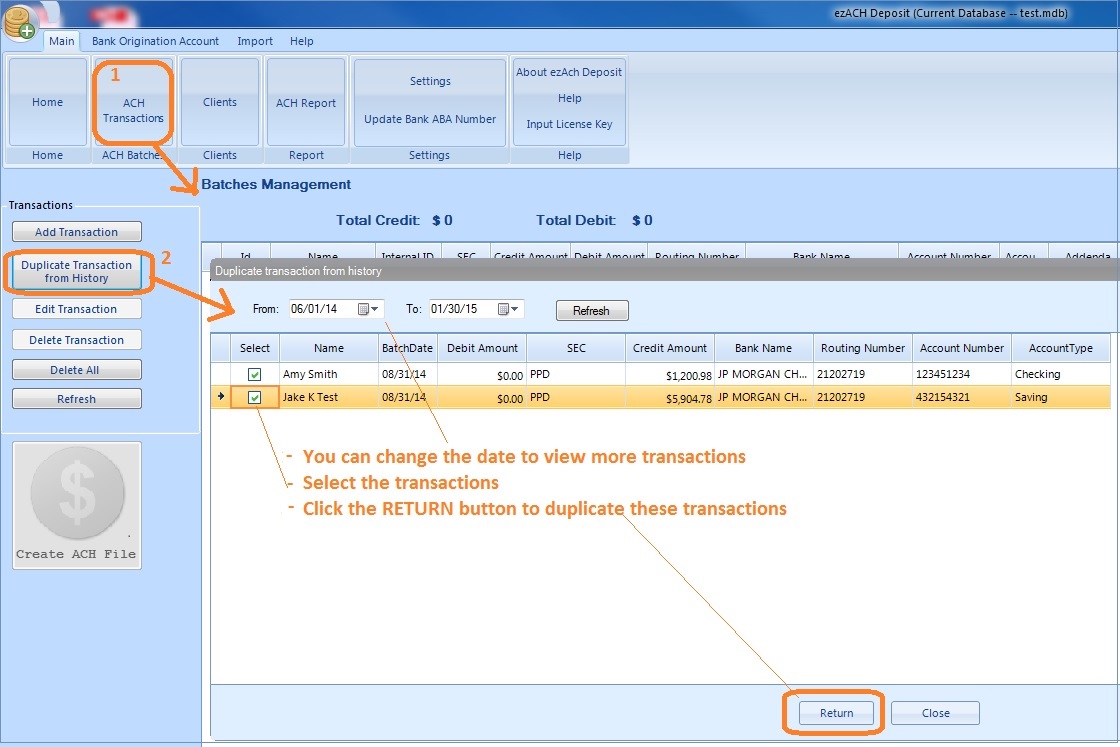
Click the button "Duplicate Transactions from History" on left panel to view previous transactions
You can edit the date range to view more transactions.
Select transactions and click the RETURN button to duplicate these transactions
3. Transaction Management
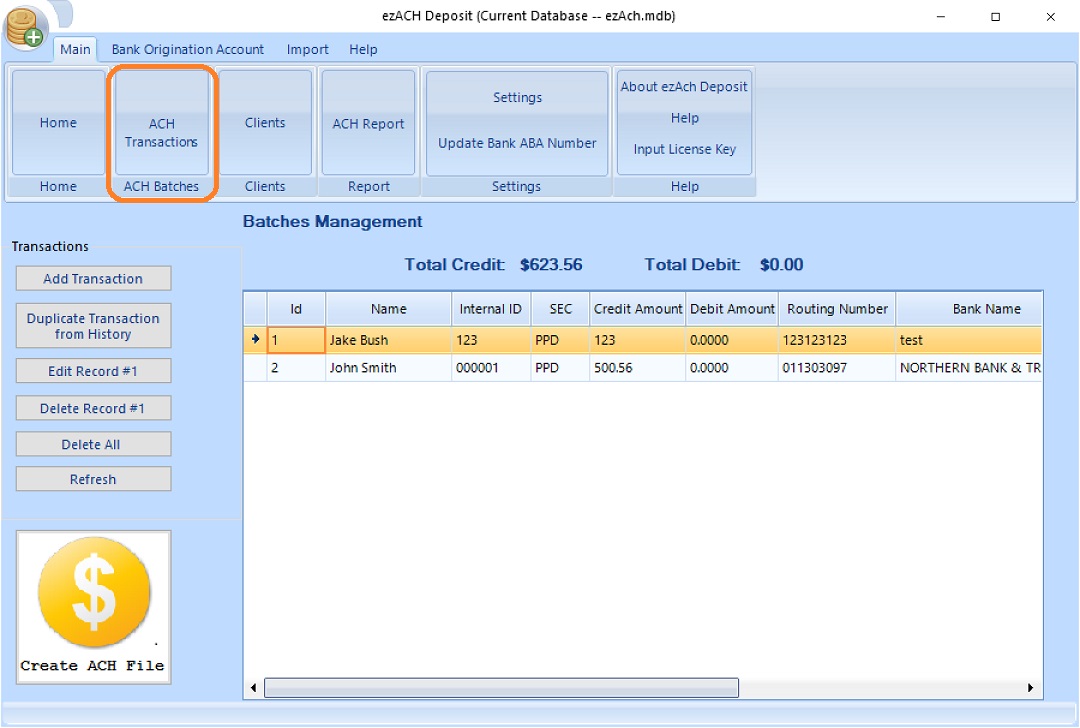
You can click the top menu "ACH Transaction" to view transaction management screen. You can View, Add, Edit and Delete transactions here.