Halfpricesoft Halfpricesoft

How to View Your E-Filing Credit Balance and Usage

Managing your tax season workflow starts with knowing your available resources. Follow these simple steps to check how many e-filing credits you have purchased and how many you have used so far.
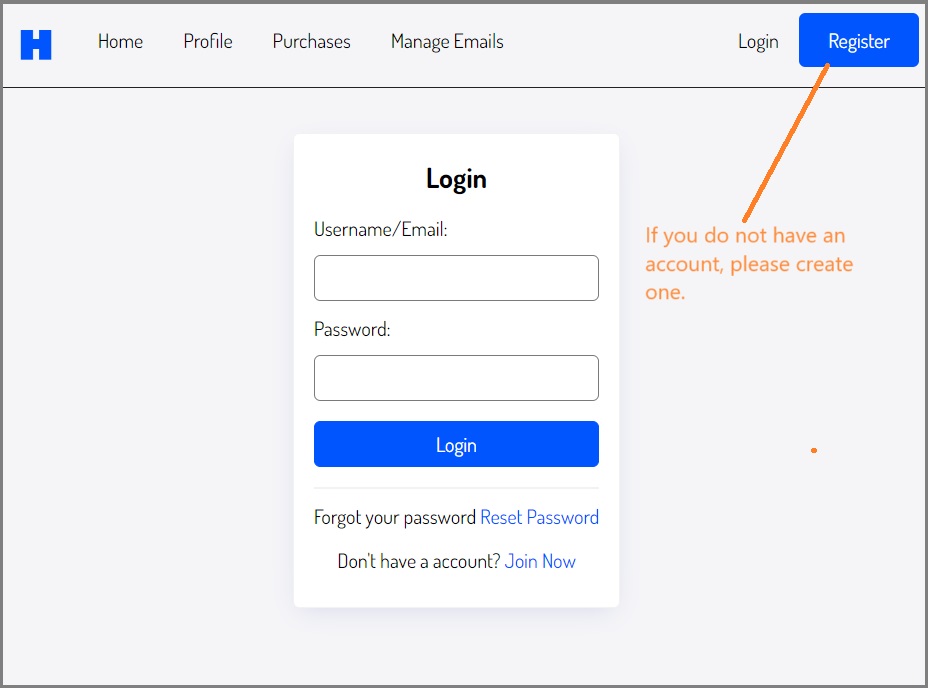
Step 1: Sign in

https://login.halfpricesoft.com/account/login/


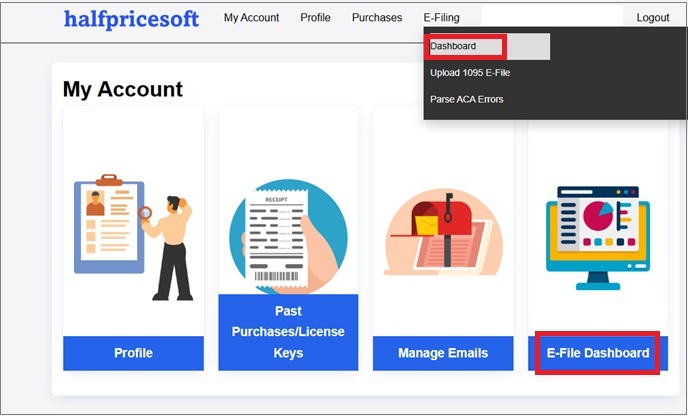
Step 2: Navigate to Your Account Dashboard

Click the the top menu "E-Filing" then the sub menu "Dashboard".


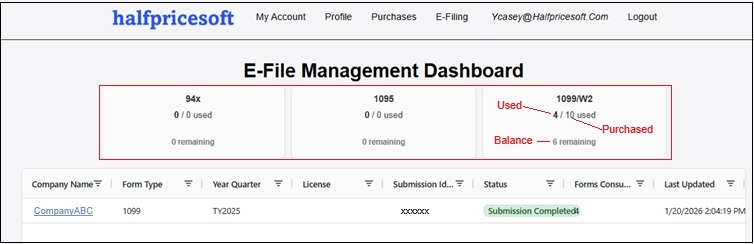
Step 3: View your e-filing credit balance and usage


Frequently Asked Questions

Q: What is the e-filing credit balance?

The e-filing credit balance is the number of e-filing credits you have purchased and have not used yet.


Q: What is the e-filing credit usage?

The e-filing credit usage is the number of e-filing credits you have used so far.


Q: How to purchase extra e-filing credits?

You can purchase e-filing credits from:


Q: How to e-file tax forms?