How to Create a Payroll Report by Paycheck Date or Pay Period Ending Date
EzPaycheck payroll software makes small business payroll an easy job. It can generate paychecks and report by
- pay period ending date
- or paycheck date.
Here are the steps to change the option:
Step 1: Open company Setup screen
You can click the ezPaycheck left menu "company setttings" then "company". You can change the settings on this page.
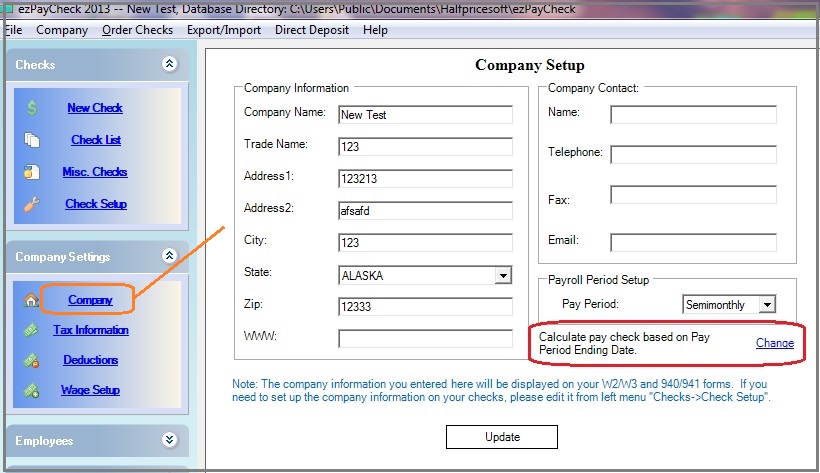
(Click image to enlarge)
Step 2: Change the settings
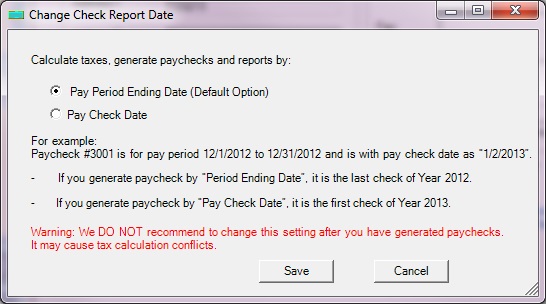
(Click image to enlarge)
Related Links:
Download Now >
Buy Now