Part 1: Print W-2 Forms for Employees and SSA
1.1: View W2 Form
You can click the ezPaycheck left menu "Forms and Reports" then click the sub menu "Forms" to view Form options on screen.
Click the "W-2 Forms" button to view W2 forms
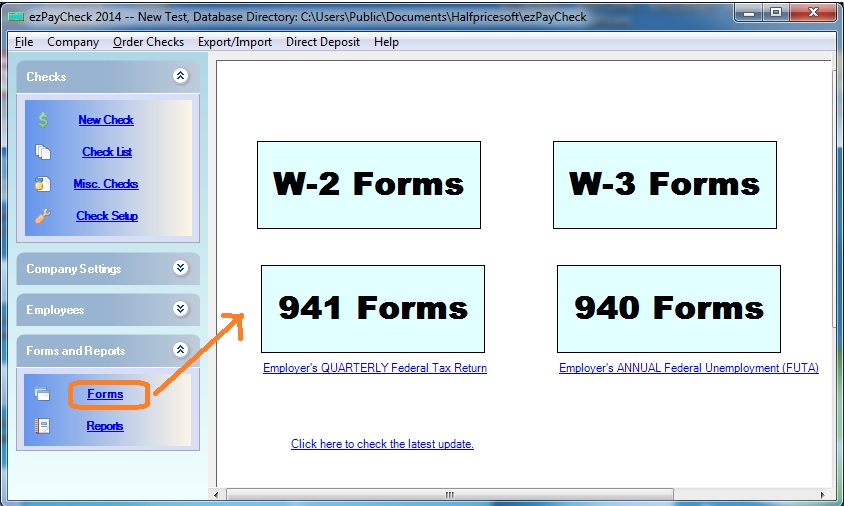
(Click image to enlarge)
1.2: Print W2 Form
1.2.1. Select the tax year
1.2.2. Select the employee
1.2.3. ezPaycheck will generate the W2 form automatically based on paycheck data.
1.2.4. You can edit box 1 to 20 manually if needed, but you cannot save the changes.
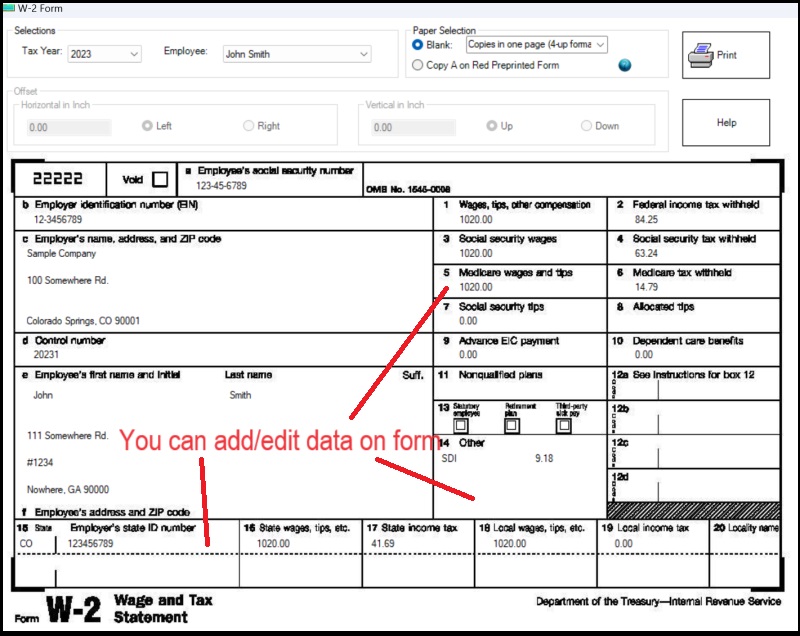
(Click image to enlarge)
2025 W-2 Reporting for OBBBA (Tax-Free Overtime & Tips)
Because One Big Beautiful Bill Act (OBBBA) was enacted mid-year(July 4, 2025), the current version of ezPaycheck 2025 does not have dedicated automated fields for these items. You can optionally enter the amount of qualified tips and qualified overtime manuallyin Box 14 of the W-2.
For example:
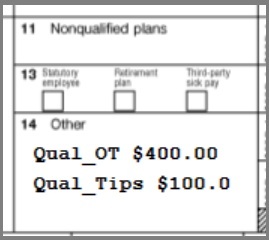
Learn more about 2025 W2 reporting for OBBBA:
ezPaycheck 2025 W-2 guide for OBBBA
1.2.5. Choose the form and click the PRINT button.
Employee copies: W-2 Copy B, Copy C and Copy 2
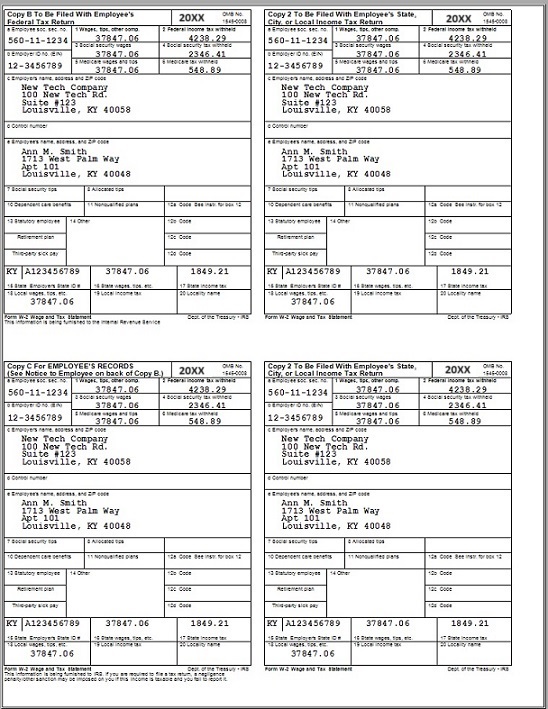
As an employer, usually you need furnish W2 copy B, copy C and copy 2 to employees. You can print one form per page and you can also print employee forms in 4-up format.
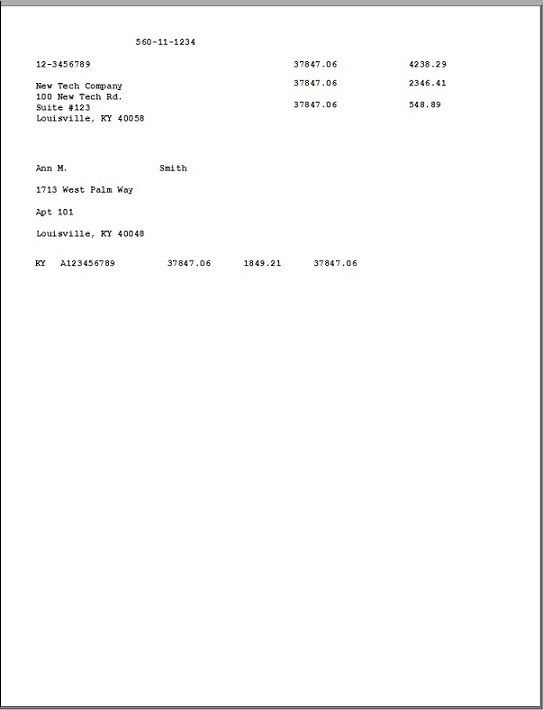
SSA Copy: W-2 Copy A
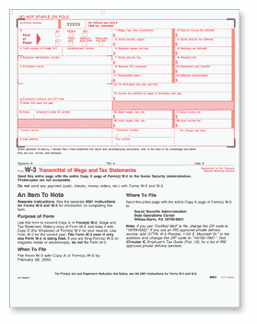
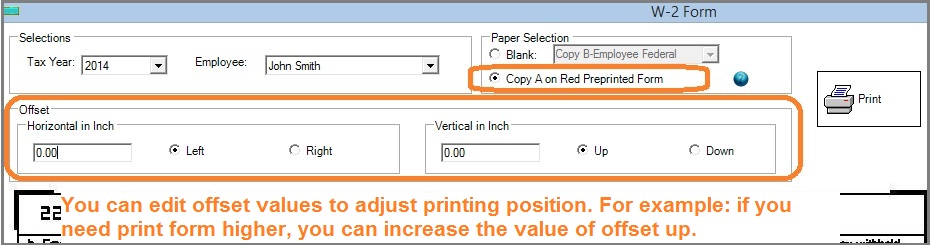
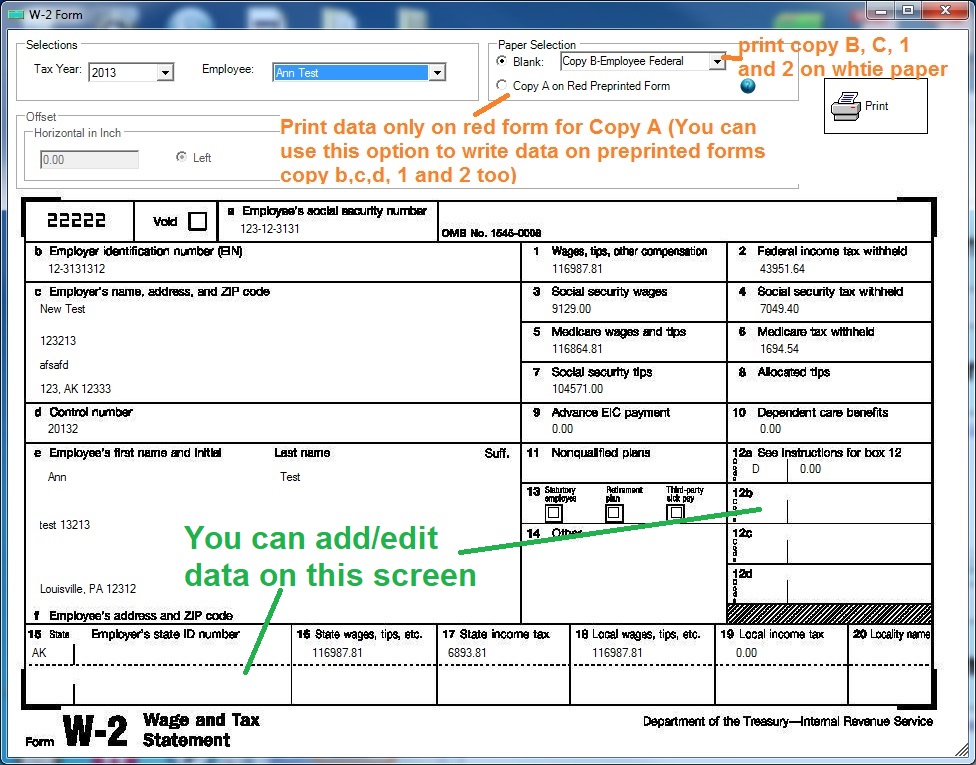
You can choose Copy A option to print copy A data on red forms for SSA return
- 1.2.5.1 ezPaycheck can print W2 form copy B, C, D, 1 and 2 on white paper. The format is one-form-per-page.
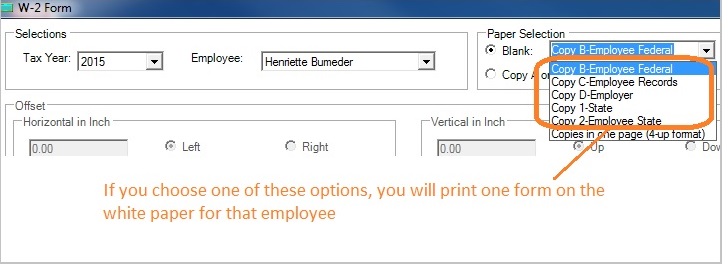
(Click image to enlarge)
Copy 2, one form per sheet, employee copy 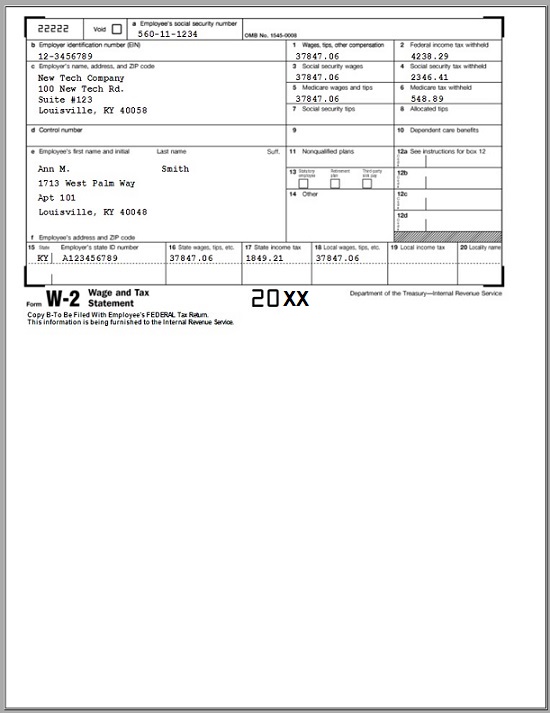
- 1.2.5.2 print employee copies in 4-up format.
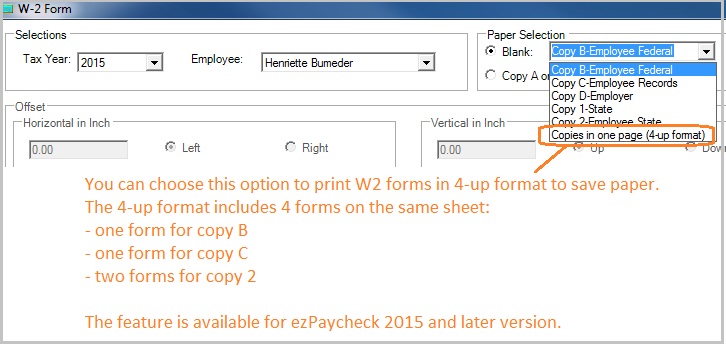
(Click image to enlarge)
1.2.5.3 Click the printer icon to print forms on paper. 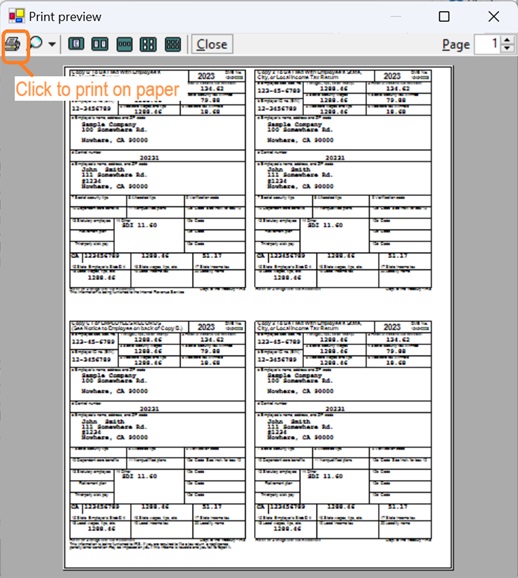 W2, 4-up, employee copy
  - 1.2.5.4 You must use the red forms for W-2 copy A
.
ezPaycheck prints data only when you choose Copy A option. ezPaycheck just prints the data on the top red form now. You need to void the bottom one.
- You can choose Copy A option to print data on preprinted forms for copy B, C, D, 1 and 2 too.
- SSA will accept the form printed in one-form-per-page format.
(Click image to enlarge)
W2 copy A, data only for red form printing, SSA copy