NewHalfpricesoft Online Time Tracking System- Manage Your Business Any Time, Anywhere
We are excited to announce the release of the new online version. Please feel free to test drive and give us your feedback. We continue to support the desktop version.
ezTimeSheet employee timeclock automates time tracking on attendance, PTO, vacation, sick and eliminates payroll errors. You can install in on a shared machine as punch clock and you can also install it on each employee machine for time tracking.
Here is the step by step guide on how to install it on a single machine as PC Punch Clock for restaurants, retail stores, manufactures, doctor office and more.
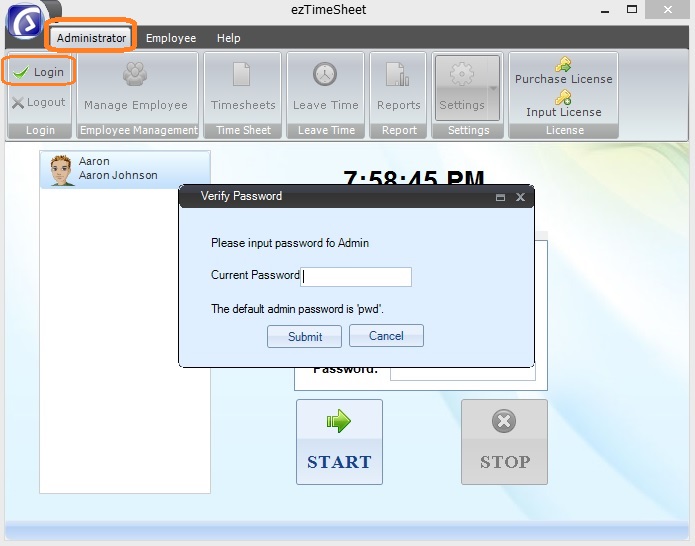
You can click the ezTimeSheet top menu "Administrator" then click "Login" sub menu to open log in screen.
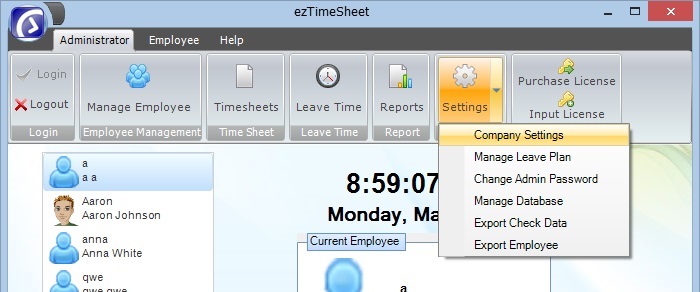
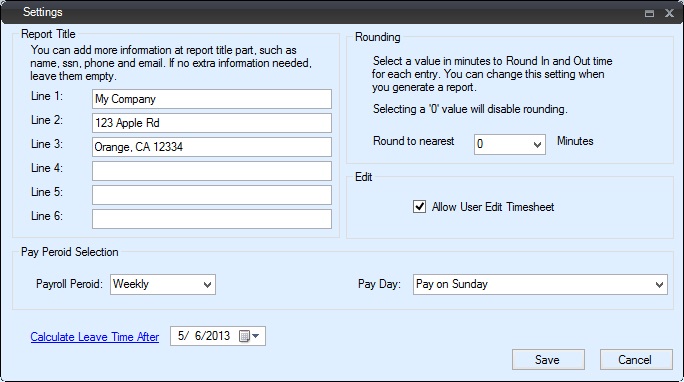
You can click top menu "Adminstrator → Settings" then click "Company Settings" sub menu to open company setup screen.
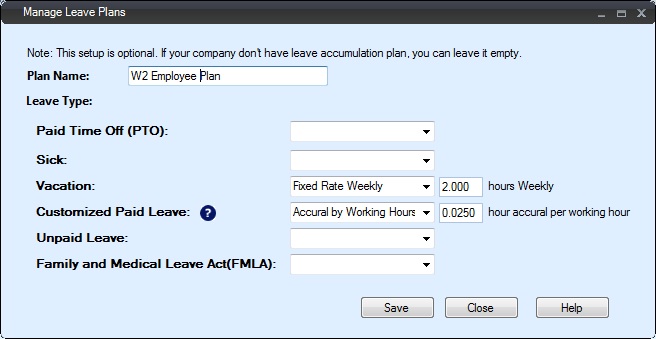
ezTimeSheet can also be used to tracking employee vacation, leave and sick time. You canlearn more details here
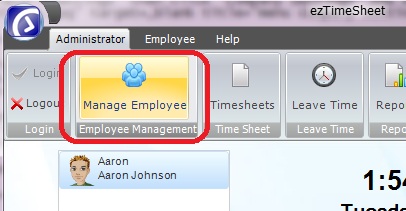
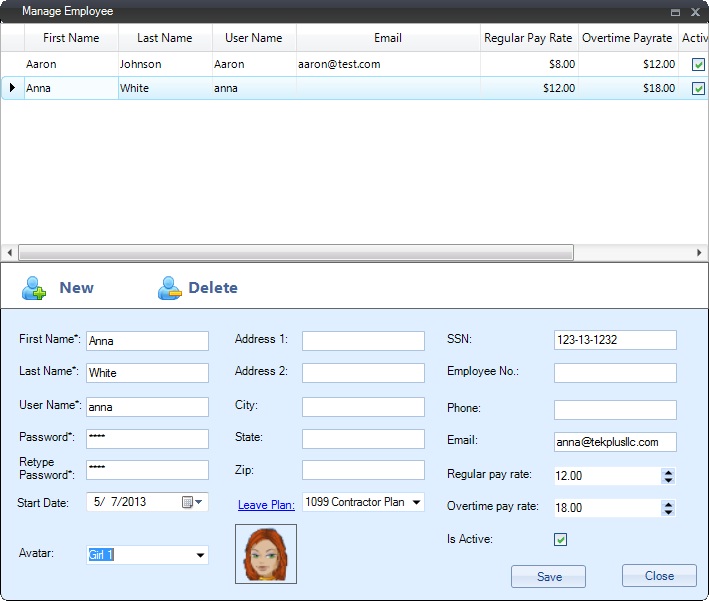
You can click top menu "Adminstrator" then click "Manage Employee" sub menu to open Manage Employee screen.
You can click "New" button to add new employee.
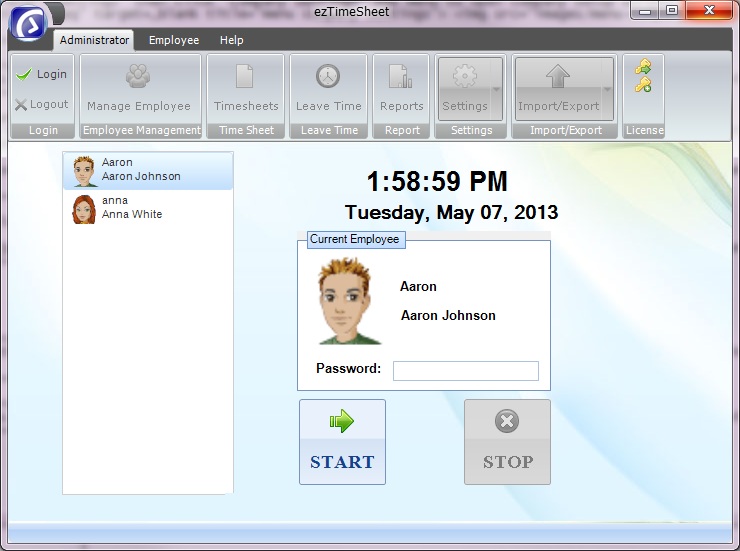
If you are still log in as administrator, log out first. EzTimeSheet software is ready for your employees to time in and time out.
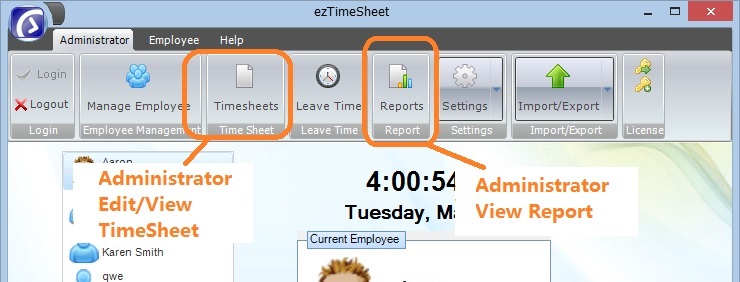
Administrator can log in to view/edit timesheet. Administrator can also view report.
Please feel free to contact us whenever you need assistance. Our support team is glad to assist you. You can also check the FAQs page or email [email protected].

