No obligation. No credit card required. No risk
Your platform is detected automatically
Follow these simple steps
Ensure you're logged into Windows as an administrator or a user with installation permissions.
Click the Download button above to get ezW2CSetup.msi. Once downloaded, find it in your browser's downloads or your Downloads folder and double-click to launch the installer.
Follow these sub-steps during installation:
3.1 If you encounter an alert, you may need to save the installation package to your local machine first if your machine has higher security settings.
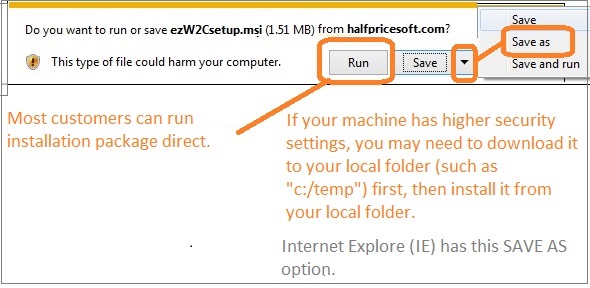
3.2 Navigate through the user-friendly ezW2Correction installation wizard. Accept the terms by clickingI Agree on the license agreement screen.
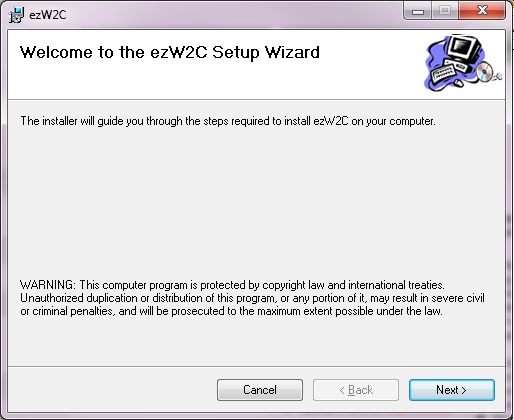
3.3 Follow the on-screen instructions to complete the installation process seamlessly.
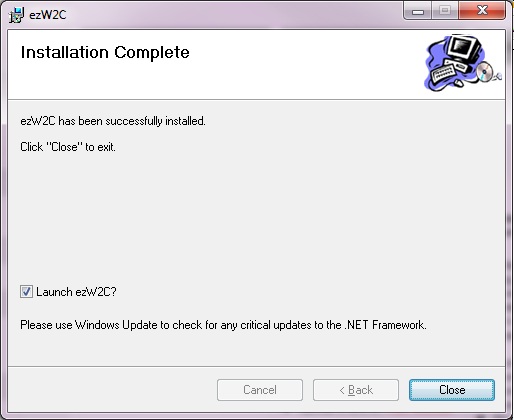
A desktop shortcut will be created for easy access. Click it to run ezW2Correction software.

You are welcome to try ezW2Correction for free. No obligation. No credit card needed. The download trial version will print TRIAL or SAMPLE image on forms. You need to enter the key to remove it.
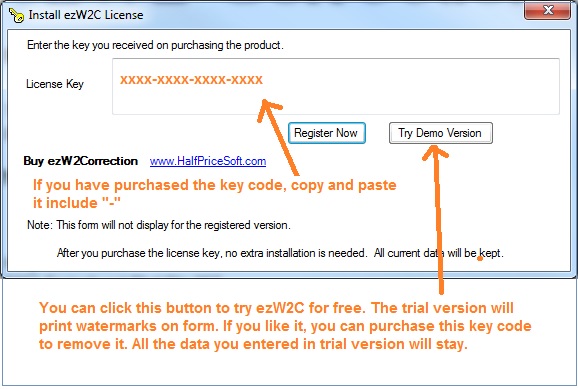
If you are a new customer, please follow the quick start guide to set up ezW2Correction and file tax forms step by step.
ezW2Correction Quick Start GuideNote: You should use the current W2C form to correct W2 form for current and previous years. (For example: You can use ezW2Correction 2025 to print Year W2C & W3C form.)

