SSA Approved. Trusted By Thousands for Over Two Decades.
ezW2 Software: How to Electronically File 1099-NEC and 1096 Forms
As business owner, if you hire contractors, you need to furnish each contractor a completed Form 1099 by Jan 31.
You also need file 1099-nec Copy A of all Forms 1099 with Form 1096, Annual Summary and Transmittal of U.S.
Information Returns, with the IRS by Jan 31 using either paper or electronic filing procedures.
Beginning with ezW2 2025, you can choose from two convenient e-filing methods:
1. In-app e-Filing Service (Recommended)
No IRS TCC required. Simply submit through ezW2 and we securely file on your behalf.
2. Self-Filing
Requires your own IRS TCC. ezW2 will generate the required e-file format file, which you can upload directly to the IRS website.
You can skip this step if you already have a TCC (Transmitter Control Code) for 1099 Efiling.
If you are a new user of IRS EFILE service, you need to apply TCC code (Transmitter Control Code) to generate
the efile document. You also need to create a FIRE account to upload your file.
Validate your identity. If you have an ID.me account from a state government or federal agency, you can sign in without verifying your identity again. If you're a new user, you'll have to create a new ID.me account or use your existing IRS username to access the IR Application for TCC.
You will be prompted to create a 5-digit PIN to sign the application if you haven't already done so.
Step 2: Generate the 1099-nec & 1096 efile document
Step 2.1: Start ezW2, 1099-nec and W2 software.
ezW2 software: SSA Approved. Trusted By Thousands for Two Decades.
Print and eFile Form W2, W3, 1099-NEC & 1096 in House.
Unlimited Company Accounts! Unlimited Forms!
Compatible with Windows 11, 10, 8.1, 8, 7, Vista, XP and other Windows computers.
Try it free today. No obligation. No credit card required.
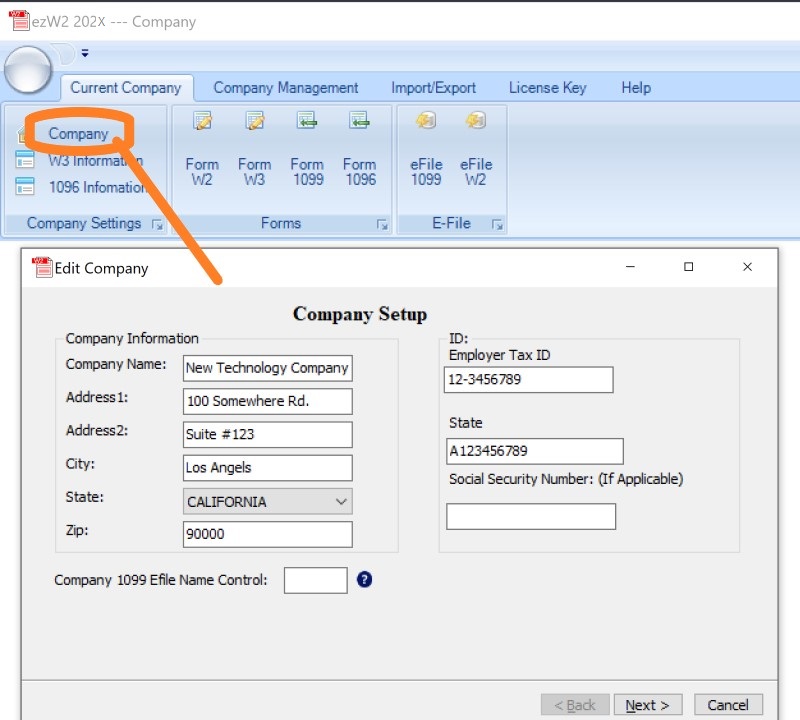
Step 2.2: Set up company for 1099 reporting
2.2.1 You can access this screen by clicking the top menu "Current Company->Company". You need to enter the general
company information for w2 and 1099 forms, such as Company Name, Address, Tax ID and others.
2.2.2 You can skip W3 setup if you will not file W2 forms.
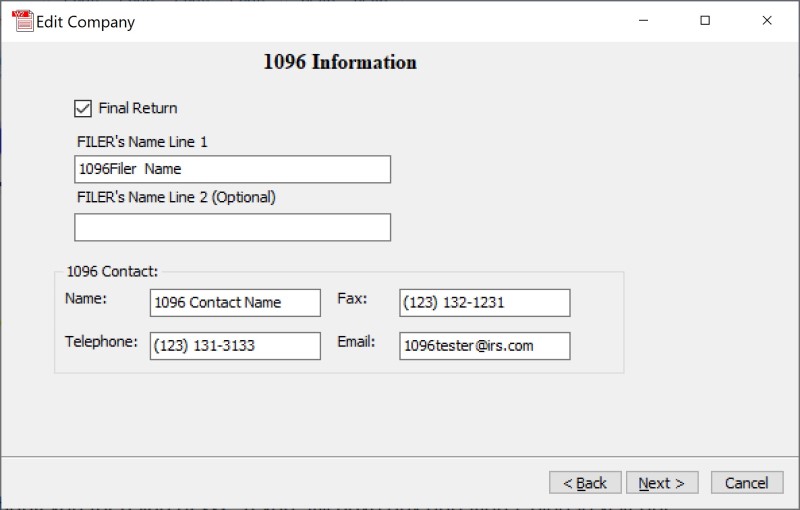
2.3 Set up 1096 information
These information will be displayed on both forms 1099-nec and 1096
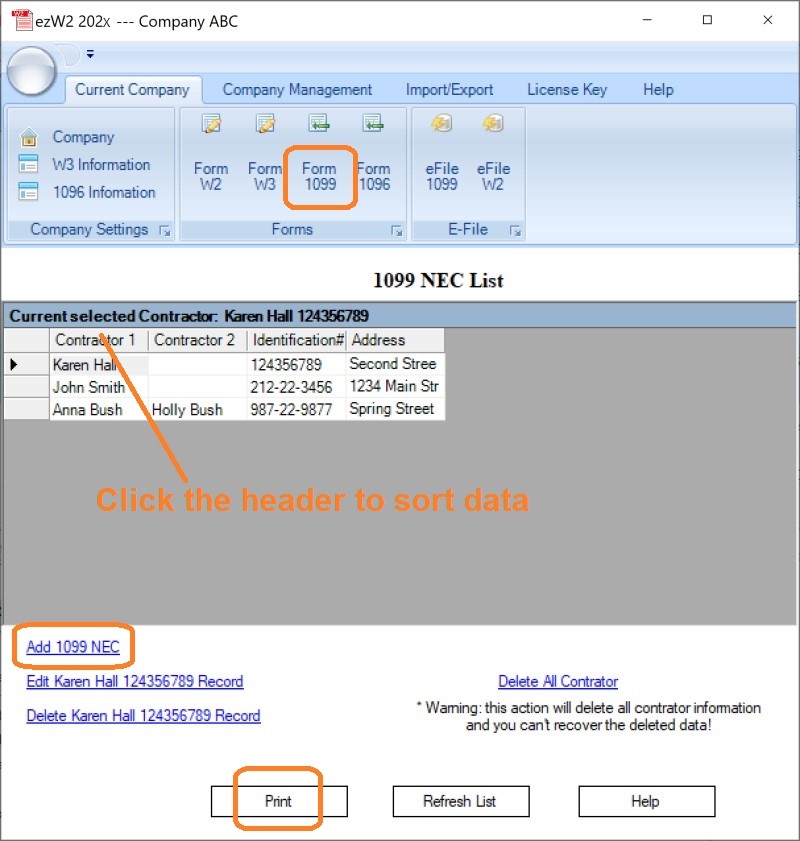
Step 2.3: Add 1099-NEC Form(s)
2.3.1 Click the top menu "Current Company->Form 1099" to view 1099 form list screen
2.3.2 Click "Add 1099-NEC" to Fill out 1099-nec information and Print Forms
Step 2.4: Generate EFile Document
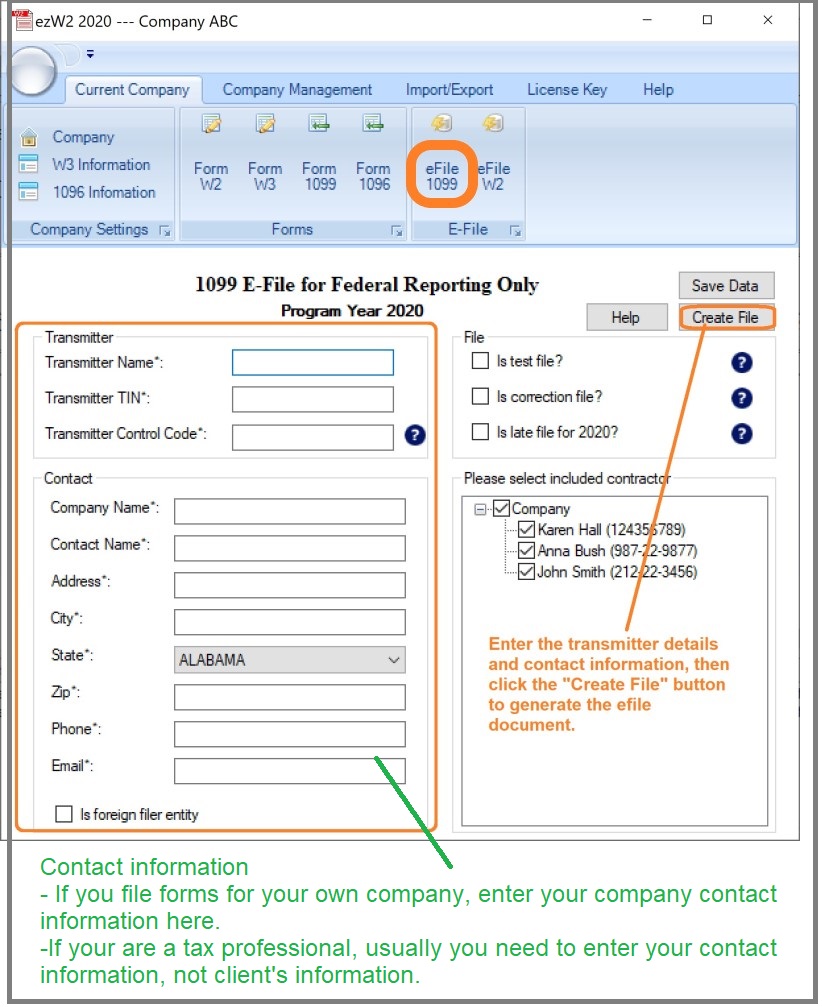
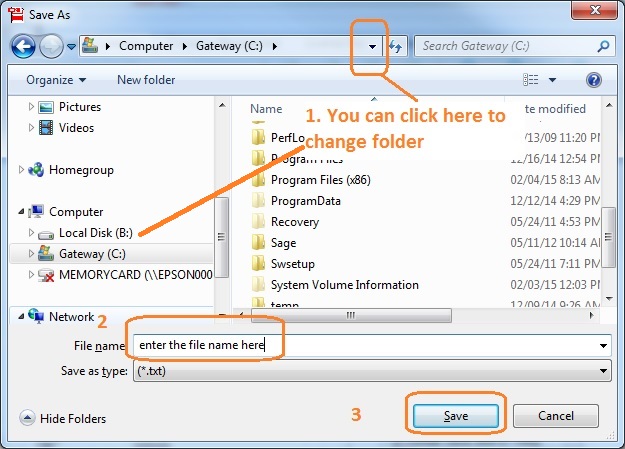
In this step, you need to fill in the submitter information and create one .txt file.
This file will include the 1099 forms and 1096 form
. You need to upload this file to IRS site.
Transmitter TIN: It is the transmitter's nine-digit Taxpayer Identification Number (TIN). May be an
EIN or SSN.
TCC: It is five-character alpha/numeric Transmitter Control Code assigned by IRS/MCC. It is your
unique ID to file the 1099s tax forms to IRS electronically.
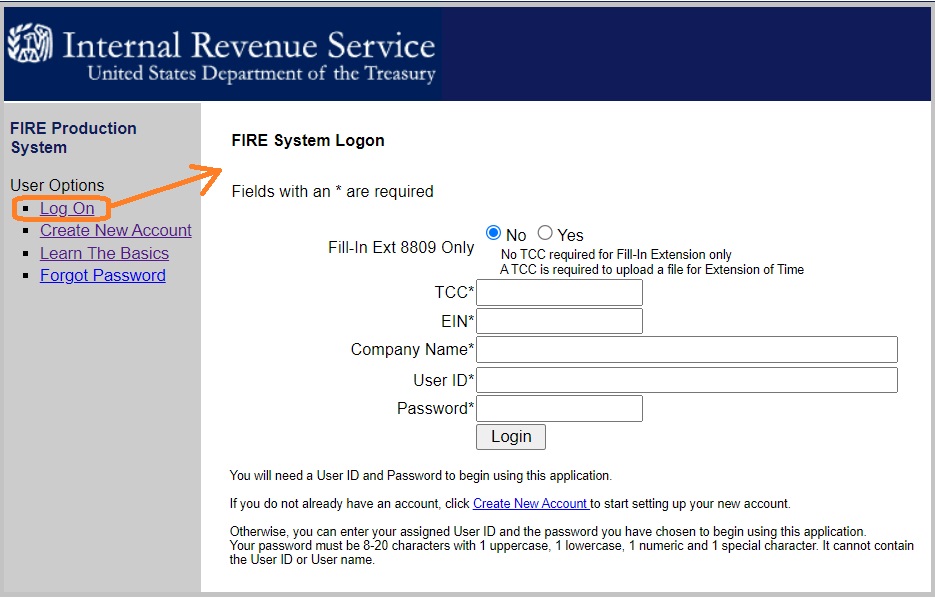
If you have an account, click "Log On" otherwise, click "Create New Account" and follow the instruction. You can
click here to view step by step guide on
how to upload 1099 efile document to IRS.
Notes:
1. Form W-3 will be generated automatically based on form W2 information
2. ezW2 allows user to set up unlimited companies with one flat rate. So if you have multiple companies or you are an accountant, you can add new company by clicking top menu "Company Management->New company"
3. The .csv file data import feature, PDF print feature and efile feature are available with enterprise version and multiple-user version. They are not available with small business version. Click here to view ezW2 feature list)
More Information: How to upgrade ezW2 if I purchased paper printing version