| Error description | Possible reasons | Solution |
|---|---|---|
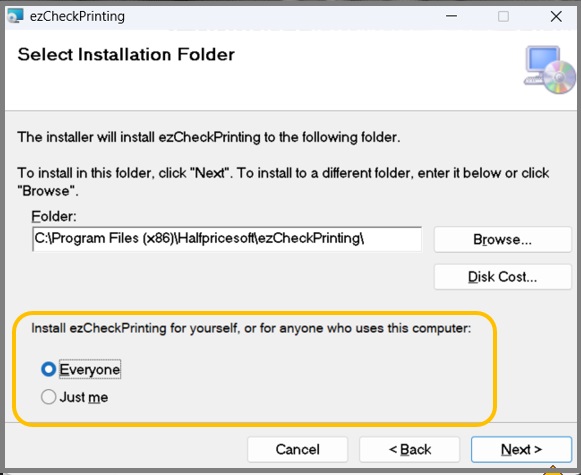
| Application has no response. No error message | Broken shortcut or insufficient user permissions | Follow #1, #4, #5, #6 solutions in this guide or Re-install ezCheckPrinting from scratch |
| Application spins for a second and disappears without an error message | Windows defender or antivirus may block ezCheckPrinting. | Follow #2, #3 |
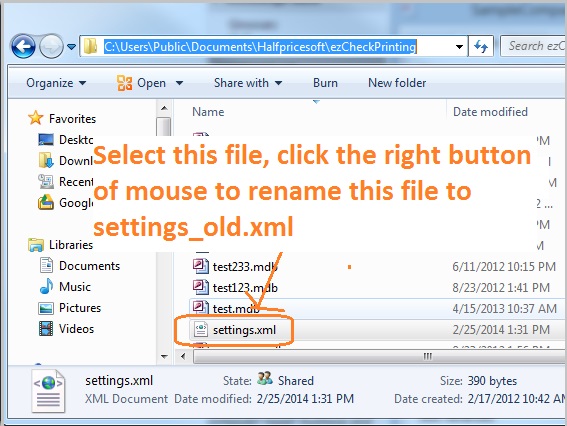
| Insufficient user permission error message | Corrupted settings which might be caused by Windows updates | Follow #2, #6 solutions in this guide or Re-install ezCheckPrinting from scratch |
| Invalid license and other license error message | Wrong license or license registration issue | Refer to the license issues and solutions |
| Database directory error message | Database path messed up or permission issue | Refer to the database path solution |
| Data is missing after launching ezCheckPrinting | Wrong date range or wrong account | Refer to the missing data solution |

 | Design and Print Professional Checks Yourself- Print checks on blank stock with logo and signature- Fill in data on pre-printed checks - Print blank checks to fill in later - QB virtual printer for QuickBooks/Quicken(for Windows) - Unlimited accounts and checks for Windows and Mac. Try ezCheckPrinting free demo version with no obligation and no credit card needed. |

