ezDocuReader software makes it easy to read/extract data from reports, documents, invoices, receipts, images, bank statements, and save the data into .csv file.

If you have not installed ezDocuReader, you are welcome to test drive the free DEMO version with no obligation before you purchase it. No credit card is needed.
After you installed ezDocuReader, a desktop shortcut will be created. You can double click it to run ezDocuReader.
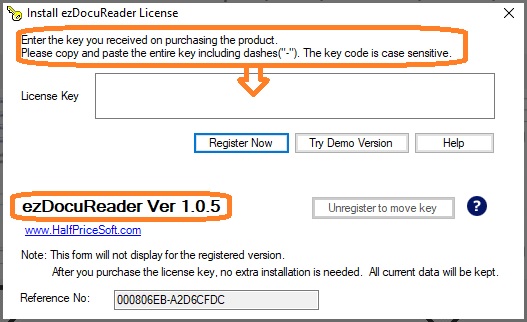
If you have not registered the license, you will see the key input pop up screen.
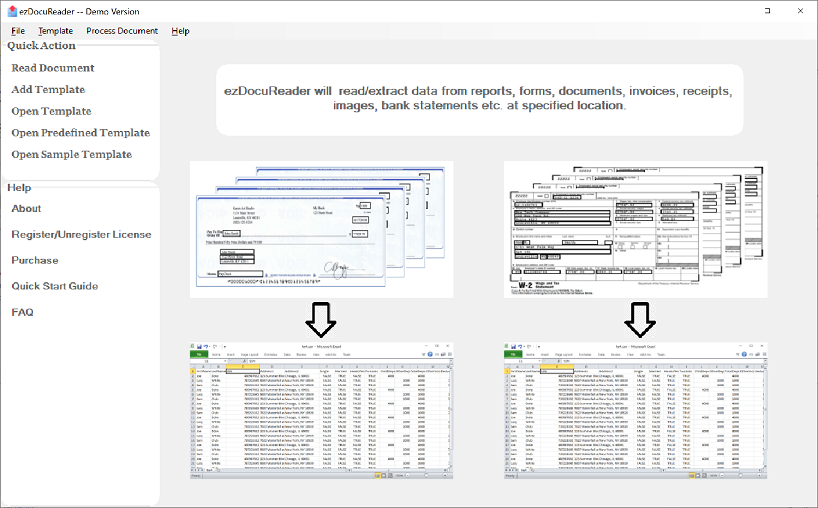
Then you will see ezDocuReader main screen.
Please feel free to contact us whenever you need assistance. Our support team is glad to assist you. You can also check the FAQs page or email [email protected].

