Blank check / no data
| What you see | What to do |
|---|---|
| The check has the company name and bank information only. Payee, amount, and the other check fields are empty. | The blank-check command was used. Follow Print the check that is in the list. |
| Print preview shows the check, and the paper comes out blank. | Check Windows Update for an updated printer driver. A Windows update can leave the old driver unable to print. |
Print the check that is in the list
The blank-check feature prints a check you can fill in by hand. A check that pays a bill has to be printed from the check list.
-
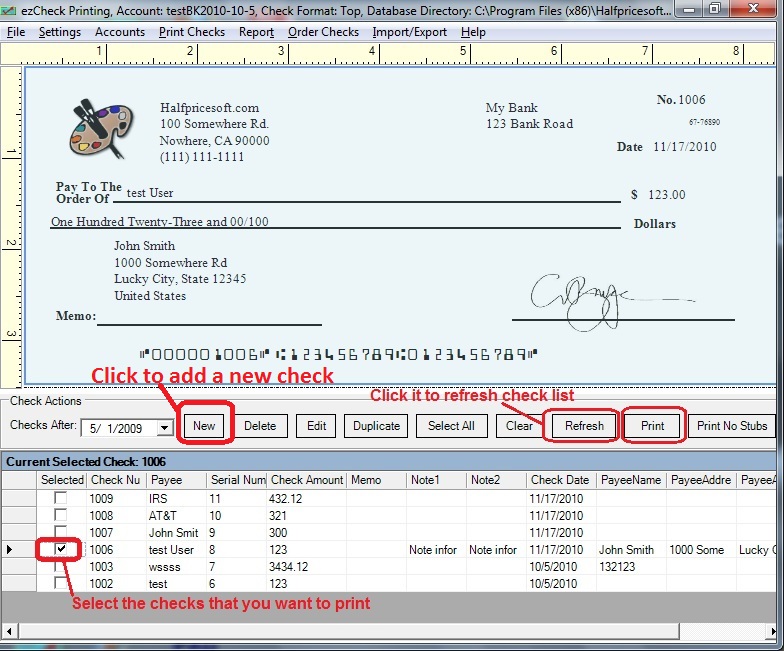
Click New above the check list and add the check. Skip this if the check is already in the list.
-
Select that check, then click Print above the list.
-
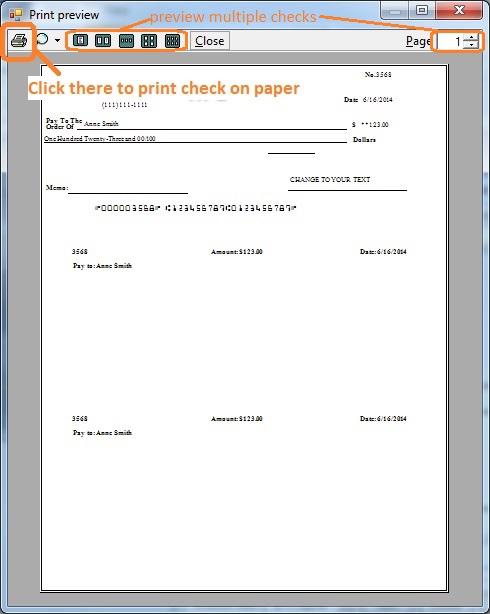
On the preview screen, click the printer icon to print on paper.