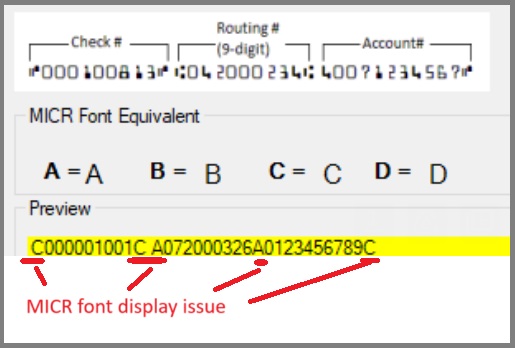
MICR font display or printing
Use this step when
- The MICR line displays or prints as the wrong characters.
- The bank account number on the check does not display correctly.
Reinstall the font
- Log in to Windows as an administrator.
- Back up the check data.
- Uninstall ezCheckPrinting. Open Settings > Apps > Installed apps (or Control Panel) > Programs and Features), select ezCheckPrinting, and uninstall it.
- Download ezCheckPrinting and install it again.
On a Mac, install from an administrator account, then restart the Mac before printing again.