Payroll Software: How to Export Payroll Data
Small business payroll Softwware ezPaycheck can calculate payroll taxes, print paychecks and fill tax forms. Here is the step by step guide on how to export payroll data.
Steps to Export Payroll Data
Step 1: Start ezPaycheck application
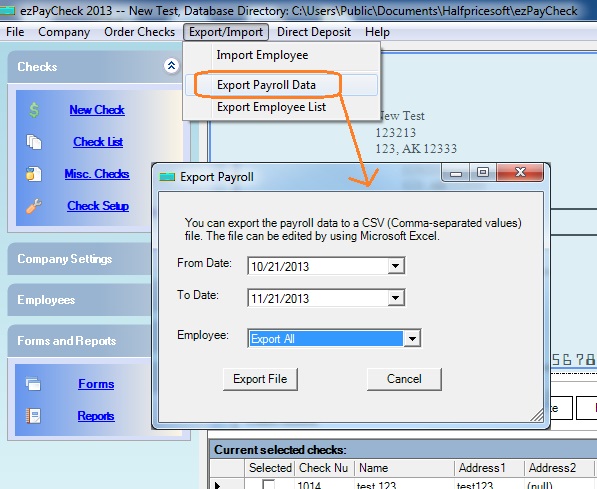
Step 2: Click the top menu "Export/Import", then click "Export Payroll Data"
Step 3: Export Data
3.1: Edit date range if needed and click the Export File" button.
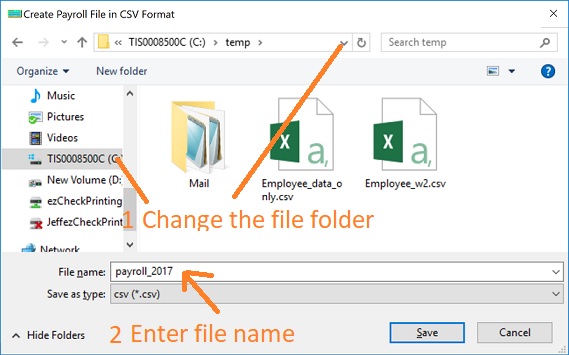
3.2: Enter the file name. You can change the file folder if needed.
View Data
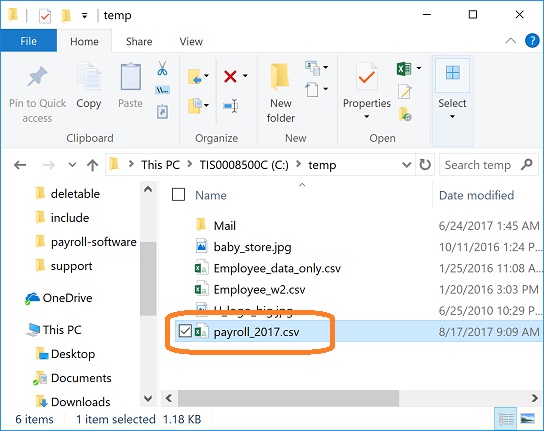
After you export data, double click this .csv file from the file folder and view it with Microsoft Excel.