Stop paying the "bank tax" on expensive pre-printed checks. The ezCheckPrinting Virtual Printer provides a seamless bridge between your accounting software and your laser printer, allowing you to print professional, secure, and MICR-compliant checks on affordable blank stock instantly.
| Feature | Pre-Printed Checks | ezCheckPrinting + Blank Stock |
| Average Cost | High ($1.00+ per check) | Low ($0.05 - $0.15 per check) |
| Wait Time | 7-14 Days Shipping | Instant (Print in-house) |
| Security | Static Info on Paper | Encrypted Data on Demand |
| Flexibility | Specific to one account | One stock for all bank accounts |
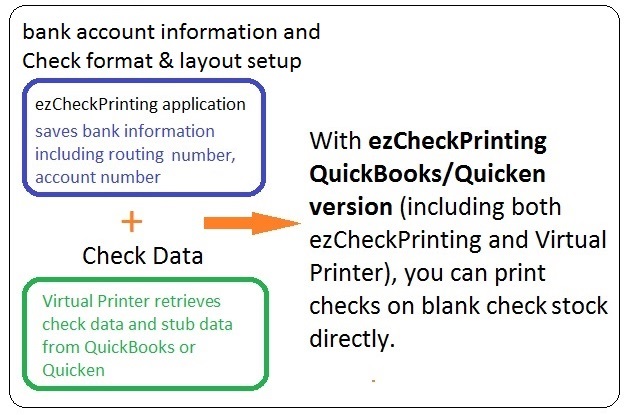
The ezCheckPrinting QuickBooks/Quicken version consists of two smart components working together:
Yes. Check printing in the U.S. is governed by ABA (American Bankers Association) and ANSI standards. ezCheckPrinting is designed to meet these specific requirements, including the use of MICR (Magnetic Ink Character Recognition) fonts, which ensure your checks are processed without issue by any financial institution.
ezCheckPrinting for QuickBooks is compatible with Windows 11, 10, 8.1, 8, 7, and Vista. It supports:
Whether you are a QuickBooks veteran or a new Quicken user, our step-by-step guides and dedicated support team ensure your setup is seamless. Select your platform below to begin:

