Step-by-Step Guide: File W-2/W-3 with the SSA Using Your User ID
Part I: Comprehensive Guide for Electronic W-2 Filing:This detailed resource caters to both first-time e-filers and repeat users, guiding you through the entire process of electronic W-2 submission.
Step 1: First time efiler - Register for an account and apply for User ID.
Click to view more
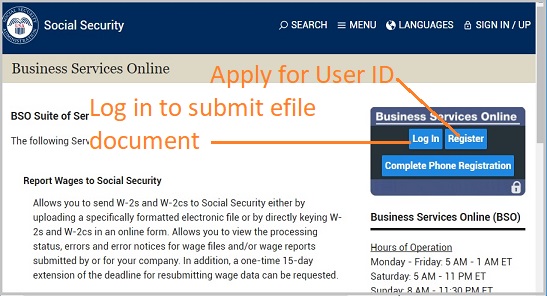
You must obtain a User ID before you submit the w2 efile document to SSA site. Please visit SSA site and click the Register button to request your User ID. Usually you can receive it quickly. If you have any questions, please contact SSA office.
1.1 Register for an account:
- Visit the SSA's Business Services Online (BSO) website.
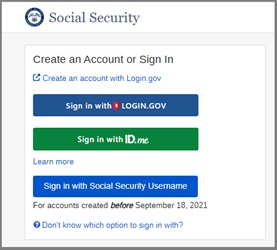
- Register for an account if you don't already have one. This will involve creating a username and password and possibly providing details about your business.
1.2 Apply for and obtain a User ID:
- During the registration process, you'll be required to apply for a User ID, which is necessary for electronically filing W-2 forms.
- Follow the instructions provided on the BSO website to complete this step.
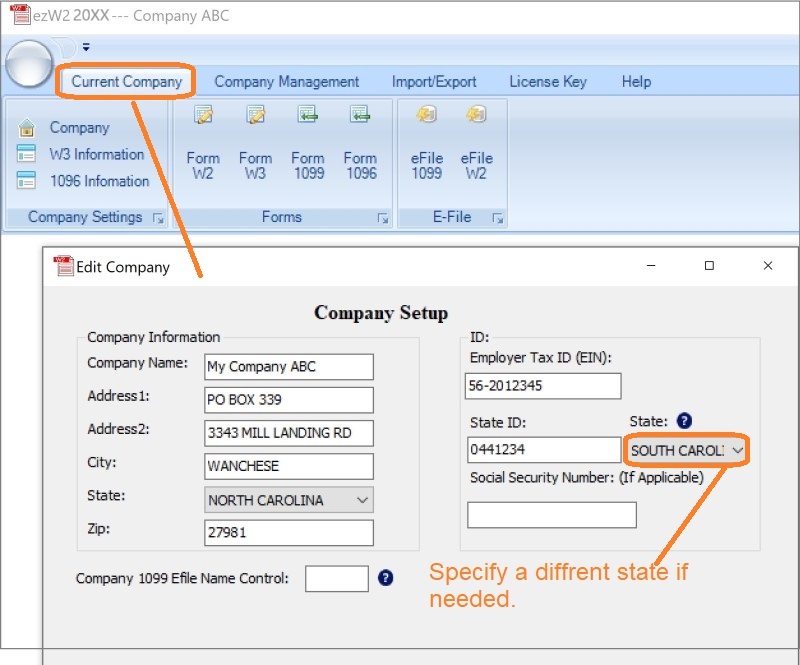
Step 2.2: Set up company information for W2 reporting
You can access this screen by clicking the top menu "Current Company->Company".
You need to enter the general company information for w2 and 1099 forms, such as Company Name, Address, Tax ID and others.
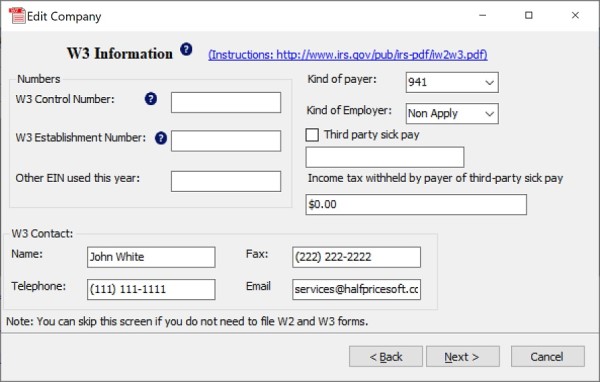
Step 2.3: Set up W-3 information
Click the Next button and enter the information for W3 form.
You need to enter the W-3 control number, W3 Establishment Number, Contact Information and others. This information will be displayed on both forms W-2 and W-3.
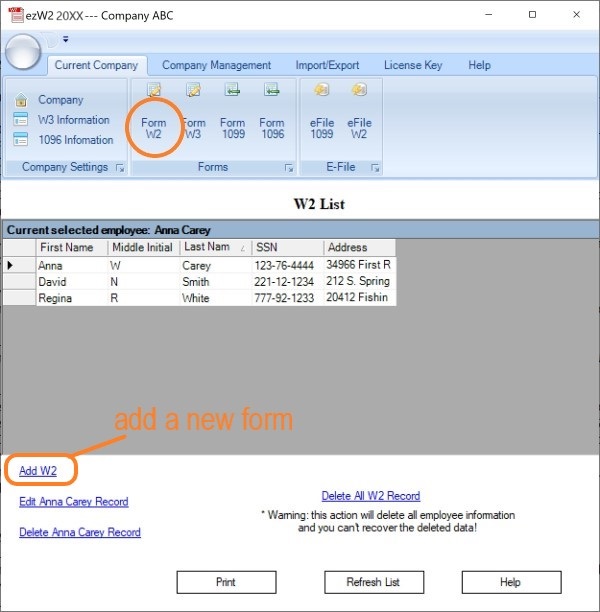
Step 2.4: Open W2 List and Fill out W2 Forms
You can click the "Add W2" link below the list to add a new form.
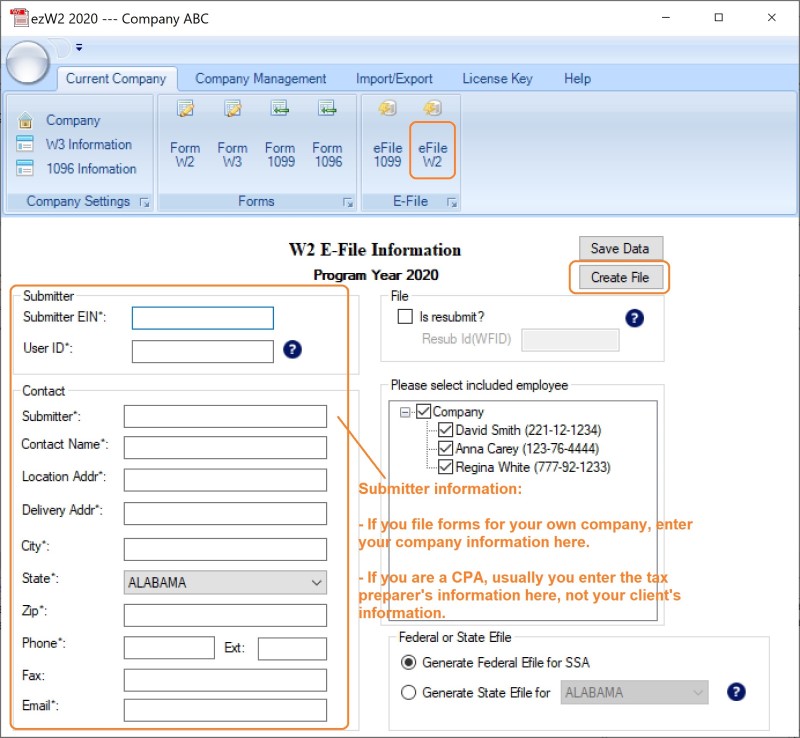
Step 2.5: Generate W2 W3 eFile document
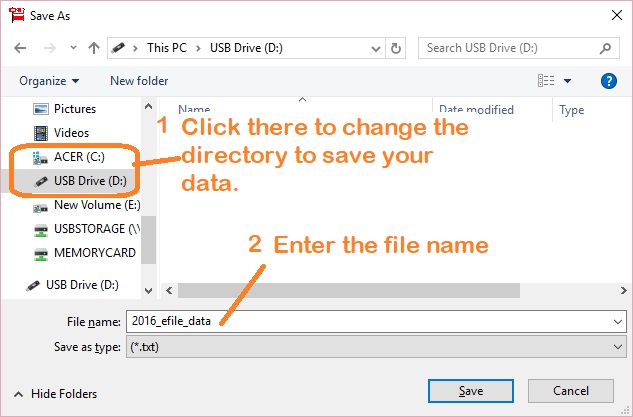
Click the ezW2 software top menu "Current Company->eFile W2" to access eFile screen. In this step, you need to fill in the submitter information and create one .txt file. This file include the W2 forms and the W3 form. You need to upload this file to SSA site.
- Enter submitter information
If you do not have efile User ID(USER IDENTIFICATION), you can apply it from SSA site. You can complete the registration form online and submit your information. The information you submit will be verified against SSA records. Upon successful registration, you will have your User ID and password.
- Enter contact information where correspondence should be sent.
- Select employees (Usually you should select ALL)
- Click the "Create file" button to generate the eFile document
Step 3: Upload W2 & W3 efile document to SSA site
- The efile EFW2 document is .txt file. You need to upload this file to SSA site.
- ezW2 generates one file for each company account.
- If you are a CPA, you should generate one file for each client and upload these files to SSA one by one.
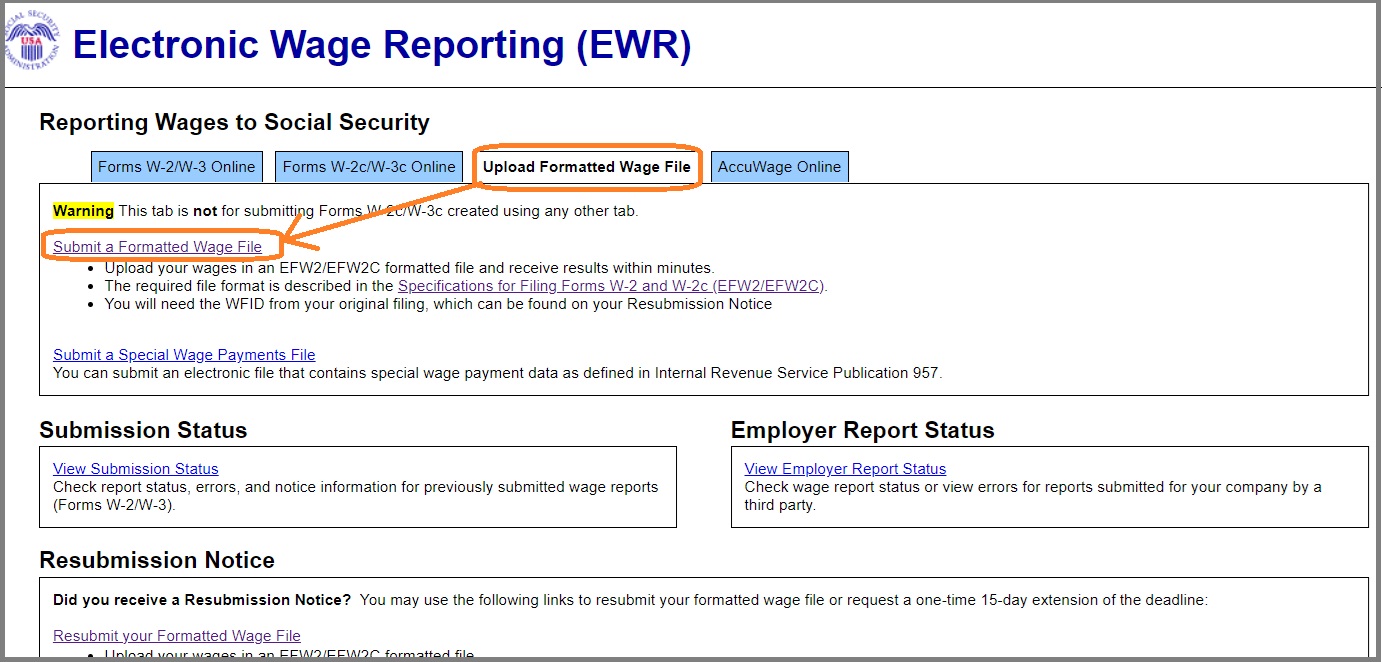
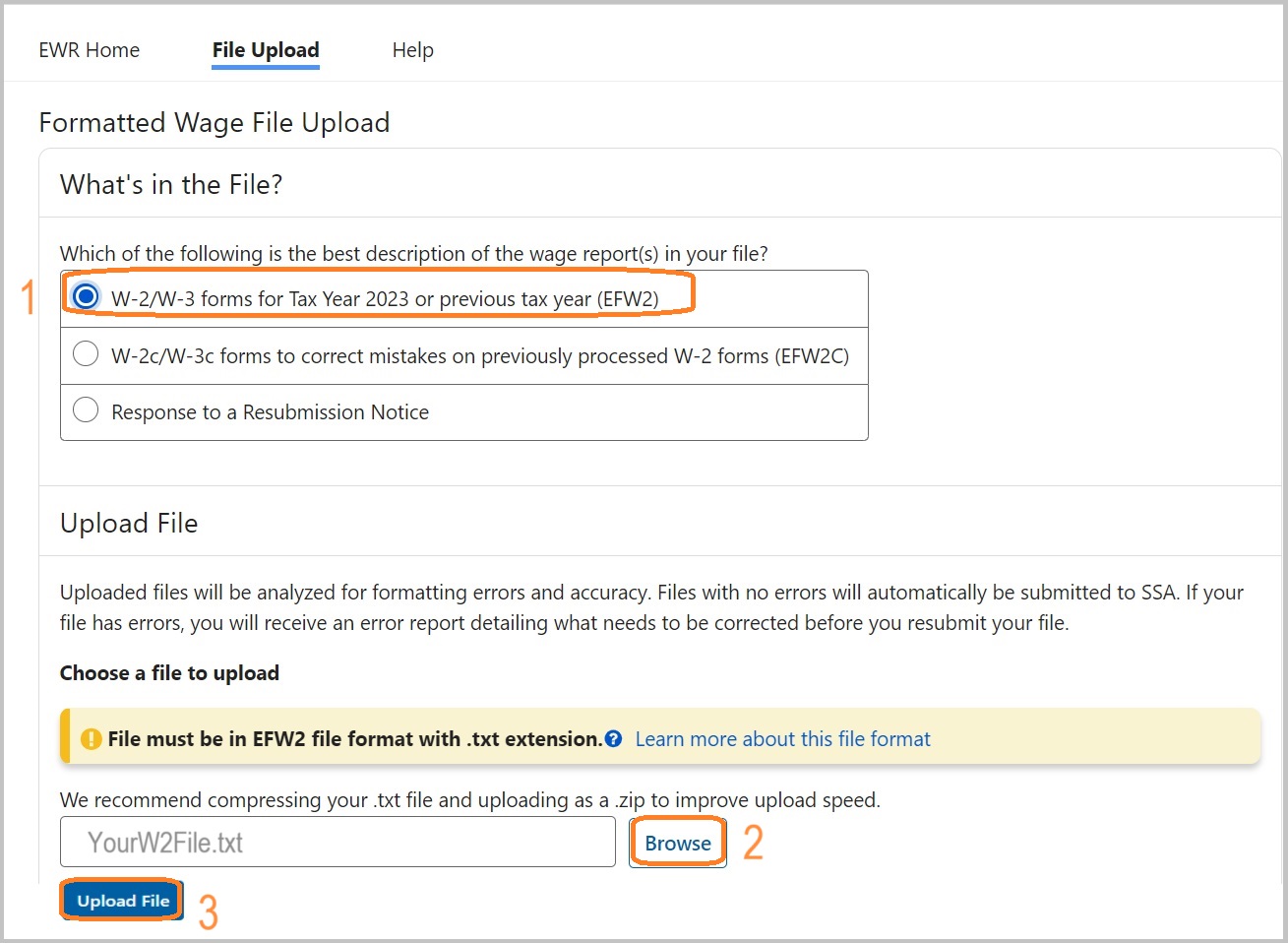
3.1 Select the "Upload Formatted Wage File" tab on the EWR homepage to access the Wage File
Upload application. Select the Submit a Formatted Wage File link. The system displays the
"What's in the File" page.
3.2 When the "W-2/W-3 forms for Tax Year 2023 or previous tax year (EFW2)" radio button is selected, the Upload File section with a Browse button will be displayed. You can choose a
file to upload.
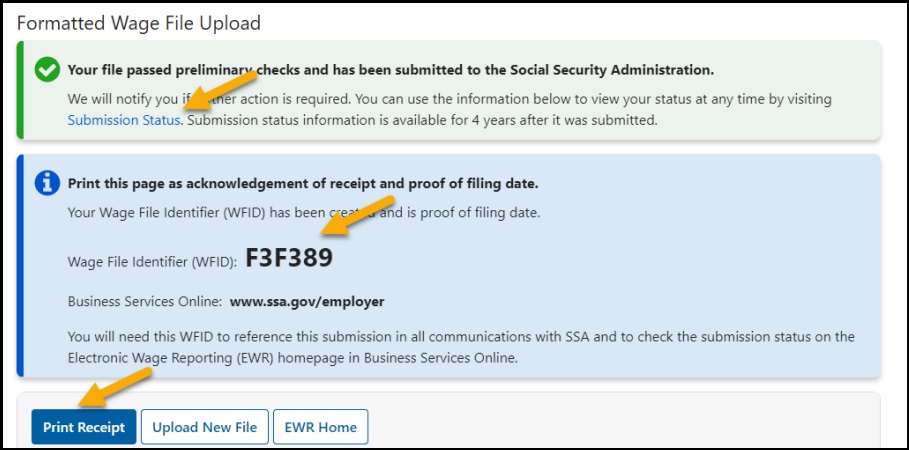
3.3 When the uploaded file passes the preliminary checks, it will be automatically submitted to the
Social Security Administration and the system will display a success page.
Notes:
1. Form W-3 will be generated automatically based on form W2 information
2. ezW2 allows user to set up unlimited companies with one flat rate. So if you have multiple companies or you are an accountant, you can add new company by clicking top menu "Company Management->New company"
3. The .csv file data import feature, PDF print feature and efile feature are available with enterprise version and multiple-user version. They are not available with small business version. Click here to view ezW2 feature list)
Part 2: More information:
How to upgrade ezW2 if I purchased paper printing version?
Please contact us for the special upgrade link if you need to efile W2 forms but purchased the license key for paper printing version only. We will send you the upgrade link. You need to pay the price difference plus $5 fee. For example: You purchased ezW2 small business version($49). You can pay extra $55 to upgrade it to the ezW2 enterprise version($99).
In your message, please tell us the following information:
1). The email used with your previous ezW2 order. (If you ordered from Amazon, please include the Amazon Order ID)
2). What is the new version you need? (ie: ezW2 single-user enterprise version, ezW2 2-user version or others)