Bypass the popup
This makes the virtual printer use the default account and printer without asking.
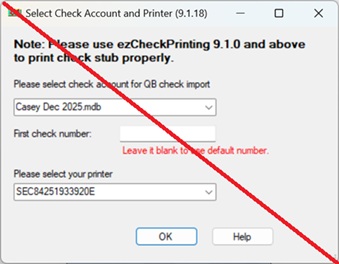
- Open
C:\Users\Public\Documents\Halfpricesoft\ezCheckPrinting - Right-click settings.xml and open it with Notepad.
- Find the NeverShow tag. Change False to True.
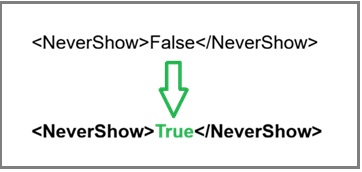
- Save and close Notepad.
- Print a QuickBooks check with the virtual printer.
After this, the virtual printer will not ask which account to use. To use a different bank account, open ezCheckPrinting and select that account before printing from QuickBooks.