Select account and printer
This is the popup itself, not a failure. When it appears:
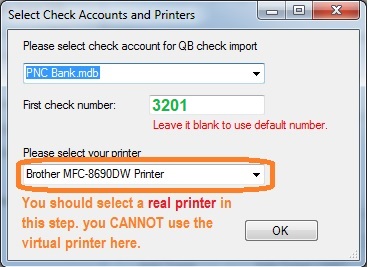
- Account. Pick the ezCheckPrinting bank account. ezCheckPrinting can hold more than one.
- First check number (optional). Set the first number if you do not want the default.
- Printer. Pick a real physical printer. Do not pick the ezCheckPrinting virtual printer on this screen. That would send the check back into the virtual printer.
If this window never appears, use Popup to select account and printer does not appear.