Cannot switch account
- The popup is hidden. Click the ezCheckPrinting virtual printer icon on the taskbar. See Popup to select account and printer does not appear.
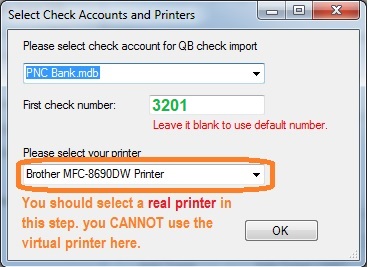

- A virtual printer from before 2015 does not have the account-and-printer picker. Update to the latest version of the software.
- If both programs are on a server, install them on the local PC and share only the database (network printing, option 2).