Index out of bounds / PDF reader (QuickBooks Online)
QuickBooks Online needs Adobe Reader, or a compatible reader, or you can get "Index was out of bounds of array," "Invalid QB check," or other errors.
Install Adobe Reader from Adobe Acrobat Reader and restart.
If Chrome is failing, try Edge or Internet Explorer.
Chrome
- Install Adobe Reader if it is not installed.
- Chrome menu > Settings.
- Advanced (or search for Site settings).
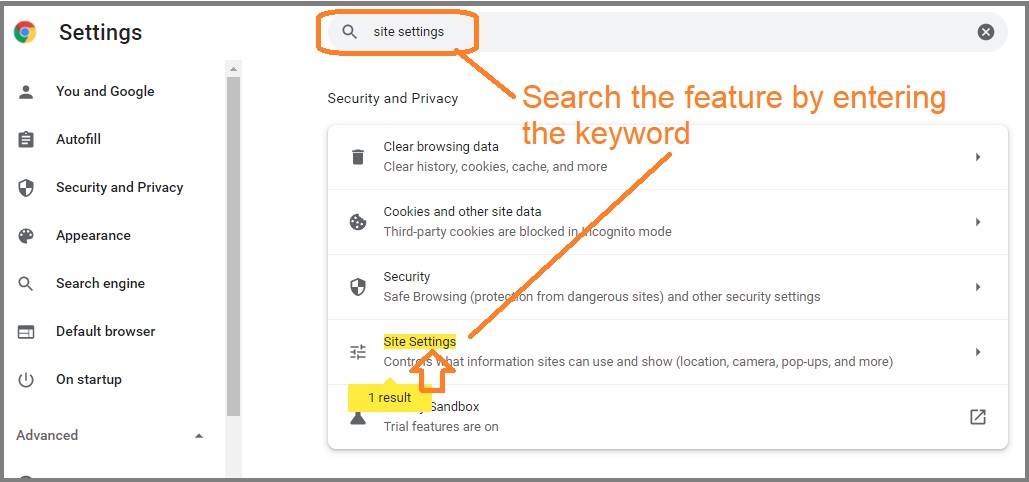
- Privacy and Security > Site settings (or Content settings).
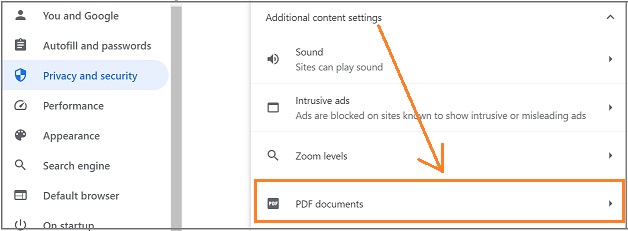
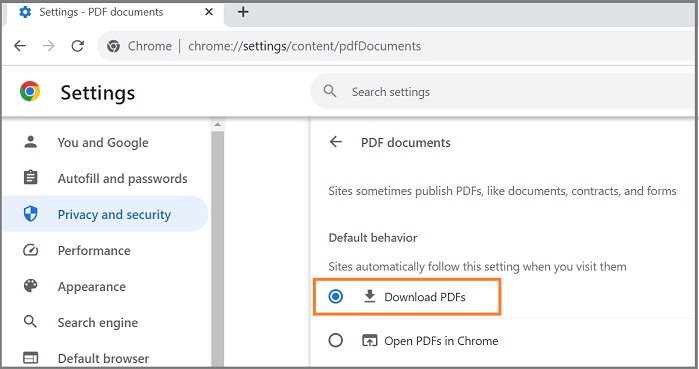
- PDF documents. Turn on "Download PDF files instead of automatically opening them in Chrome."
Edge
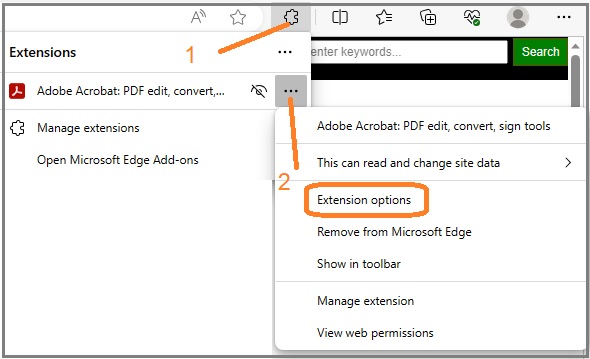
- Click Extensions (to the right of the address bar). If it is not there: Settings and more (...) > Extensions.

- Manage extensions.
- Turn on the Adobe Acrobat extension.
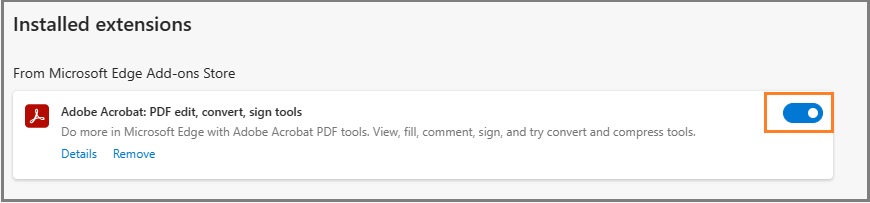
- If more than one PDF extension is installed, open the Adobe Acrobat extension options (puzzle icon > ... next to Adobe Acrobat > Extension options).
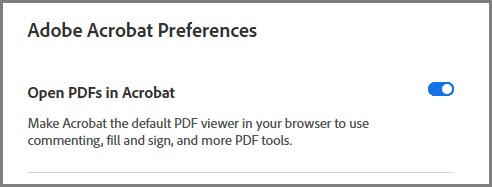
- Turn on Acrobat as the default PDF viewer in Edge and save preferences.
Internet Explorer
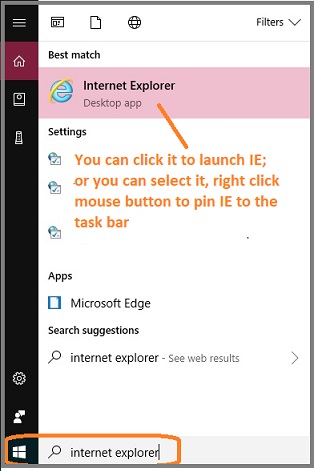
- Open Internet Explorer.
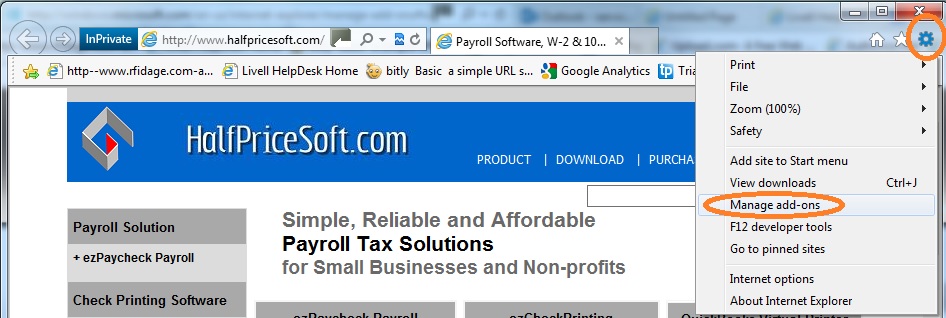
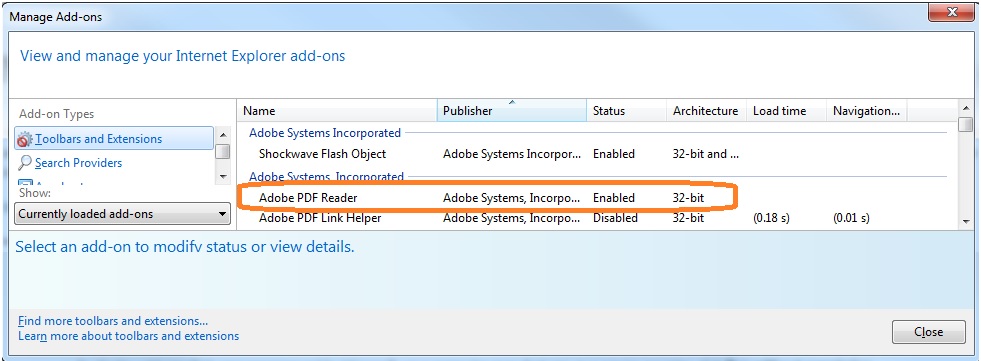
- Tools > Manage add-ons.
- Add-on Types: Toolbars and Extensions.
- Show: All add-ons.
- Confirm Adobe Reader is listed and enabled.
Firefox
- Install Adobe Reader if it is not installed.
- Open the menu at the top right.
- Options
- Under Content Type, find Portable Document Format.
- In the Action column, change "Preview in Firefox" to "Use Adobe Reader (default)".