Reinstall Microsoft XPS Document Writer
XPS Document Writer is required. If it is missing or damaged, printing can fail with "Invalid QB check".
- Control Panel > Devices and Printers > Add a printer.
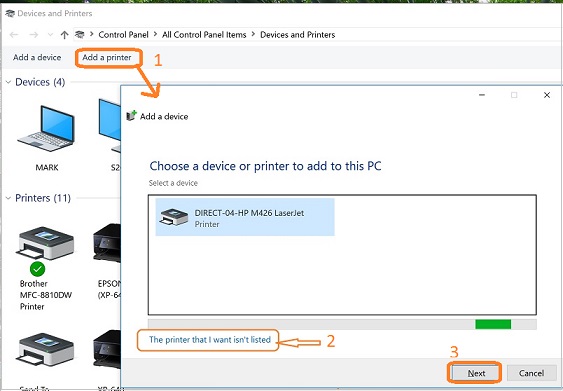
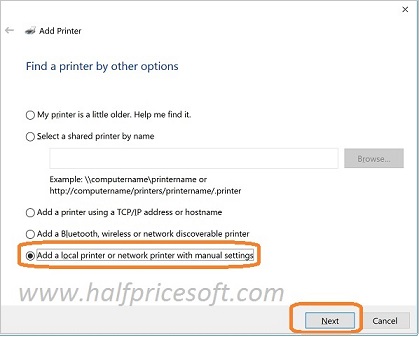
- Add a local printer.
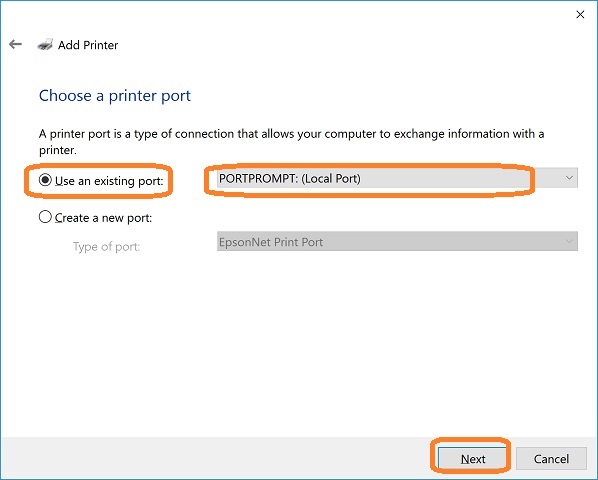
- Use an existing port: PORTPROMPT.
- Manufacturer: Microsoft. Printer: Microsoft XPS Document Writer.

- Replace the current driver if asked, and name the printer "Microsoft XPS Document Writer."