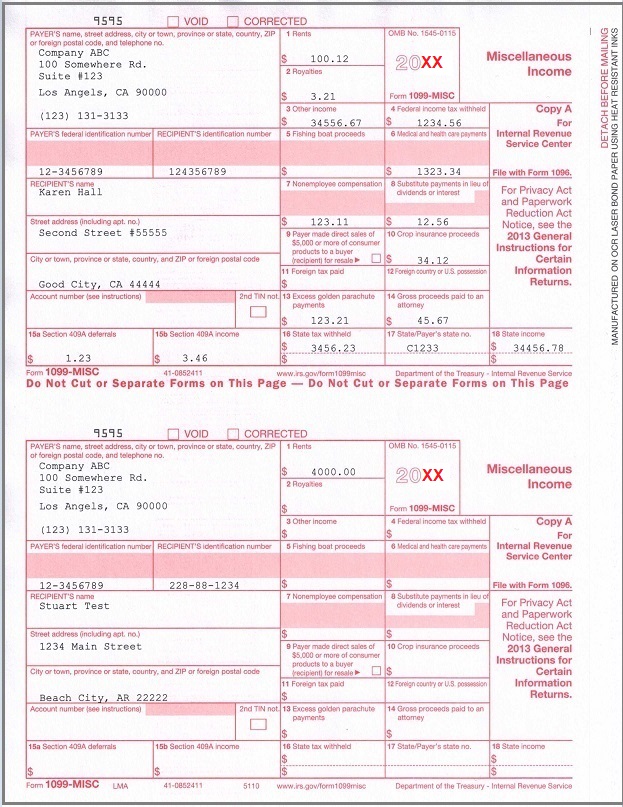
Preprinted forms are NOT necessary for recipient copies!
As business owner, if you hire contractors, you need to furnish each contractor a completed Form 1099 by Jan 31.
You also need file 1099-misc Copy A of all paper Forms 1099 with Form 1096, Annual Summary and Transmittal of U.S.
Information Returns, with the IRS by Feb 28.
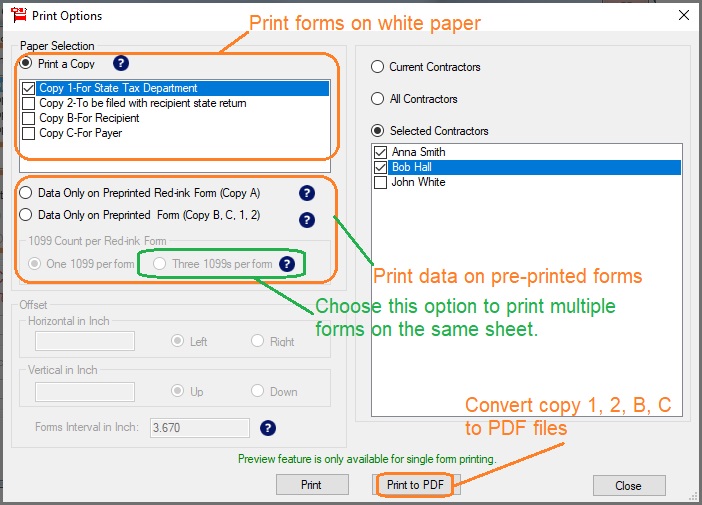
ezW2 can print 1099 misc forms Copy 1, 2, B, C on white paper. IRS does not certify the substitute forms right
now. You need to print 1099-misc copy A and 1096 on the red-ink forms.
1.1 If you have not installed ezW2 software, you can download the trial version for free before purchasing.
1.2 After you installed ezW2 software, you can click desktop shortcut to start ezW2 software easily.
ezW2 software: SSA Approved. Trusted By Thousands for Two Decades.
Print and eFile Form W2, W3, 1099-NEC & 1096 in House.
Unlimited Company Accounts! Unlimited Forms!
Compatible with Windows 11, 10, 8.1, 8, 7, Vista, XP and other Windows computers.
Try it free today. No obligation. No credit card required.
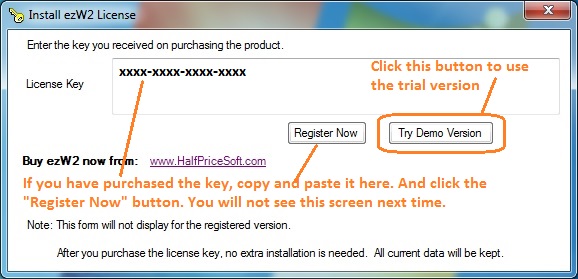
1.3 If you are using the trial version of w2 1099-misc tax form software, you will see the key input pop up
screen. You can enter the key code here or click the "TRY DEMO Version" to try this software for free. (
Note: The trial version will print TRIAL image on forms. You can enter the key code later to remove it.
)
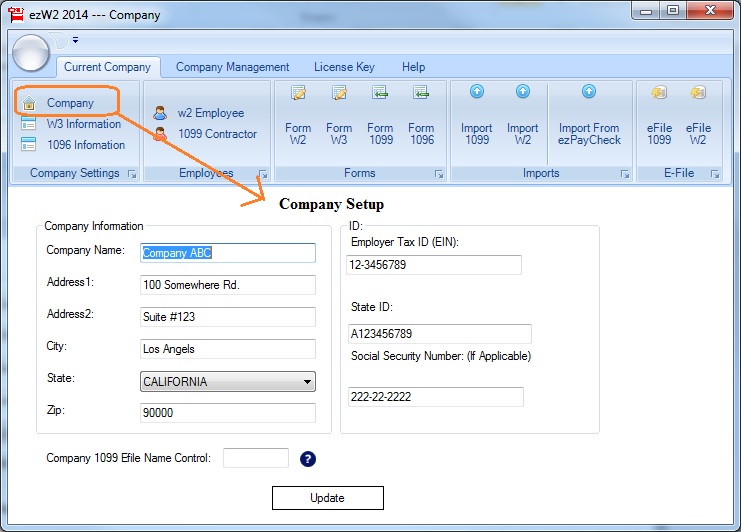
Step 2: Set up company information for 1099 reporting
You can access this screen by clicking the top menu "Current Company->Company". You need to enter the general
company information for w2 and 1099 forms, such as Company Name, Address, Tax ID and others.
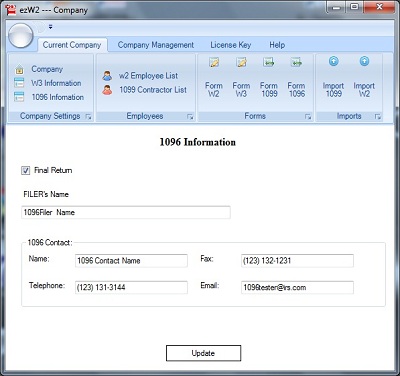
Step 3: Set up 1096 information
You can access this screen by clicking the top menu "Current Company->1096 information". These information will
be displayed on both forms 1099-misc and 1096
Step 4: Add 1099 Recipient(s)
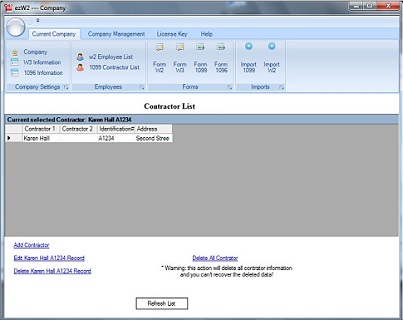
You can access contractor list by clicking the top menu "Current Company->1099 Contractor list". You can add
a new employee or edit or delete an existing one easily by clicking the link on this form.
You can also import contractor information quickly by using 1099 import form. You can access this import form by
clicking the top menu "Current Company->Import 1099".
Step 5: Fill out 1099-misc information and Print Forms
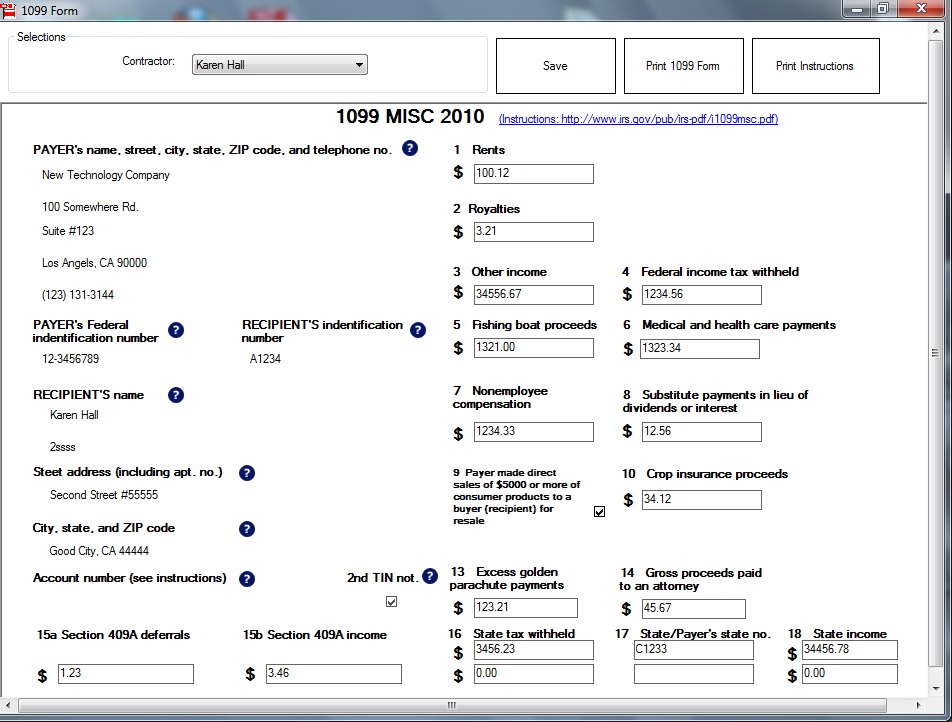
You can access this 1099 editing screen by clicking the top menu "Current Company->Form 1099".
- The payer information will be filled automatically.
- Once you select the contractor from the contractor list, the recipient information will be filled automatically.
- Fill in the boxes on the 1099 Form.
- Click the Question icon or the instructions link to get help.
- Click the 'save' button to save the 1099 information.
- Click the 'Print 1099 Forms' button to print the different 1099 Copies for this recipient. ezW2 can print forms
1099-misc copy A, B, C, 1 and 2
- Click the 'Print Instructions' button to print 1099 instructions.
Sample Forms
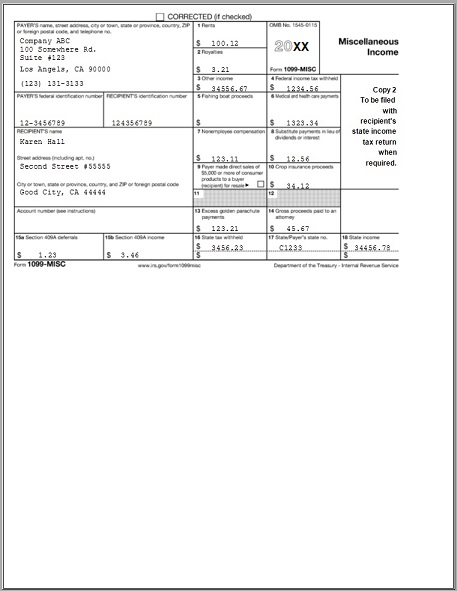
1099 MISC Recipient copy
1099 MISC Copy A
Notes:
1. Form W-3 will be generated automatically based on form W2 information
2. ezW2 allows user to set up unlimited companies with one flat rate. So if you have multiple companies or you are an accountant, you can add new company by clicking top menu "Company Management->New company"
3. The .csv file data import feature, PDF print feature and efile feature are available with enterprise version and multiple-user version. They are not available with small business version. Click here to view ezW2 feature list)