1099 Form Printing: How to Fill Out and Print 1099 MISC Data On Red Pre-printed Forms for IRS
ez1099 can print 1099 misc forms Copy 1, 2, B, C on white paper. IRS does not certify the substitute forms right now. You need to print 1099-misc copy A and 1096 on the red-ink forms.
Option 1. Print one 1099 form for an employee
Option 2. Print multiple forms
If you need to print 2 forms on the same red sheet, please follow the option 2.
Option 1: Print the tax forms for one recipient
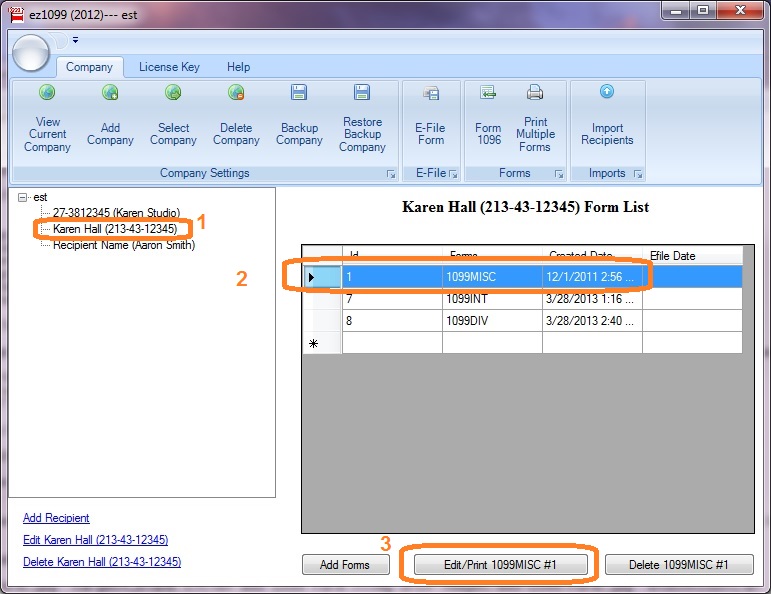
1.1 Start ez1099 software, select the recipient, select the form and click the Edit/Print Form button.
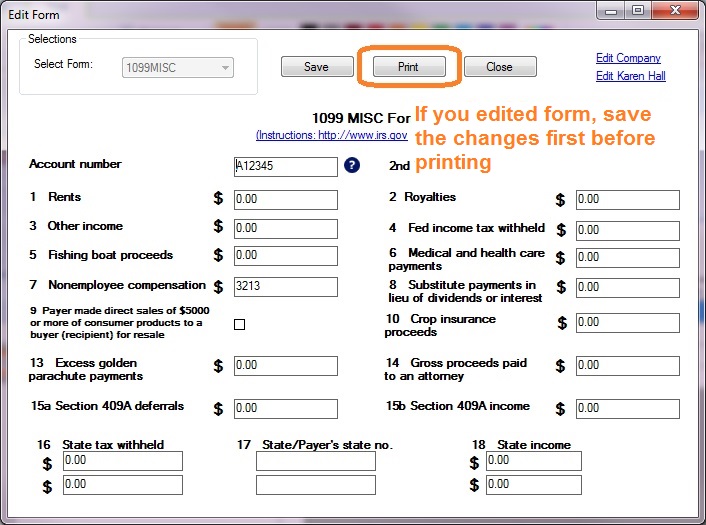
1.2 Click the
Print button on Form
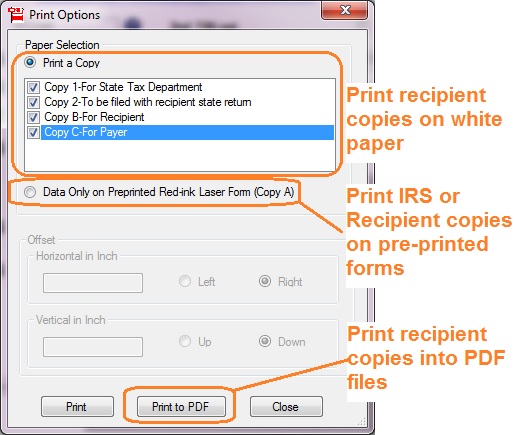
1.3 Select "Data only" option to print data on red form.
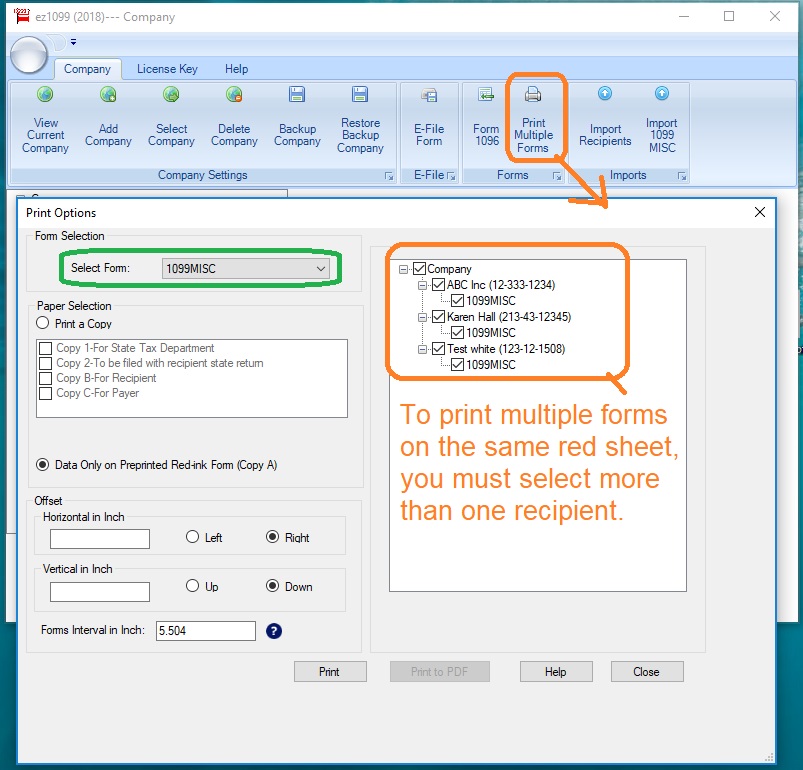
Option 2: Print multiple forms on red form
Start ez1099 software, click the top menu "Print Multiple Forms" to view print option screen. Select the forms you need to print and click the PRINT button.
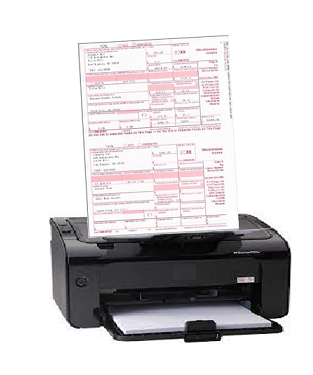
Sample Forms
1099 MISC Copy A 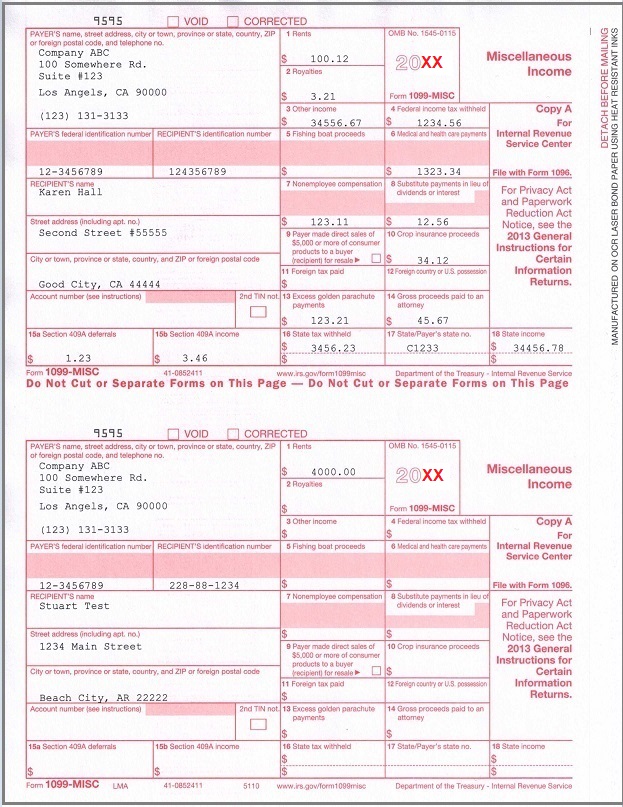
 | ez1099 software can prepare, print and efile forms 1099s, 1096, 1098s and 5498s.
Download the free trial version today with no registration is needed and no obligation. You can follow the step by step online instructions to finish the installation in minutes
ez1099 software is compatible with Windows 11, 10, 8, 7, and other Windows OS.

 |
Related Links
1099-misc
1096
More Forms

