ezW2 1099 Electronic Filing: How to Upload 1099 eFile to IRS Site
ezW2 software can paper print W2 and 1099-nec forms than you mail to IRS. If you decide to go green this tax season, ezW2 software can also generate the efile document that you can upload to IRS site for electronic filing.
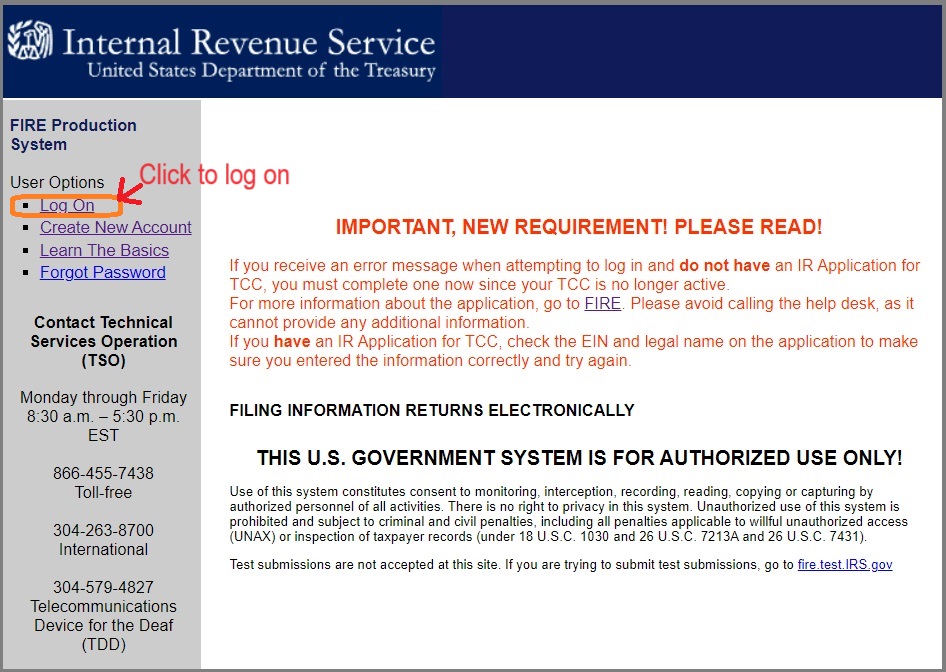
Here are the steps to submit 1099 and 1096 forms to IRS FIRE system:
Step 1: Start ezW2 software and generate the 1099 & 1096 efile document
If you have not generated the 1099 efile document, you can refer to this article for step by step guide. This efile document .txt file which includes 1099 form(s) and 1096 form.
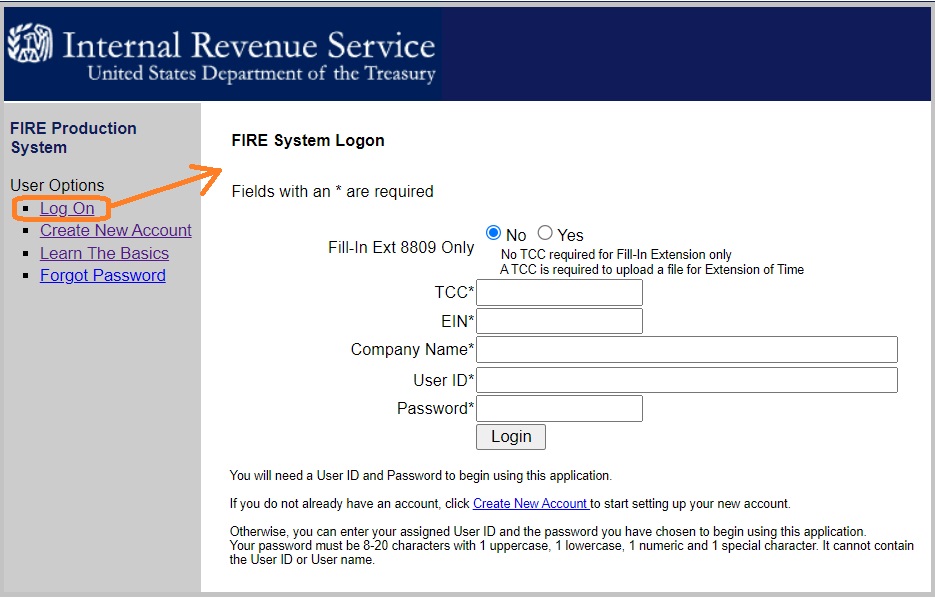
If you are a new user, you need to create a FIRE account on the FIRE system. You need enter your company name, company address, company phone number, contact name and email address. You can create the account before you get your transmitter control code.
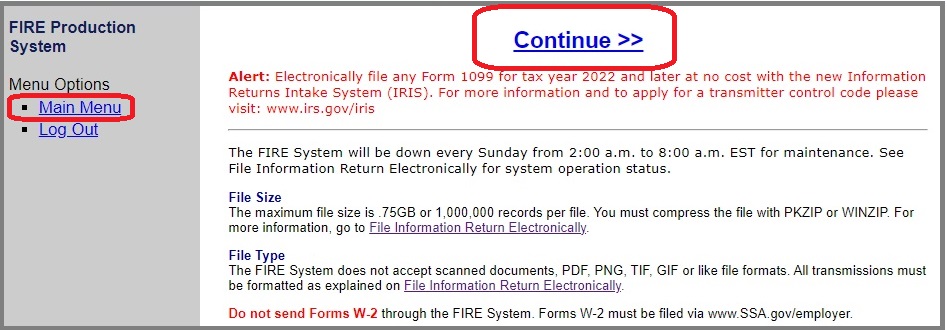
2.3. Then go to Main Menu
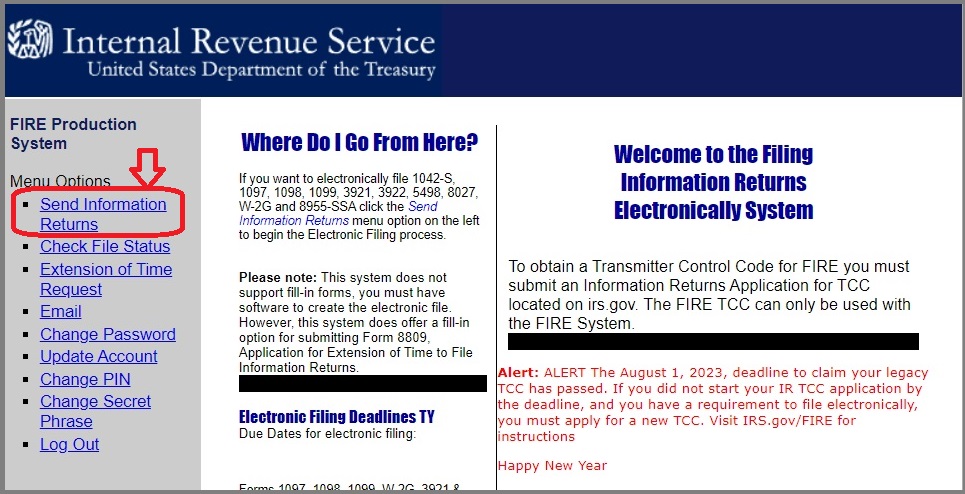
2.4. Then choose the option "Send Information Returns"
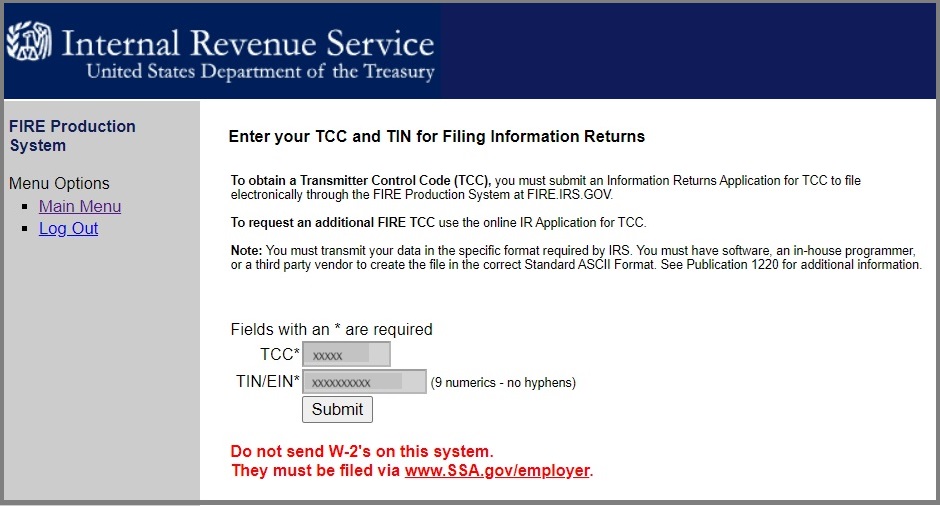
2.5. Enter TCC and TIN for filing information return
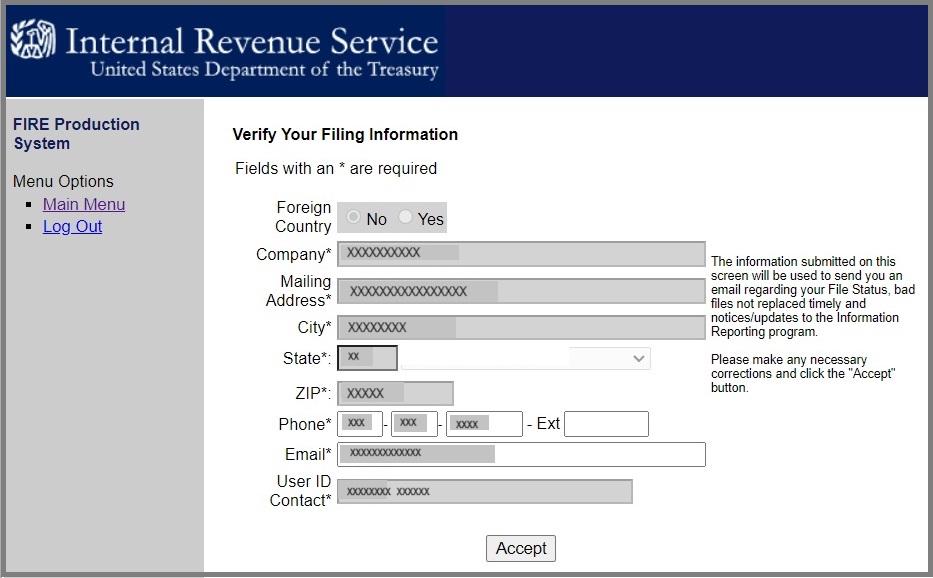
2.6. Verify filing information
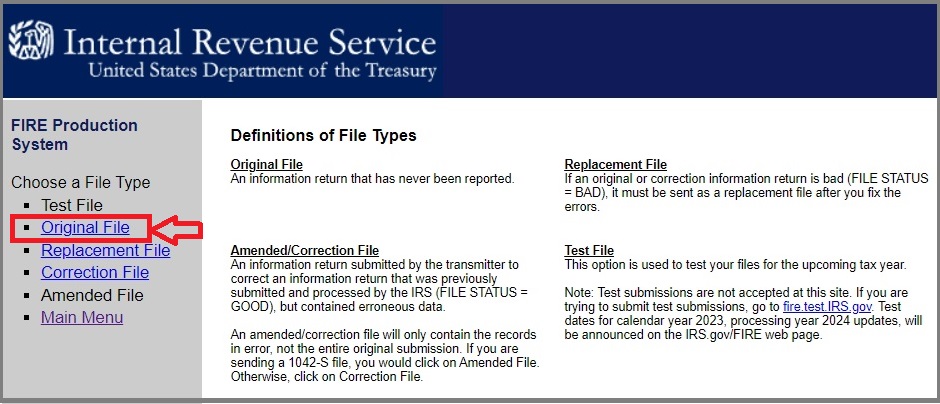
2.7. Select "Original File" option
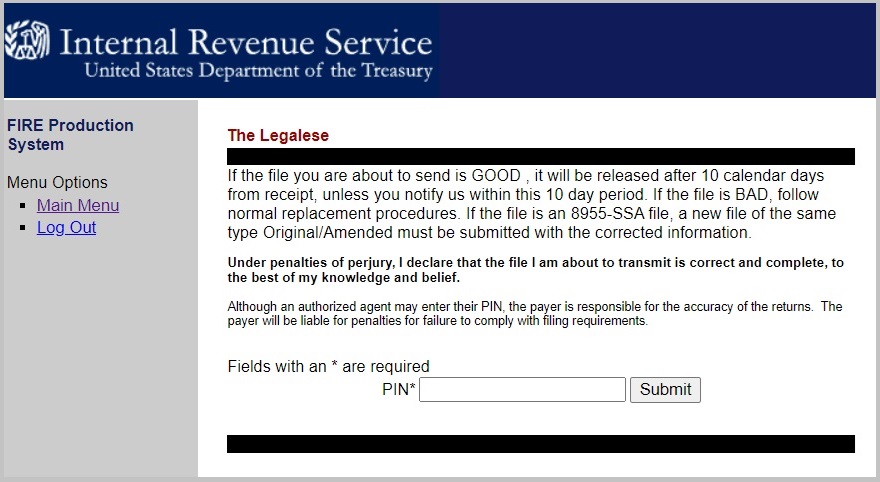
2.8. Enter your pin.
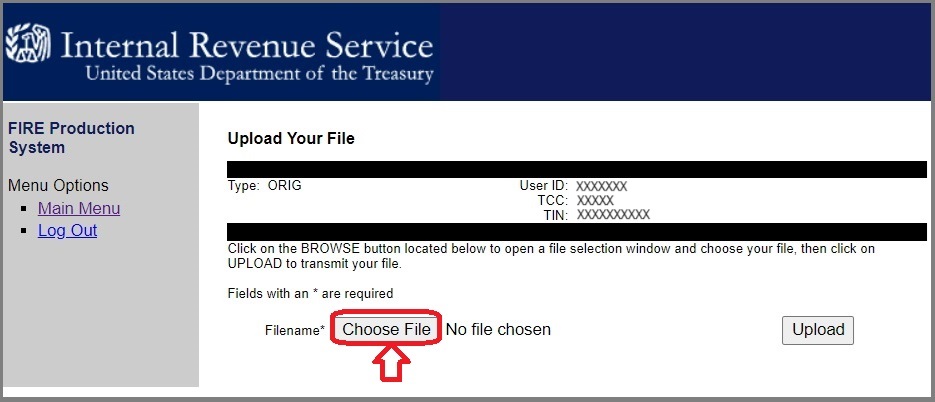
2.9. Upload the efile document (.txt file) you created in step 1
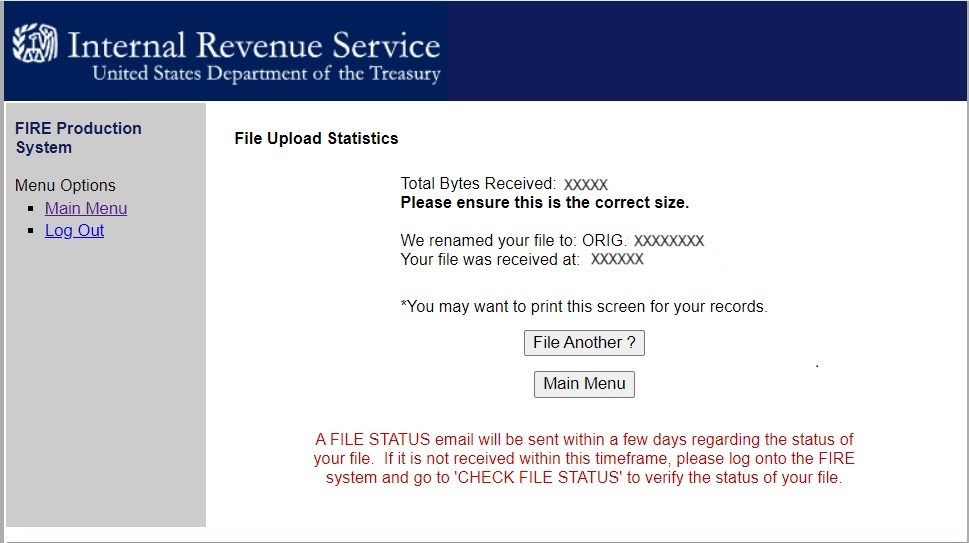
2.10. you will see message on screen after you load your efile document
When the upload is complete, the screen will display the total bytes received. Please print this screen for your records.
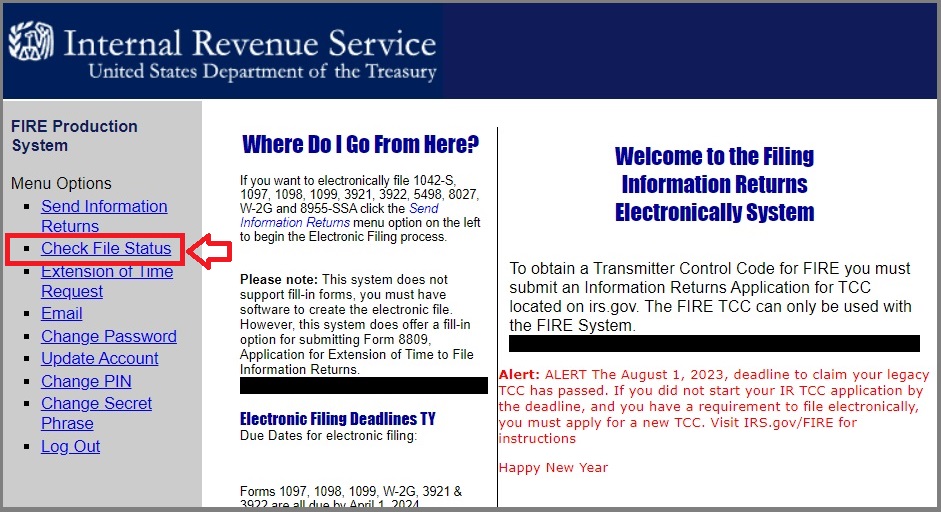
More Information: How to check status
You can click the Main manu to go back the main screen, then click "Check file status.
1. If you are a new user of IRS EFILE service, you need to apply TCC code (Transmitter Control Code) to generate the efile document. You also need to create a FIRE account to upload your file.