Halfpricesoft Halfpricesoft
 

ezCheckDraft Quick Start Guide

  • How to Set up Account and Print Draft Checks
  • How to import draft check data
  • How to Print Recurring Monthly Bank Drafts
  • How to print EPC-6 for RCC
  • How to Share Data and Print Checks over Network (** for multiple-user version**)
  • Troubleshooting

  • How to Print Draft Checks in House


    Any business can create a check draft. A regular check is created by the account holder, and signed (authorized) by the account holder. A check draft is created by the merchant, and the signature is not required. The account holder must authorize the merchant to create a check draft.

    Followings are the steps to create a check draft if you receive a check by phone, fax or online.
    Play

    Step 1: Start ezCheckDraft software

    You double click the desktop icon to start this application.


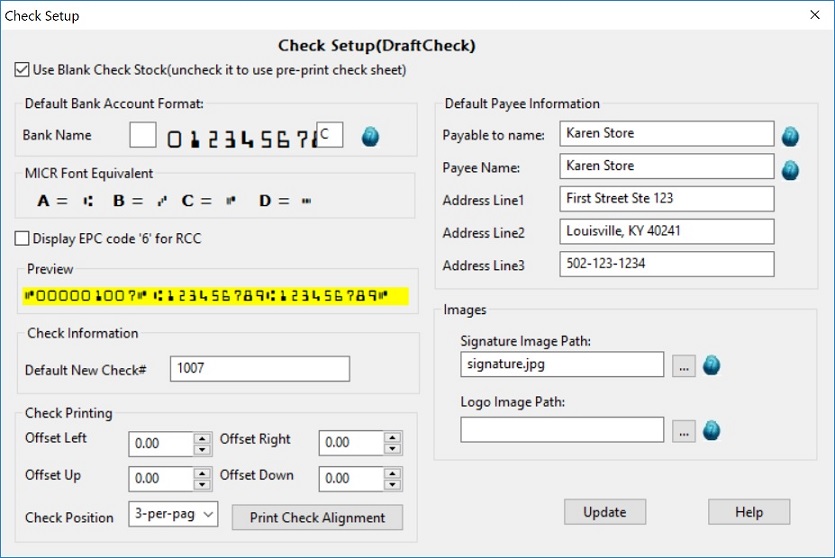
    Step 2: Set up your account

    Click the top menu "Settings->check setup" to open the check setup page. (You can skip this step for test drive or if you have already set up your account.)

    set up draft check

    Step 3: Add a new check manually or import checks

    You can add the draft checks manually or you can import checks from .csv file.

  • Option 1: add a check manually

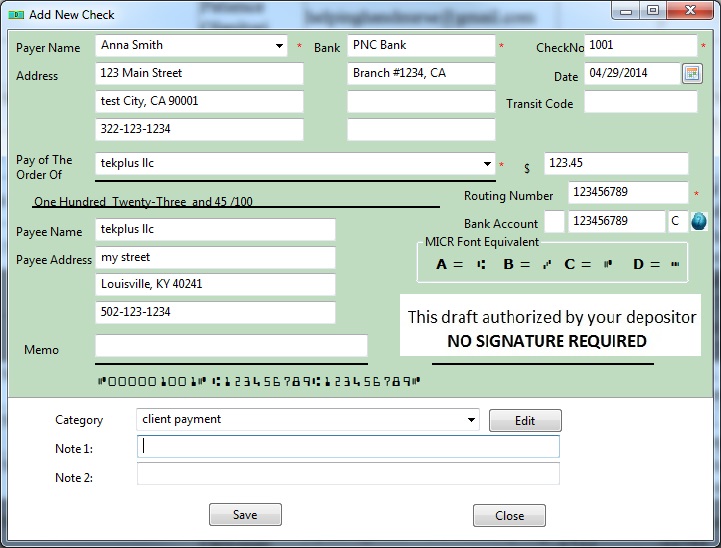
  • Go back to the main page. Click the New button to add a check. Select this check from the check list and click the Print button to print your check.

    add new check draft

  • Option 2: Import checks from .csv file

  • How to import draft check data (with sample file)

    Step 4: Preveiw and print checks

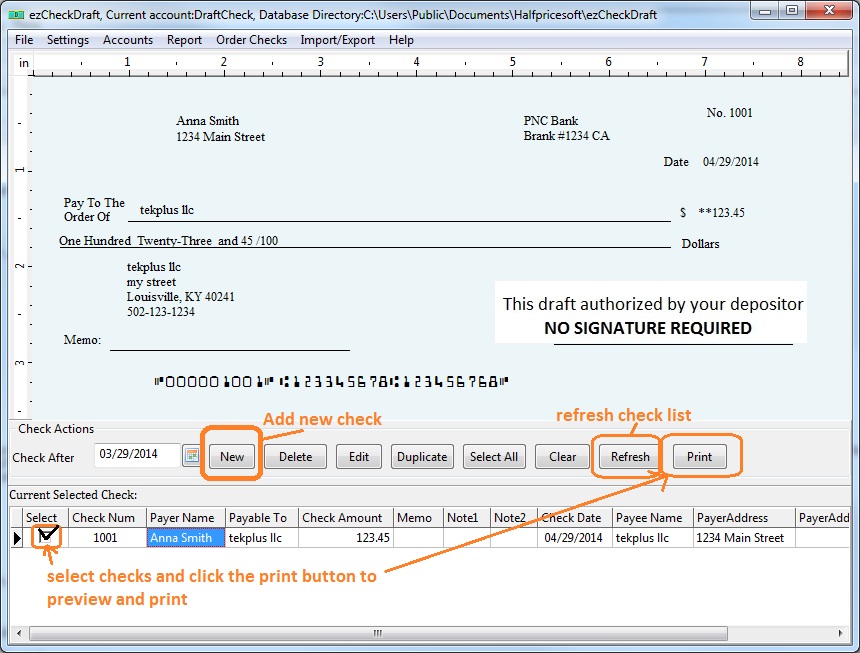
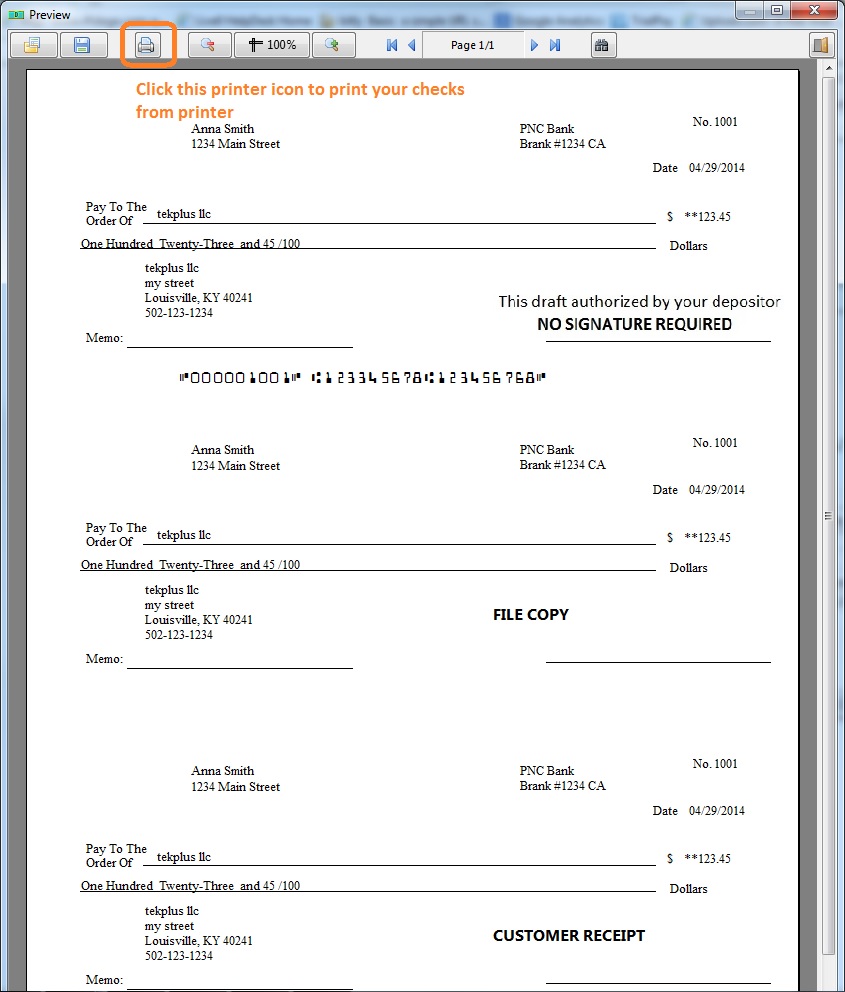
    select the check(s) from list and click the PRINT button to preview/print checks.

    draft check list

    print preview draft check

    Step 5: More Information

  • 5.1 How to Print Recurring Monthly Bank Drafts

  • 5.2 How to print EPC-6 code for RCC

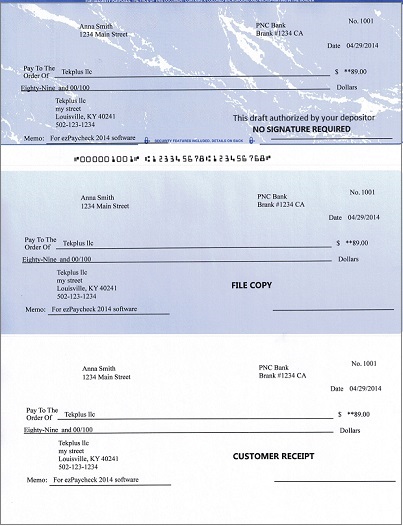
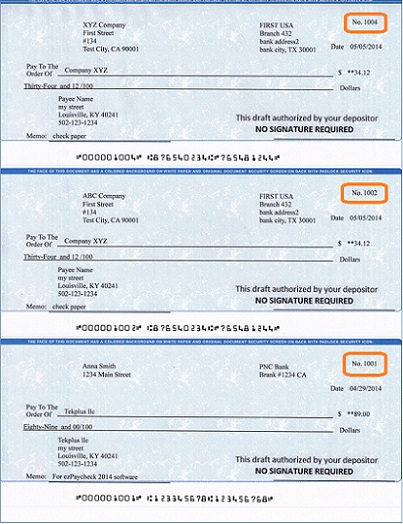
  • 5.3 Sample Draft Checks


  • Check Draft software
    From $295

    Draft Checks Electronically In-House

    ezCheckDraft: Trusted By Thousands.

  • Draft checks electronically
  • Generate ACH files for draft checks
  • Unlimited accounts. Unlimited transactions.
  • For both federal and states.
  • Try free DEMO today. No obligation. No credit card required. No risk.

  • ezCheckDraft is compatible with Windows 11, 10, 8.1, 8, 7, and other Windows system, 32-bit or 64-bit.


    Related Links

  • Quick Start Guide

  • How multiple users can share the same account to print bank drafts

  • How to print 3 checks on the same sheet
  • How to print bank draft with check-on-top format
  • How to print monthly recurring bank drafts
  • How to print EPC-6 code for RCC
  • Sample Check

  • How to accept check by phone
  • How to accept check by fax
  • How to accept check by internet