Halfpricesoft Halfpricesoft
 

ezCheckPersonal: How to Switch the Current Account

ezCheckPersonal software can support multiple personal bank accounts on the same computer with no extra charge. Here is guide about how to switch the current account.

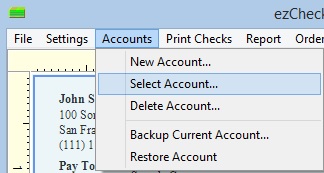
Step 1: Click the top menu "Accounts" then "select account" to view account list


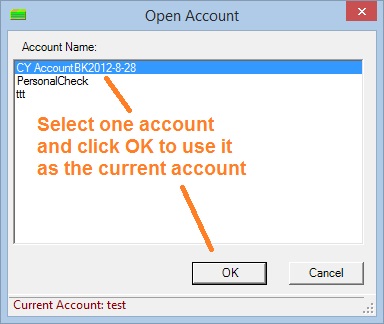
Step 2: Select an account from list and click the "OK" button to switch the account


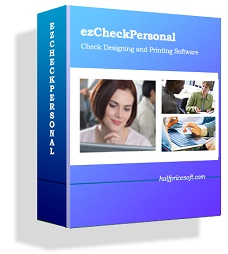
free check printing software ezCheckPersonal allows customers to design and print pocket-sized personal checks with MICR encoding and logo on blank stock in house. You can also use it to fill out preprinted blank checks also.

If you have not installed this software, you can download and try it free with no obligation and no credit card needed.

ezCheckPersonal is available for both Windows and Mac computers.


Related Links:
