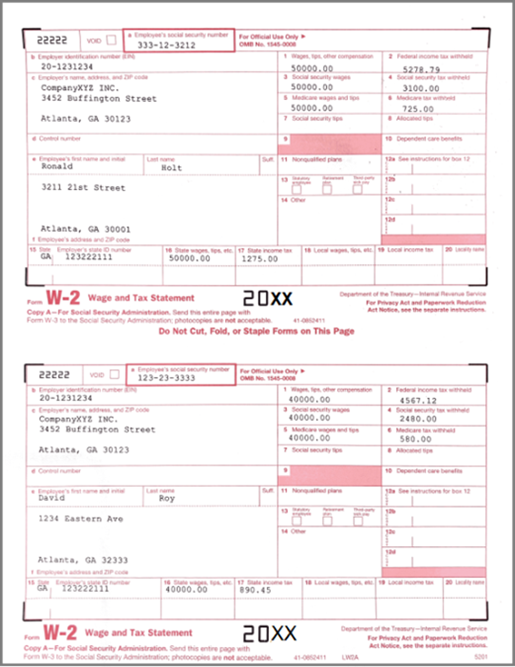
W2 Form Printing: How to Print Two W2 Forms on One Pre-printed Sheet
ezW2 software is approved by SSA to print all W-2 forms (Copy A, B, C, D, 1 & 2) and W-3 form on white paper. If you still prefer the red forms, ezW2 software can fill data on pre-printed forms too.
Here are the steps:
Step 1: Start ezW2 software.
ezW2 software: SSA Approved. Trusted By Thousands for Two Decades.
Print and eFile Form W2, W3, 1099-NEC & 1096 in House.
Unlimited Company Accounts! Unlimited Forms!
Compatible with Windows 11, 10, 8.1, 8, 7, Vista, XP and other Windows computers.
Try it free today. No obligation. No credit card required.
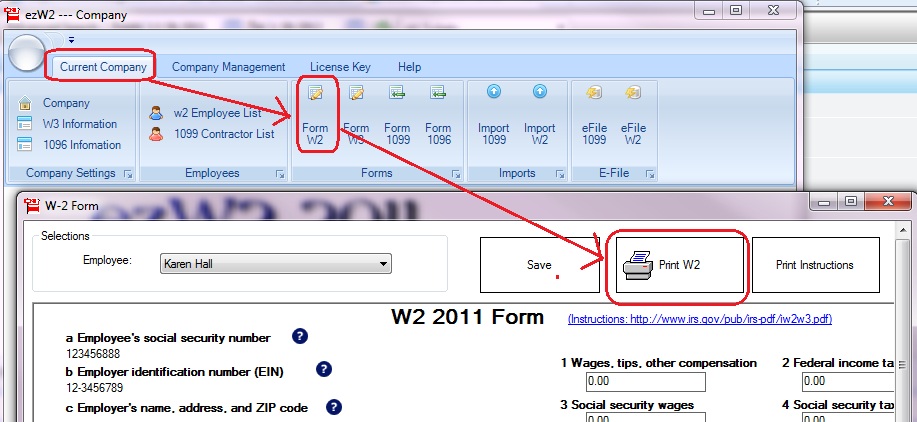
Step 2: You can click the top menu "Current Company", then select sub menu "Form W2" to open W-2 Form Edit Screen.
Step 3: Click the "Print W2" button to open W-2 Print Option screen
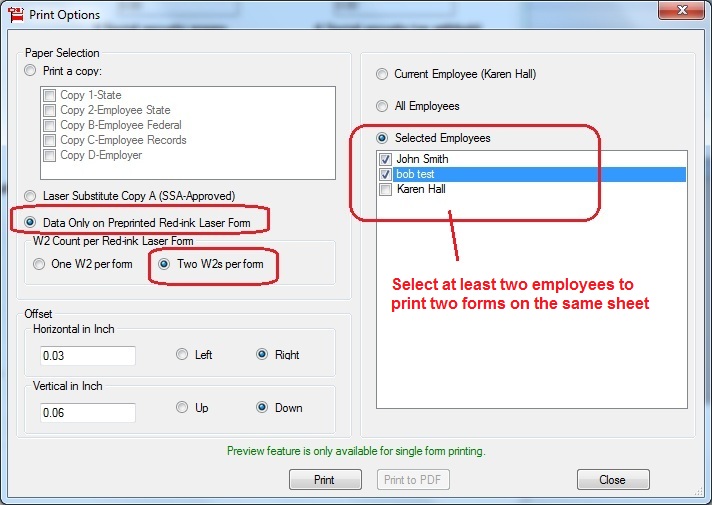
Step 4: On the print option screen, select "Data Only on preprinted red-ink Laser Form" option. Then check "TWO W2s per form" option.
4.1 Please make sure you select at least TWO employees from employee list if you want to cut cost by printing two different W-2 forms on the same sheet.
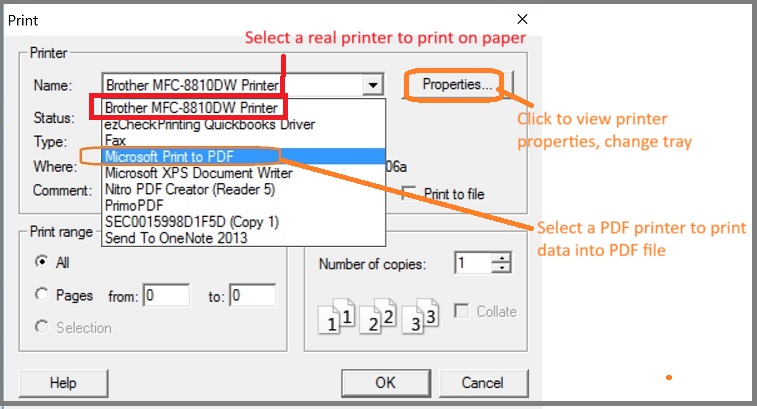
4.2 Select a printer
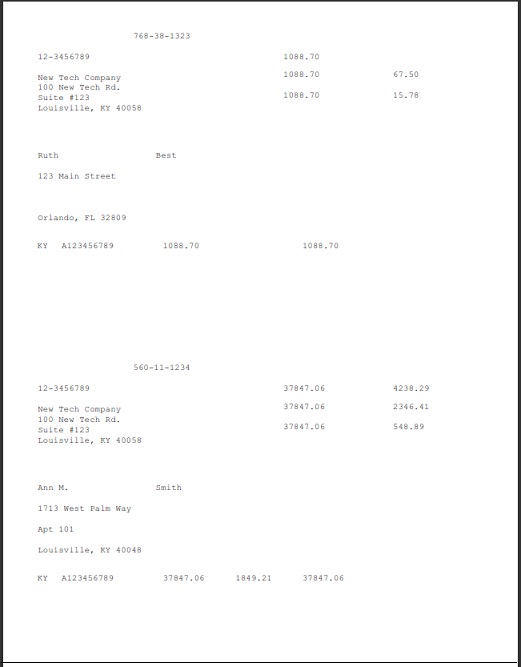
Step 5: Fill out data on paper forms.
Notes:
1. Form W-3 will be generated automatically based on form W2 information
2. ezW2 allows user to set up unlimited companies with one flat rate. So if you have multiple companies or you are an accountant, you can add new company by clicking top menu "Company Management->New company"
3. The .csv file data import feature, PDF print feature and efile feature are available with enterprise version and multiple-user version. They are not available with small business version. Click here to view ezW2 feature list)