
HalfpricesoftHalfpricesoft


    Add An Employee - ezAccounting Guide

    ezAccounting software comes with the flexible payroll features which makes it easy to print paychecks, pay employees and file tax reports. It allows customers to add up to 500 employees in one company account.

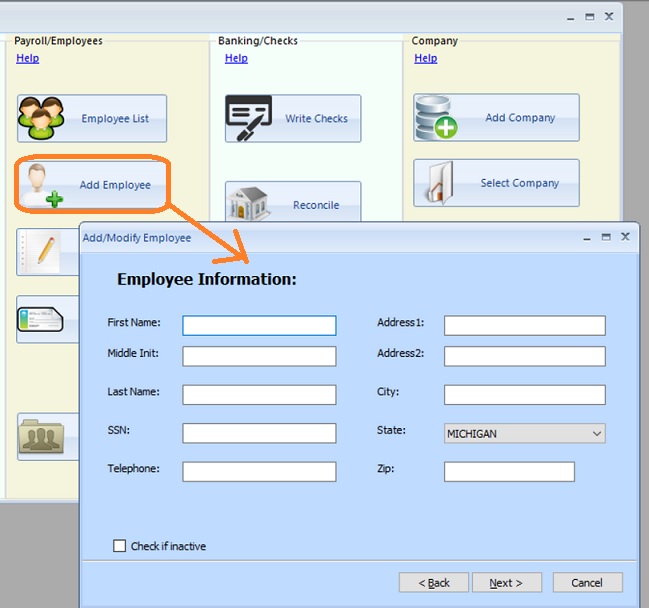
    1: Add employee general information

    Start ezAccounting application, click "Add Employee" to add employee profile. ezAccounting calculates state tax based on employee address.


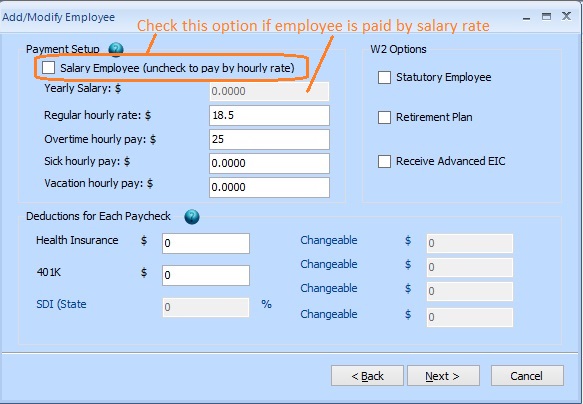
    2: Enter employee payment and deductions


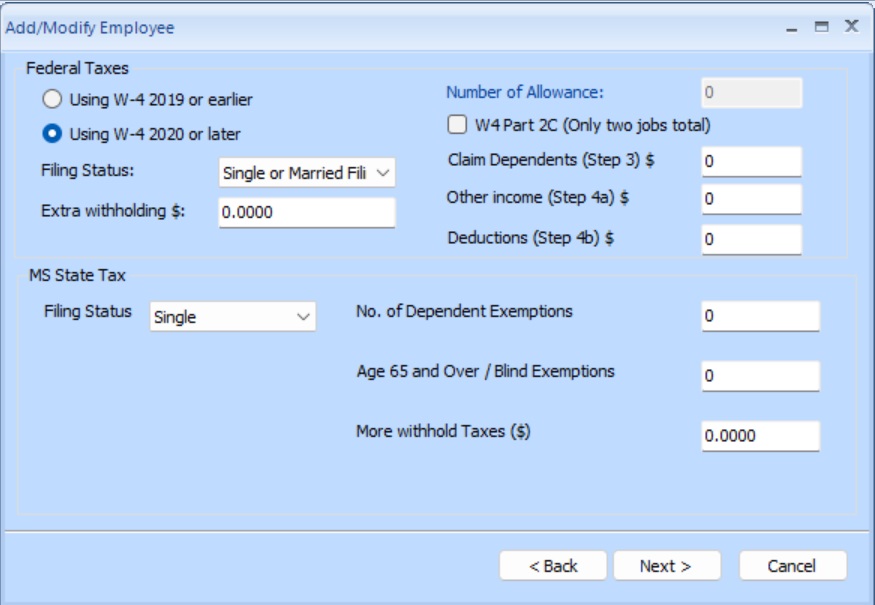
    3:Tax options


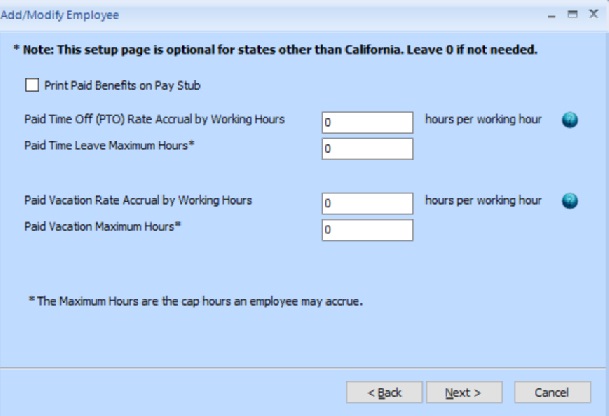
    4:Employee PTO (optional)


    5:Save information

    Click the Next button and save the employee information.


    accounting software
    From $199
    (Regular $219)

    Desktop Accounting & Payroll Solution

    ezAccounting software is the right in house accounting solution for small businesses needing to document and report on incoming and outgoing cash flow including sales, receipts, payments and purchases. It also supports payroll processing and tax form printing.

    Try the ezAccounting free demo - no credit card or obligation required.

    Limited Time Offer: ezAccounting 2026 & 2027 Bundle


    Need Help - Free Support

  • Quick Start Guide

  • FAQs page

  • Contact us at the support page
