Halfpricesoft Halfpricesoft
 

ACH Direct Deposit: How to Handle Recurring Transactions

ezACh software (version 3 and later) allows clients to duplicate previous transactions and makes it easy to hanlde the recurring payments.

Here the step by step guide on how to duplicate transactions.

Step 1: Open ACH Transaction Screen

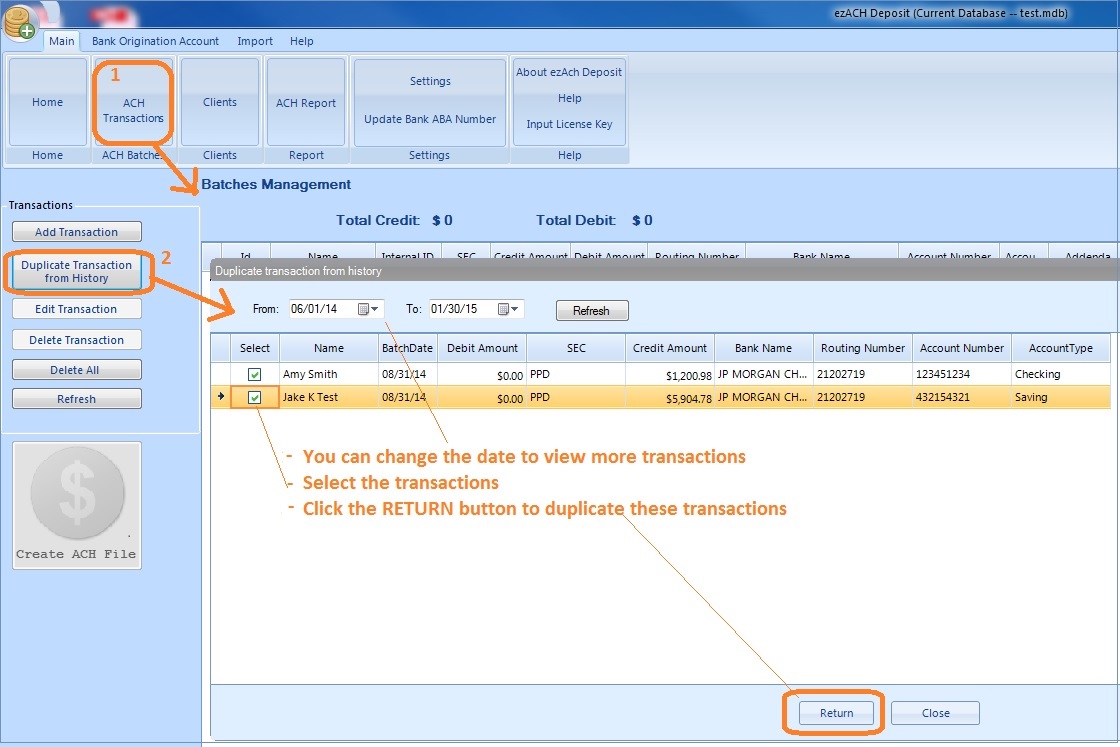
You can open this form by clicking top menu "Main" then "ACH transactions"

Step 2: Duplicate Previous Transactions

  • Click the button "Duplicate Transactions from History" on left panel to view previous transactions
  • You can edit the date range to view more transactions.
  • Select transactions and click the RETURN button to duplicate these transactions

    duplicate transactions
    click to view larger image


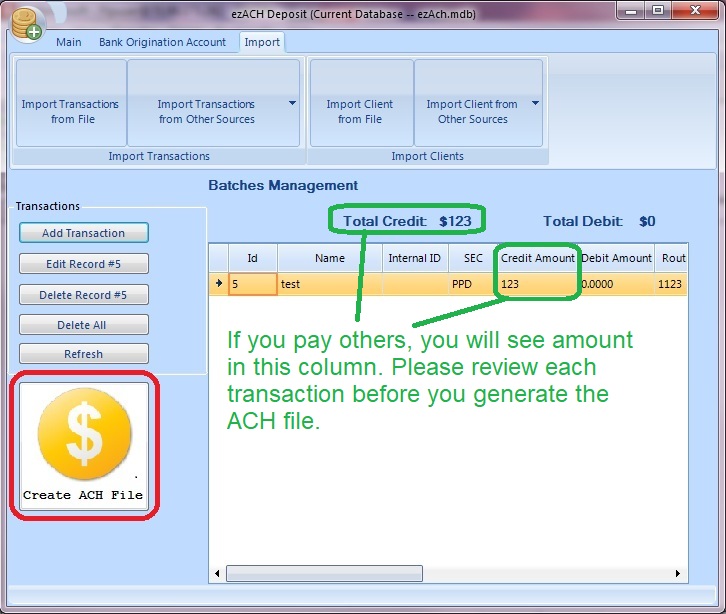
    Step 3: Review and Edit Transactions If Needed

    Step 4:Generate the ACH File and Upload the File to Your Bank

  • 4.1 How to create NACHA ACH file

  • 4.2 How to upload ACH file to the bank

  • create ACH file
    click to view larger image


    ACH software
    From $295

    Generate ACH Files for Direct Deposit In-House

    ezACH: Trusted By Thousands.

  • Generate ACH files for direct deposit paychecks
  • Generate ACH files for vendor payments
  • Generate ACH files for government payments
  • Unlimited accounts. Unlimited transactions.
  • For both federal and states.
  • Try free DEMO today. No obligation. No credit card required. No risk.

  • ezACH is compatible with Windows 11, 10, 8.1, 8, 7, and other Windows system, 32-bit or 64-bit.


    Related Links:


    download free ACH direct deposit software     buy ACH Direct Deposit now