Direct Deposit: How to Import Transactions from ezPaycheck Software Try ezACH now Buy it now
with
ezACH deposit software , you can
Add Transaction(s) manually Add Transaction(s) by importing from .cvs file Add Transaction(s) by importing from ezPaycheck Add Transaction(s) by importing from ezCheckPrinting Add Transaction(s) by importing from ezAccounting
Here are the step by step guide on how to import Transaction(s).
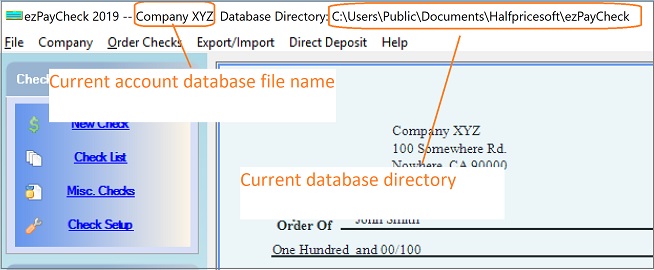
How can I know which ezPaycheck account has my data?
You can start ezPaycheck and view the current account database file name from the top menu. The file name is behind "ezPaycheck 20XX" and before "Database directoy". (Note: If you have multiple accounts, you can click the top menu "Company" then "Select Company" to change the current account.)
Step 1: Import Transaction(s) from ezPaycheck software Start ezACH Software
Please
add clients or
import clients before you import the transactions for these clients.
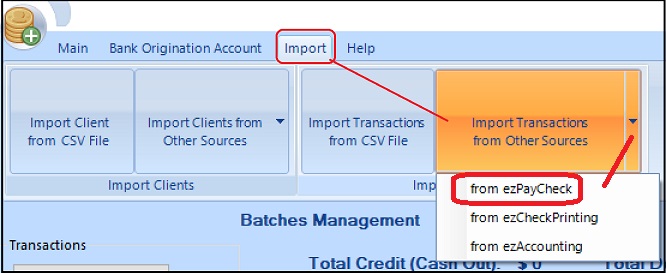
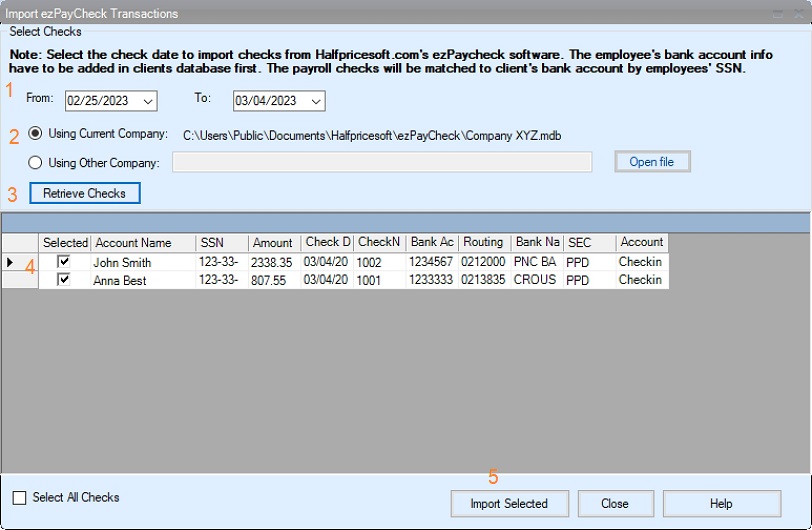
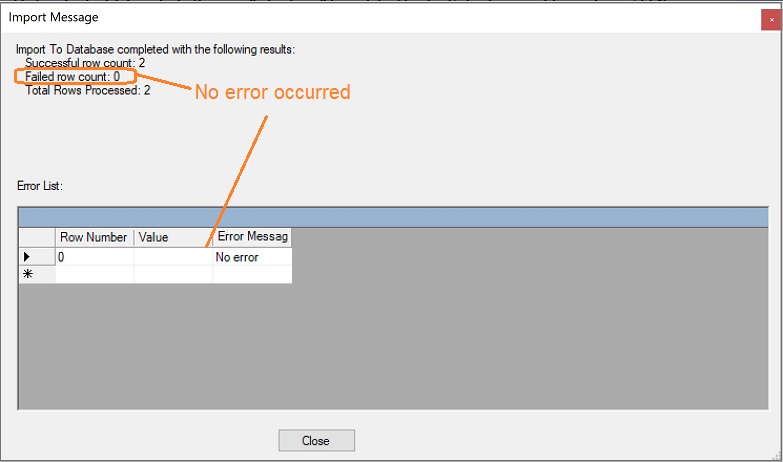
Click the top menu "Import", and then "Import Transactions from Other Sources" to import transactions from ezPaycheck.Step 2: Review Transactions and generate the ACH file
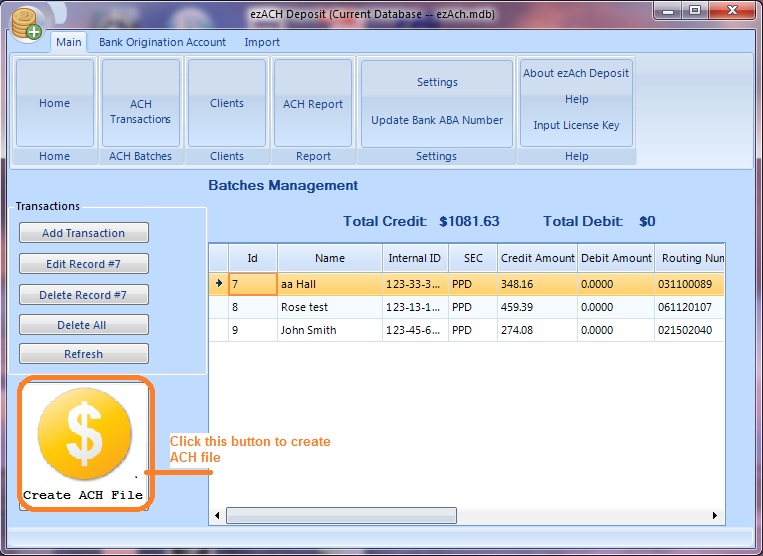
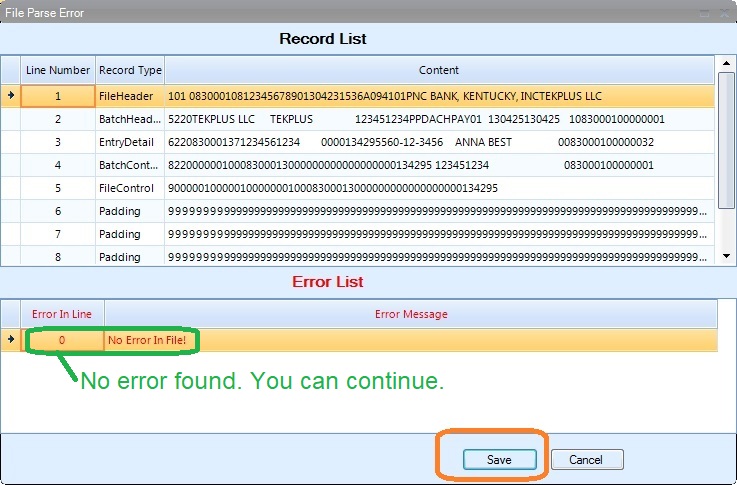
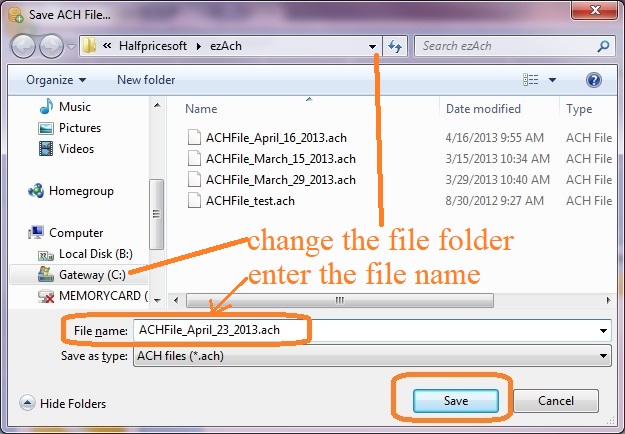
2.1 Click the top menu "Main->ACH Transactions" to view the transactions
Step 3: Upload the ACH file to your bank
When you enable ACH Payment feature, your bank should give you the detailed instructions.
How to upload the ACH file to bank to process the transactions Related Links How to enable ACH feature? How to set up the bank origination account? How to import employees from ezPaycheck? From $295 Generate ACH Files for Direct Deposit In-House ezACH: Trusted By Thousands. Generate ACH files for direct deposit paychecks Generate ACH files for vendor payments Generate ACH files for government payments Unlimited accounts. Unlimited transactions. For both federal and states. Try free DEMO today. No obligation. No credit card required. No risk. Try ezACH now Buy it now