Halfpricesoft Halfpricesoft
 

How to Add, Edit and Delete Check(s) on a Mac Computer

Click to view Windows Version 


ezCheckPrinting check writer for Mac saves your time and money on checks. Writing a check on a Macintosh machine is so easy. All you have to do is to enter the date, payee s name and amount payable to the payee. This Mac check writer will automatically convert numbers to words. You can write and print a check with just a few clicks.

Play


  • Add a check
  • Print check(s)
  • Edit a check
  • Delete check(s)
  • 1. Add a check

    1.1 Start ezCheckPrinting software on Mac computer

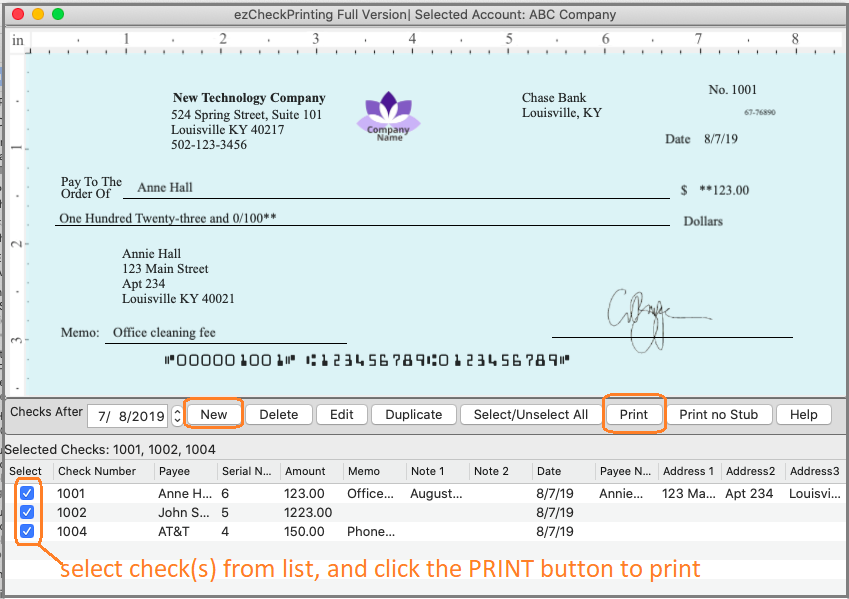
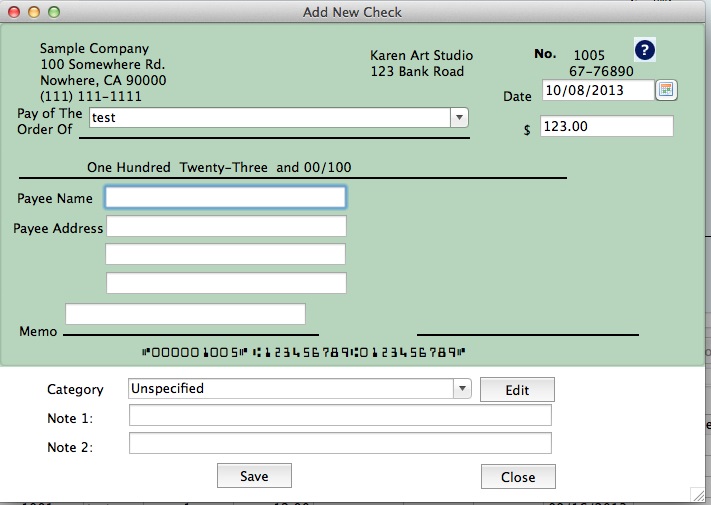
    1.2 Click the New button to add a check.

    print bank check with logo

  • 1.3 Enter Payee, Amount and other optional information. Click the SAVE button to save your check.

    write check on Mac

    2. Print check(s)

    2.1 Select the check(s) from the check list and click the Print button to print your check.

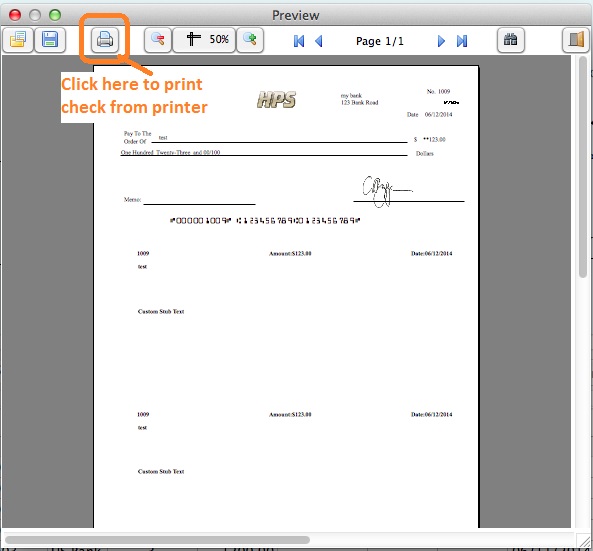
    2.2 Preview and print check(s)
    preview check


    3. Edit a check

    Select a check from the list and click the Edit button to edit your check.


    4. Delete check(s)

    Select check(s) from the list and click the Delete button to remove checks. Once check(s) are deleted, you cannot undo it.


    free check printing software

    Design and Print Professional Checks Yourself

    - Print checks on blank stock with logo and signature
    - Fill in data on pre-printed checks
    - Print blank checks to fill in later
    - QB virtual printer for QuickBooks/Quicken(for Windows)
    - Unlimited accounts and checks for Windows and Mac.

    Try ezCheckPrinting free demo version with no obligation and no credit card needed.


    Related Articles:
