ezCheckPrinting: How to Backup Data with Mac Computer
(Click to view
Windows Version)
With ezCheckPrinitng check writing software for Mac, you can backup data easily. You can backup your data with ezCheckPrinting built in feature. Or you can choose to backup data manually or with other software.
 | Design and Print Professional Checks Yourself
- Print checks on blank stock with logo and signature
- Fill in data on pre-printed checks
- Print blank checks to fill in later
- QB virtual printer for QuickBooks/Quicken(for Windows)
- Unlimited accounts and checks for Windows and Mac.
Try ezCheckPrinting free demo version with no obligation and no credit card needed.
|
Option 1: Use the Built-in Database Backup Feature
If you just have a few bank accounts, you can start ezCheckPrinting software and click the top menu Accounts to back up your accounts one by one.
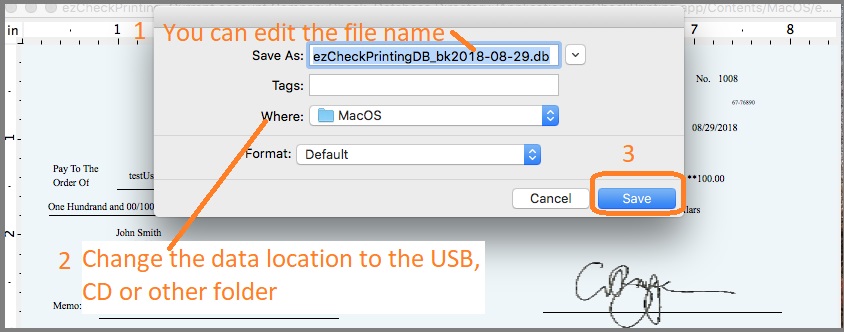
 If you just need to back up your data to the default folder, you just need to click the Save button.
If you want to back up your check data to the USB disk or other locations, You can click the triangle button behind "Save in" field to change the current path. You can modify the back up new file name as you like. Once you click the Save button, you will save your current database file to the new location.
Option 2: Back up Multiple Accounts Manually
If you are a CPA and have many client accounts, it will be faster to back up the data manually or with some data backup software.
2.1 If you are using Version 6
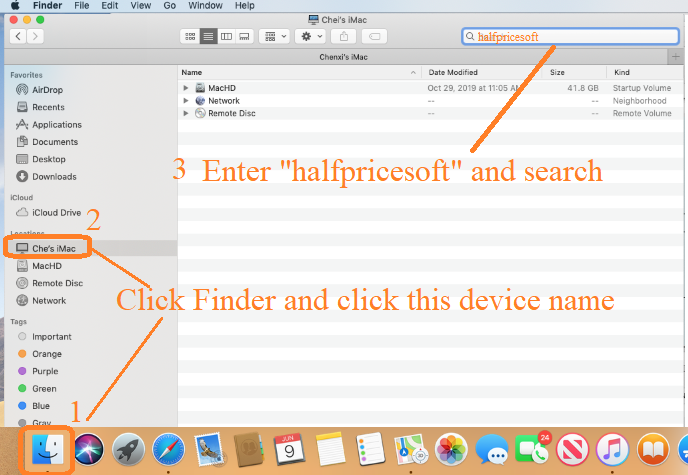
2.1.1. Click the Finder
2.1.2. Click the device name (ie: Mark's iMac)
2.1.3. Enter "halfpricesoft" and search
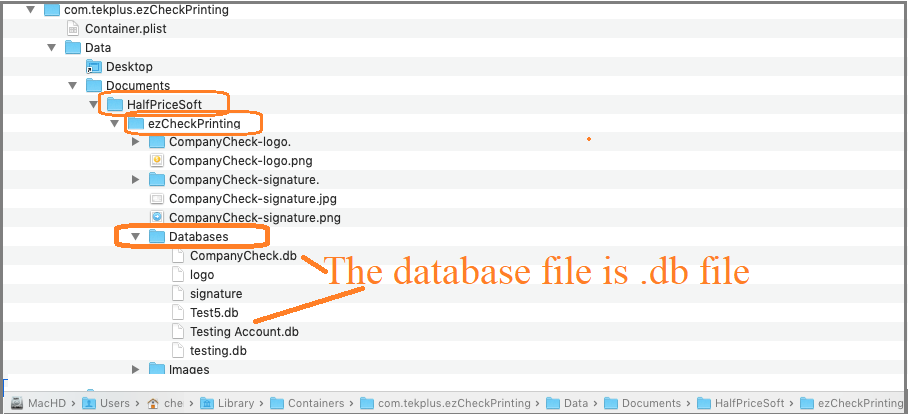
2.1.4. Open "halfpricesoft" folder, open "ezCheckPrinting" folder, and open "database" folder. The database files are .db files. You can backup all the .db files manually to the USB disk, external driver or other location.
2.2 If you are using Version 5
2.2.1. Open "Finder"->"Application", you will see ezCheckPrinting there;
2.2.2. select ezCheckPrinting, right click mouse button, select "Show Package Contents";
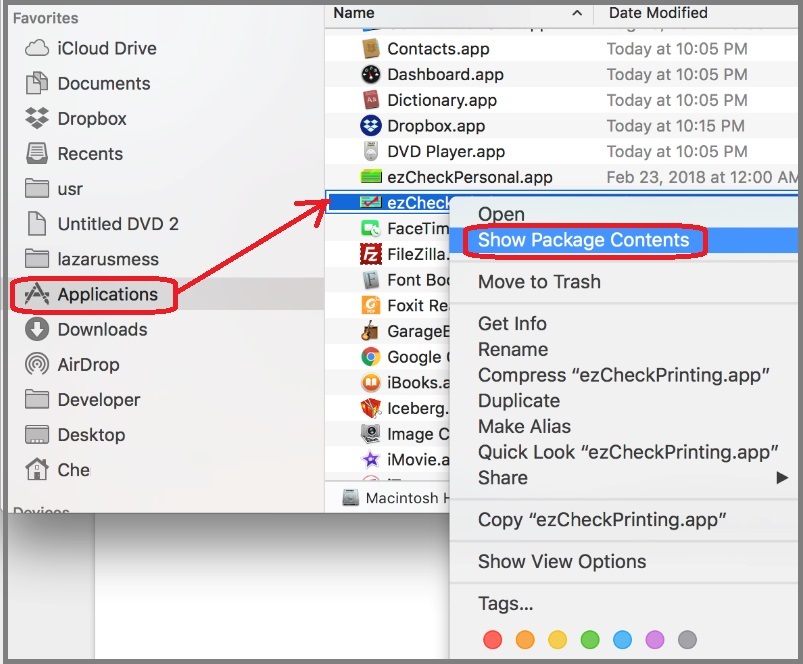
2.2.3 Double click "Contents" then "Mac OS"
2.2.4 The database files are .db files. You can backup all the .db files manually to the USB disk, external driver or other location.
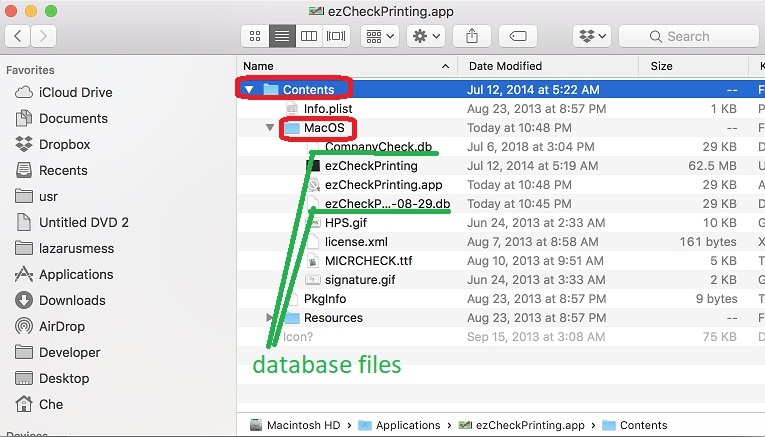
ezCheckPrinting Mac version database backup file is .db file. you should NOT open this backup file manually or with application. Please follow the instruction to restore your data.
Related Articles:

