HPS Payment Service: Pay Employees with Direct Deposit
<
Previous Step: Add Paychecks Please follow the steps below to deposit the payments:
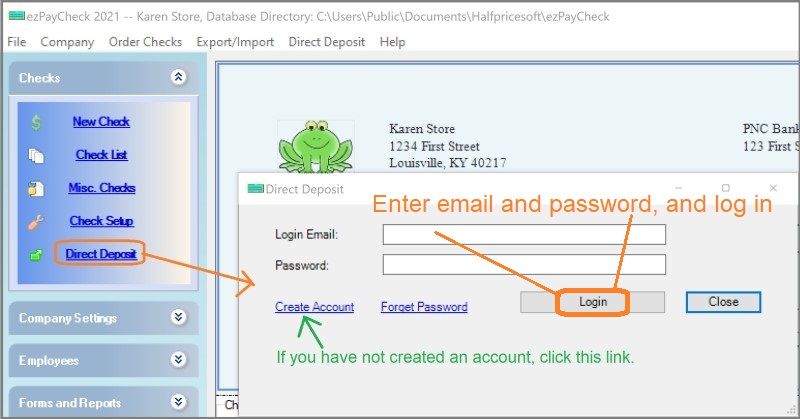
1. Log In
If you have not created an account, please follow this guide to
create an account.
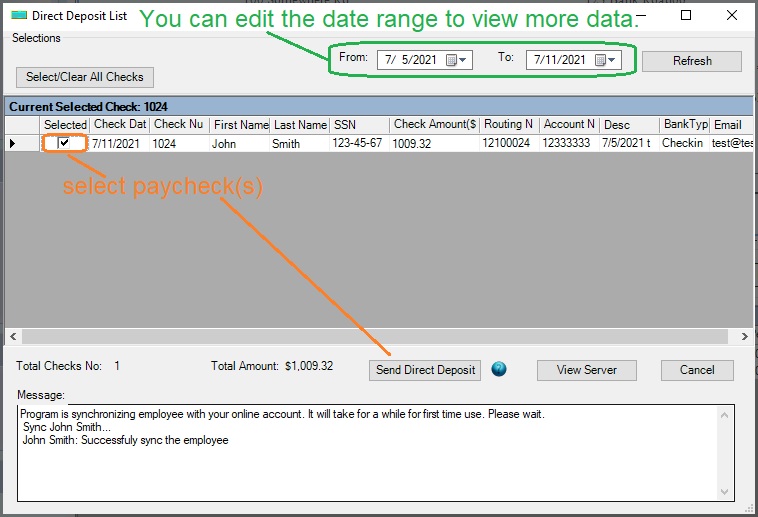
2. Select paychecks from list and click "Send Direct Deposit" button
Note: You can edit the date range to view more checks if needed.
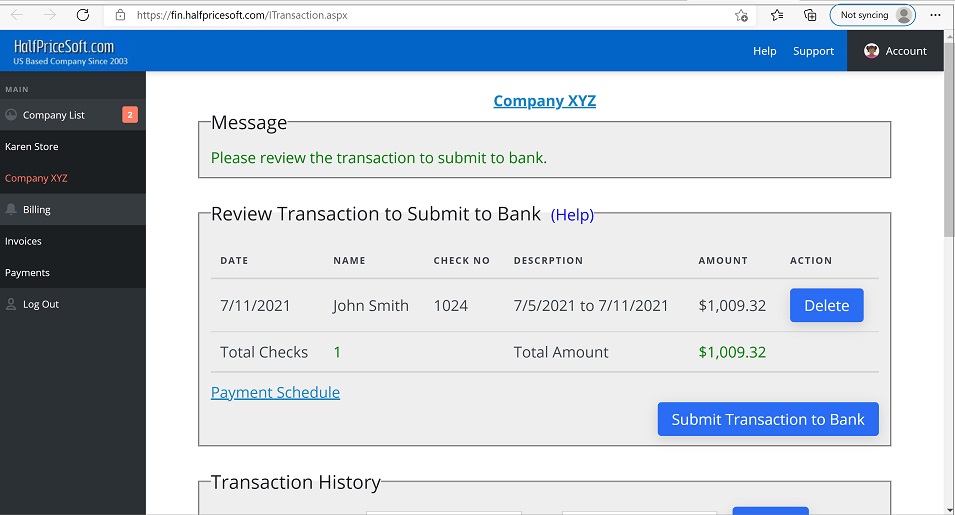
3 Review the paychecks and submit the transaction request to the bank
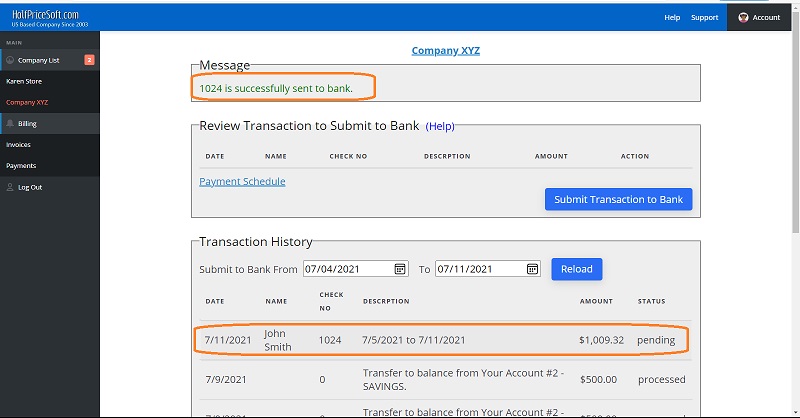
<<h3>4 It may take 1 to 5 days complete the transactions. Once the transactions complete, you will see the status change from "Pending" to "Processed".
Related Links