ezPaycheck: How to Create a Paycheck by Commission
ezPaycheck payroll software makes small business payroll an easy job. It can handle paychecks by hourly rate, salary, shift rate, commissions, tips, pay-by-piece, pay-by-load and more. It also prints paychecks on blank stock and pre-printed checks.
Here are the steps to pay an employee by commission:
Step 1: Set up commission pay type
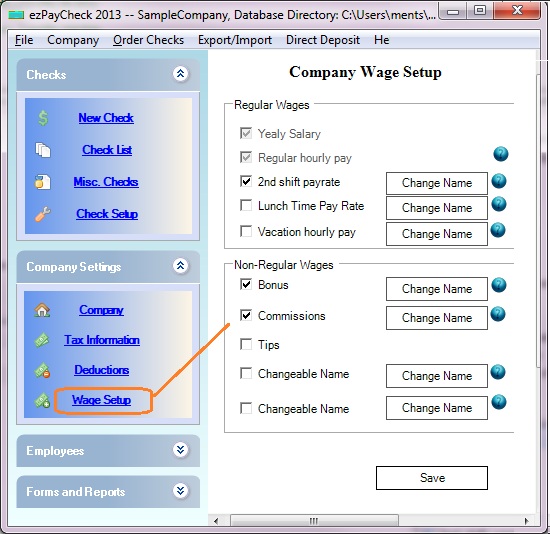
You can click the ezPaycheck left menu "Company Settings" then "Wage Setup" to view wage set up screen.
ezPaycheck supports commission payment type by default. Please make sure this option check here.
Click the Save button to update your change.
(Click image to enlarge)
Step 2: Add a new paycheck
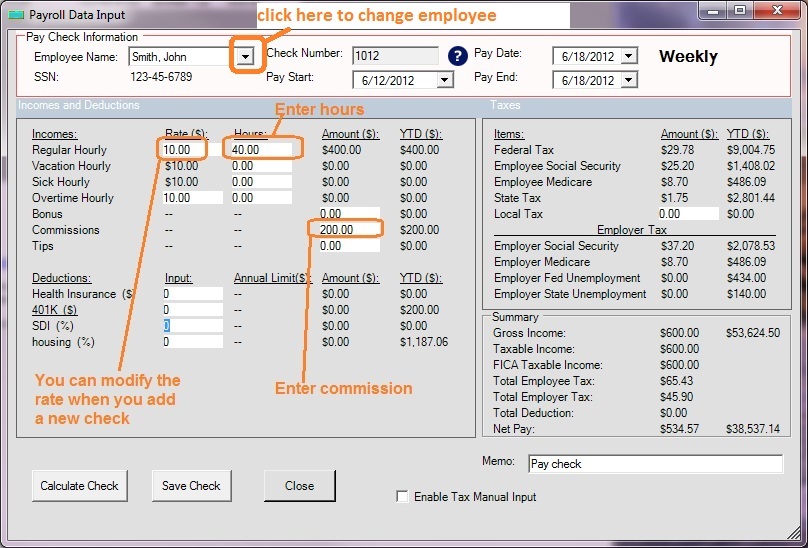
You can click left menu "Checks" then "New Check" to add a new paycheck. Select this employee from list, then enter commission amount there.
If this employee is paid by commissions only, change the rate to $0 and leave the "hours" as 0.
(Click image to enlarge)
Step 3: Print paychecks
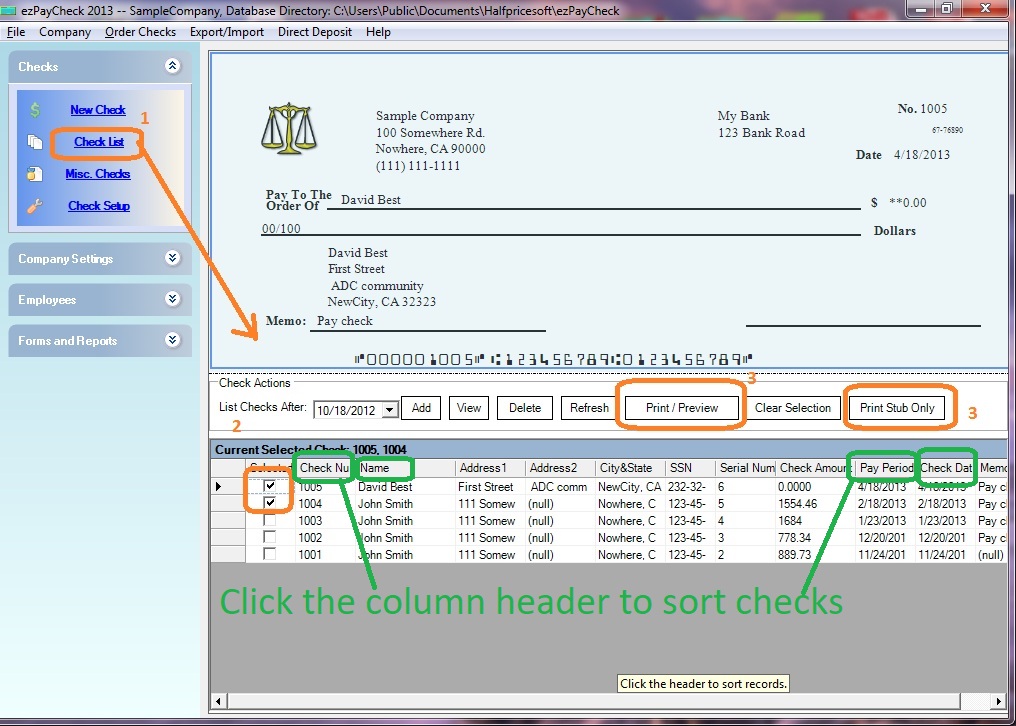
- Select checks from check list
- Click Print button to print checks
(Click image to enlarge)
Related Links:
Download Now >
Buy Now