ezPaycheck Payroll Software: How to Pay Employee by Visit Rate or Service Rate
ezPaycheck payroll software is very flexible and allow customers to enter customized paycheck types. It can handle paychecks by hourly rate, salary, shift rate, commissions, tips, pay-by-piece, pay-by-load and more. It also prints paychecks on blank stock and pre-printed checks.
You can follow this guide to pay your employee by visit rate, service rate, task rate, project rate or other special rate.
Step 1: Start ezPaycheck, set up company account and add employees
If you have any questions about company setup and employee setup, you can refer to the
Quick Start Guide.
If you do not need to pay employee by hourly rate, you can enter "0" for the hourly rate.
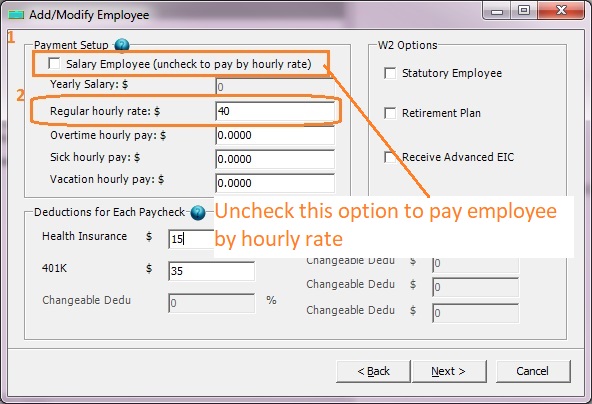
(Click image to enlarge)
Step 2: Add new payment type "Pay by visit"
You can click left menu "Company Settings" then "Wage Setup" to add new payment type.
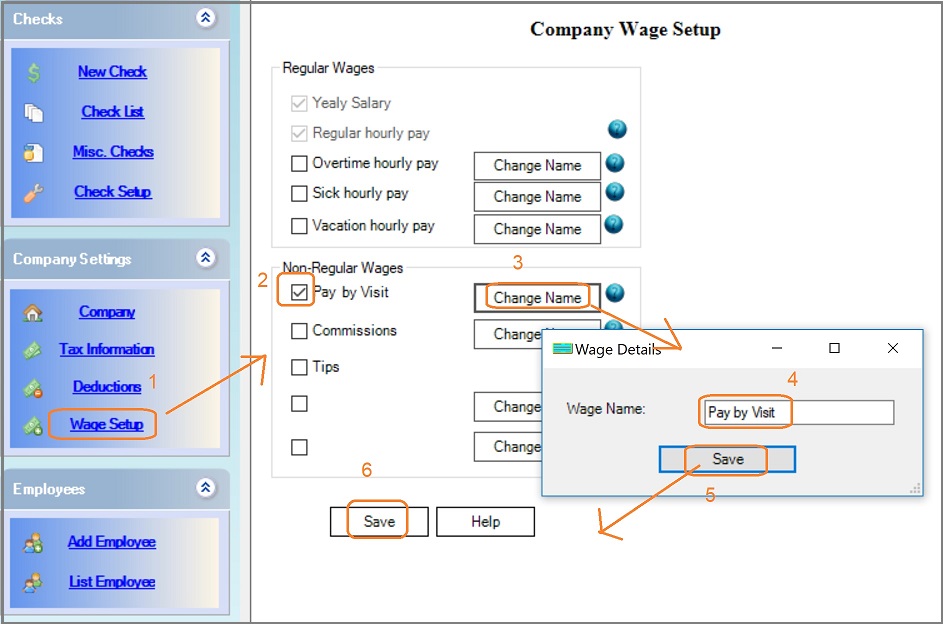
(Click image to enlarge)
Step 3: Add a new paycheck and specify the amount for "Pay by visit"
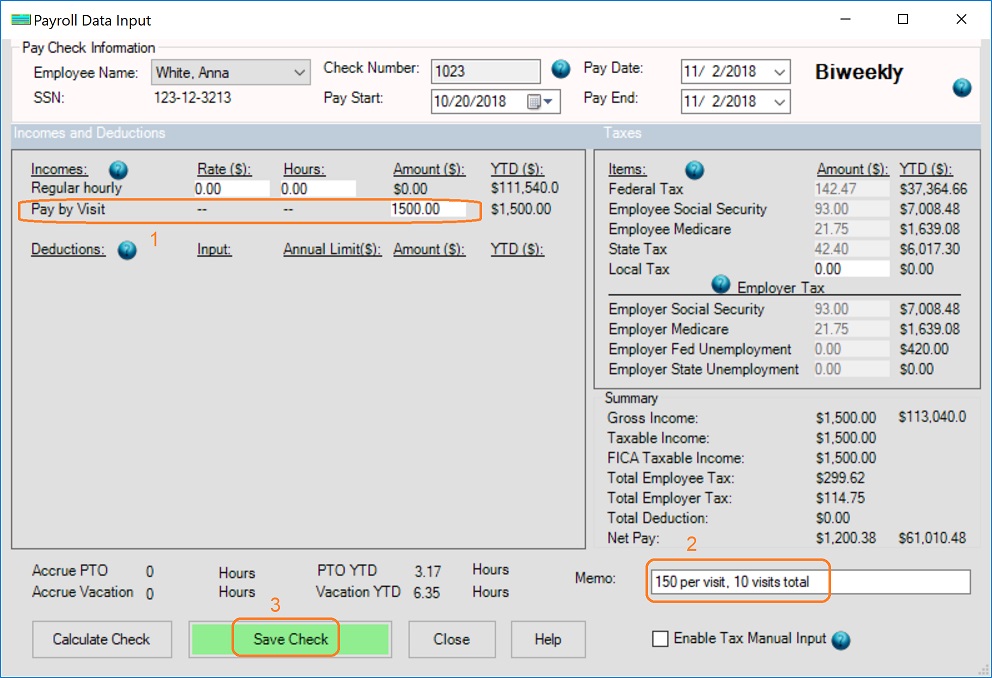
(Click image to enlarge)
Step 4: Print paychecks
- Select checks from check list
- Click Print button to print checks
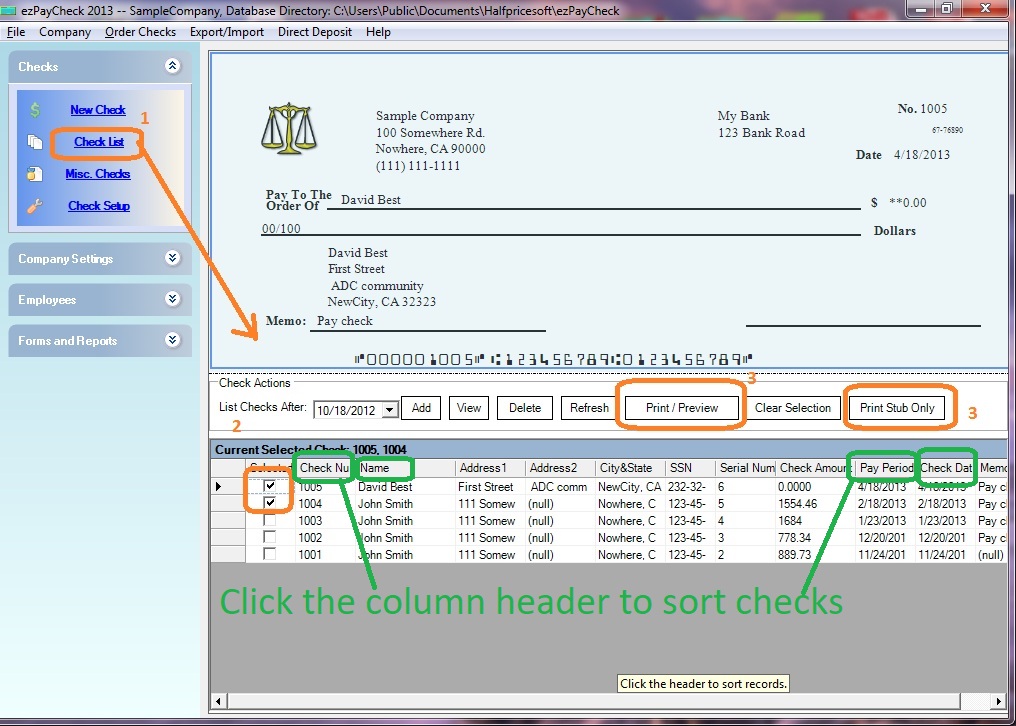
(Click image to enlarge)
Related Links:
Download Now >
Buy Now