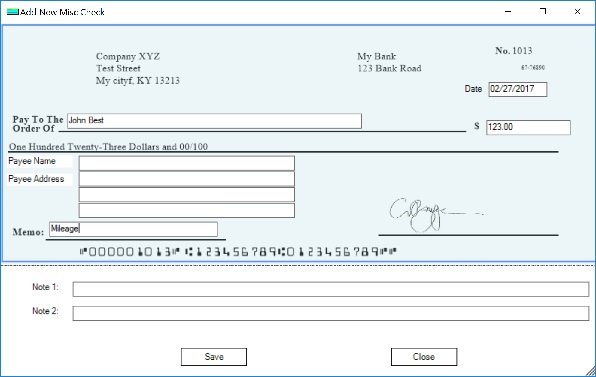
ezPaycheck Payroll Software: How to Print a Vendor Check
With ezPaycheck payroll software, you can print paychecks easily. ezPaycheck also comes with flexible MISC check feature. You can use MISC check to pay
Reimbursement to employees, such as the reimbursement checks for mileage, food, phone and other costs.
Non-taxable payment, ie: payment to contractors, churches can use this feature to write a check for housing and other non-taxable cost
Vendor bills
Here are two options to create a MISC check:
1. Add a new check 2. Duplicate a previous check 1. Add a new check
1.1. Start ezPaycheck application, click the left menu "MISC checks" to access the MISC check fearure
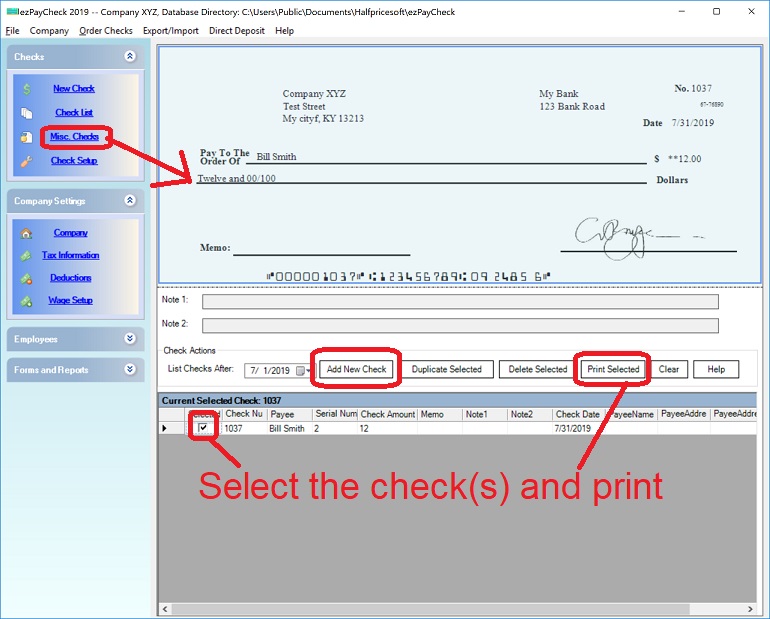
(Click image to enlarge)
1.2. Add and print a vendor check
(Click image to enlarge)
2. Duplicate a previous check
2.1. Start ezPaycheck application, click the left menu "MISC checks" to access the MISC check fearure
2.2 Select one check from list, and then click the "Duplicate Selected" button to duplicate this check.
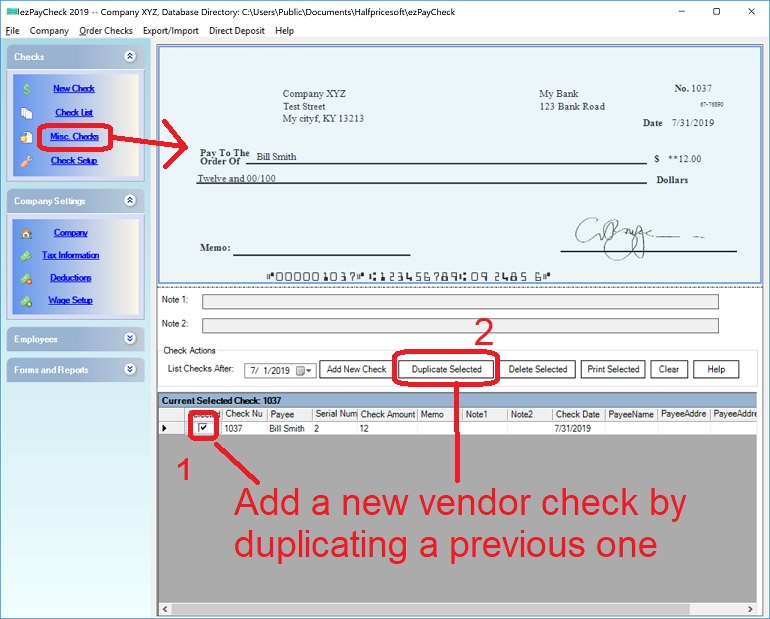
(Click image to enlarge)
Related Topics
ezPaycheck Quick Start Guide How a add a new company account How to handle both employees and contractors How to handle restaurant tips How to add a custom deduction and withhold it from each paycheck automatically How to handle local taxes How to handle State Disability Insurance (SDI) How to print paycheck in different formats: check-on-top, check-in-middle, check-at-bottom or 3-per-page How to print paycheck on blank stock How to print paycheck on pre-printed checks How to print paycheck with company logo How to adjust check printing position Sample Paychecks Determine a Company's Name for e-Filing
Download Now >
Buy Now