ezPaycheck Payroll Software: How to Print a Vendor Check
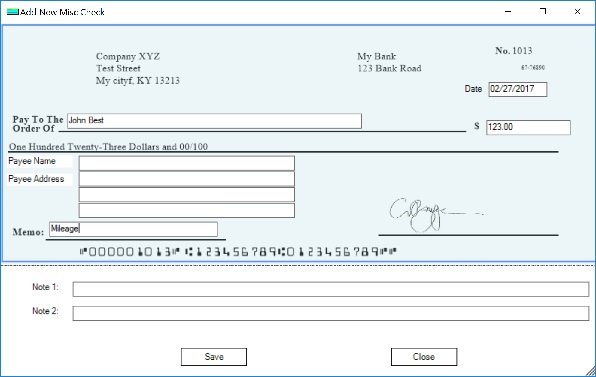
With ezPaycheck payroll software, you can print paychecks easily. ezPaycheck also comes with flexible MISC check feature. You can use MISC check to pay
Reimbursement to employees, such as the reimbursement checks for mileage, food, phone and other costs.
Non-taxable payment, ie: payment to contractors, churches can use this feature to write a check for housing and other non-taxable cost
Vendor bills
Here are two options to create a MISC check:
1. Add a new check2. Duplicate a previous check1. Add a new check
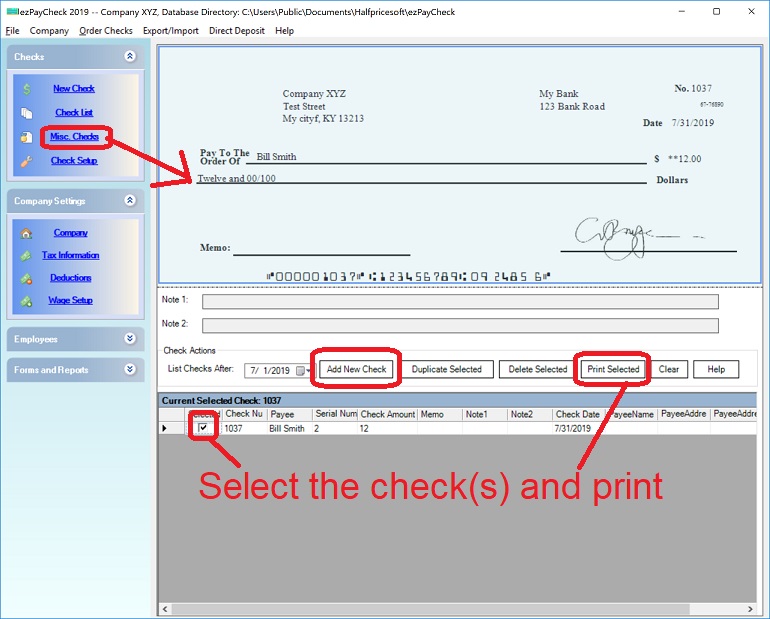
1.1. Start ezPaycheck application, click the left menu "MISC checks" to access the MISC check fearure
(Click image to enlarge)
1.2. Add and print a vendor check
(Click image to enlarge)
2. Duplicate a previous check
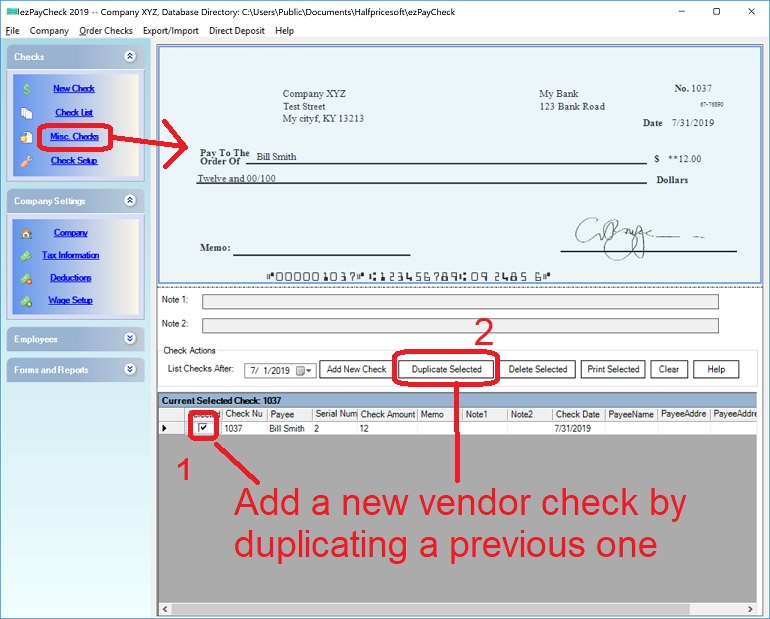
2.1. Start ezPaycheck application, click the left menu "MISC checks" to access the MISC check fearure
2.2 Select one check from list, and then click the "Duplicate Selected" button to duplicate this check.
(Click image to enlarge)
Related Topics
ezPaycheck Quick Start GuideHow a add a new company accountHow to handle both employees and contractorsHow to handle restaurant tipsHow to add a custom deduction and withhold it from each paycheck automaticallyHow to handle local taxesHow to handle State Disability Insurance (SDI)How to print paycheck in different formats: check-on-top, check-in-middle, check-at-bottom or 3-per-pageHow to print paycheck on blank stockHow to print paycheck on pre-printed checksHow to print paycheck with company logoHow to adjust check printing positionSample PaychecksDetermine a Company's Name for e-Filing
Download Now> Buy Now