How to Calculate California Income Tax Withholdings
Paying employees accurately and on time is very important for any business. Usually you can calculate California payroll income tax withholdings in the following ways.
Calculate California it manually by using state tax tableUse payroll software to simplify the tax calculationsHire an accountantOption 1: Calculate CA State Income Tax Manually
If you like to calcualte state tax withholdings manually, you can refer to the
California tax tables and step by step guide here.
 How to Create After the Fact Paychecks and Generate the Paystubs by Entering Taxes Manually
Option 2: Payroll Software Saves CA Businesses Time and Money
EzPaycheck Payroll software is a good choice for many small business employers. Once you set up company and employee, ezPaycheck will calculate California income tax for you automatically. Here are the quick guide.

From $169 | ezPaycheck Makes Payroll An Easy, In-House Task!(For Windows and Mac)
- Trusted by Thousands for Two decades.
- Calculate Federal & State Taxes, Print Paychecks, Print W2, W3, 941, 943 and 940.
- User-friendly, Easy-to-use
- No monthly fee.
Act now: automate your small business payroll today.
Try it free for 30 days with no obligation. No credit card required.
|
With ezPaycheck Payroll Software, You Can Print Your Paychecks in Minutes After Your Set up Company and Employees.
Step 1: Download and install ezPaycheck payroll software
We have ezPaycheck 2008 to current available from our site. Please choose the right version to download. For example: If you need to calculate Year 2026 income tax, please download ezPaycheck 2026.
Step 2: Set up Company
Select the rigth Pay Period Start ezPaycheck application, click the left menu "Company Settings" then click the sub menu "Company" to open the company setup screen. Please make sure you select the correct Pay Period there. 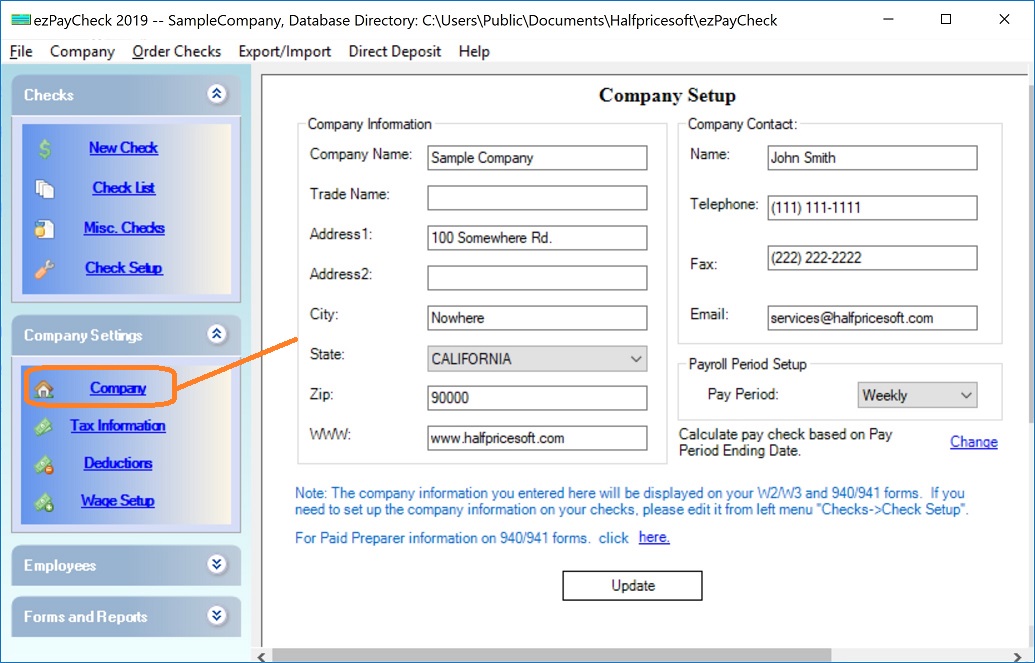
(Click image to enlarge)
Set up company tax information optionYou can click the left menu "Company Settings" then click the sub menu "Tax Information" to open the company tax setup screen
Step 3: Set up Employee Profile
Enter employee address correctlyStart ezPaycheck application, click the left menu "Employees" then click the sub menu "Add Employee" to add employee profile. EzPaycheck calculates state tax based on employee address.
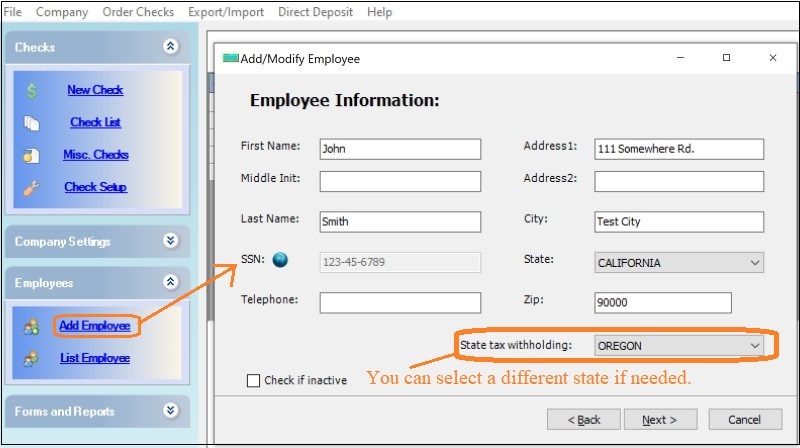 Enter the tax option for this employees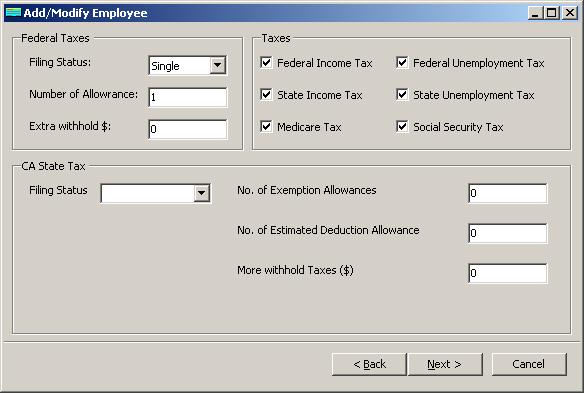
Step 4: Add and Print a check
You can click the "ADD" button above check list on the main screen to add a new check. Or you can click the ezPaycheck payroll software left menu "Checks" then click the sub menu "New Check" to open New Check screen.
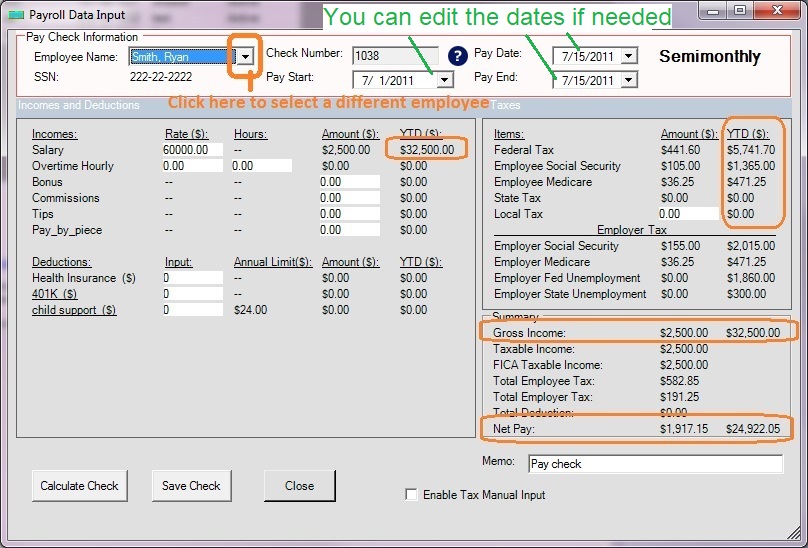
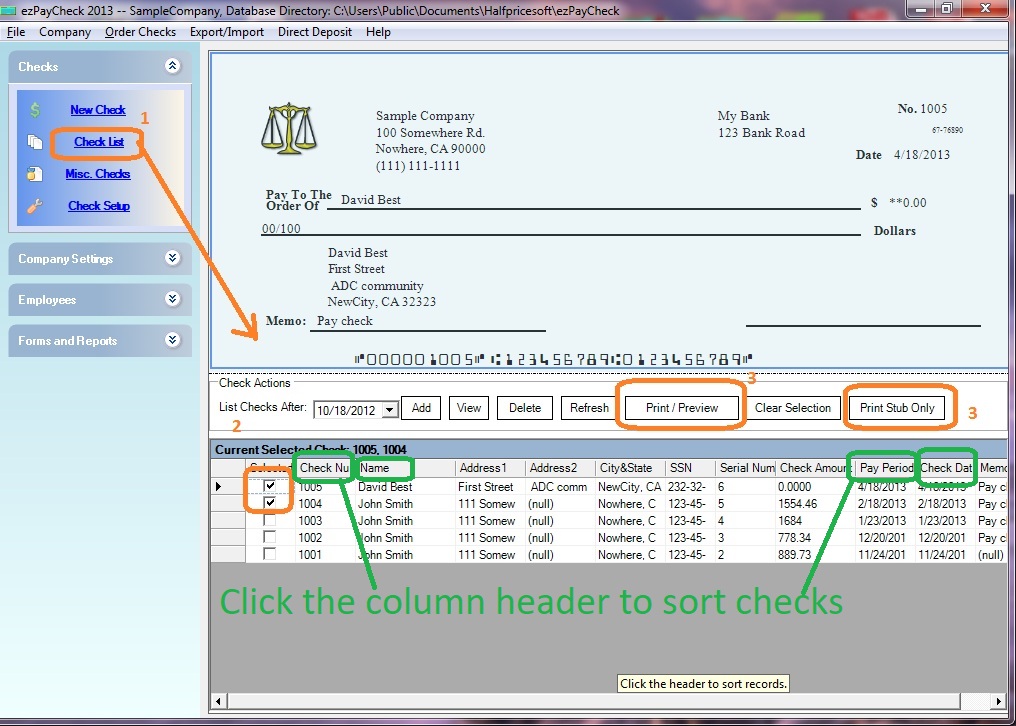
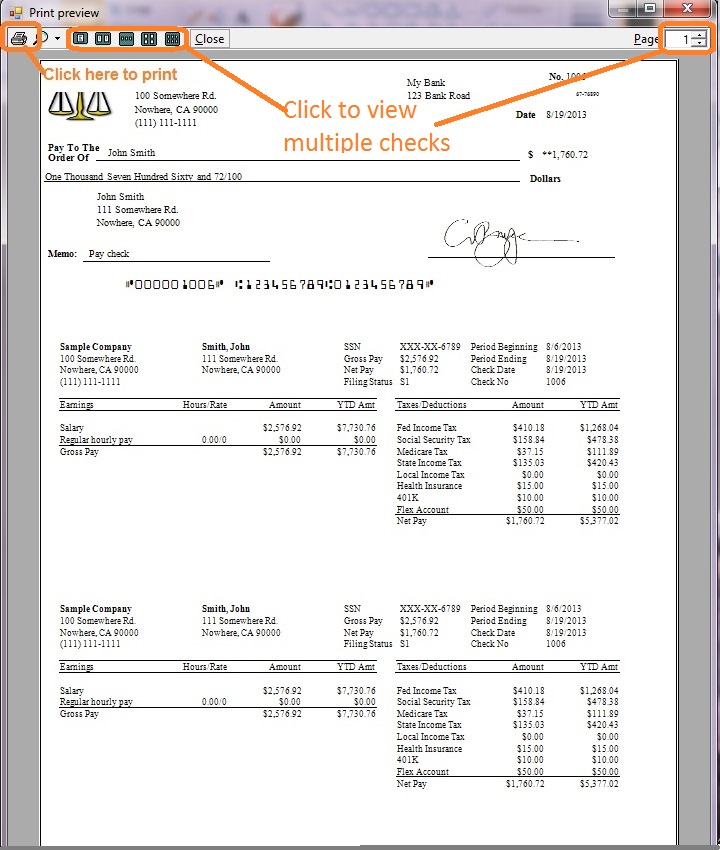
Print paychecksYou can select one or multiple paychecks from list and click the Print button to print paychecks together.
More Information for CA Customers
1.
How to handle CA SDI2.
How ezPaycheck works for California companies3.
How to handle PTO?
4.
California State Tax Tables5.
How to Calculate California Income Tax Withholdings6.
What is the cost of using ezPaycheck payroll software7.
How to handle CA ETT8.
ezPaycheck 30-day Free demo download link9.
ezPaycheck feature list10.
How to file ACA forms 1095 & 1094 to California State - Minimum Essential Coverage Information Reporting(MEC IR)
Related Topics
ezPaycheck Quick Start GuideHow a add a new company accountHow to handle both employees and contractorsHow to handle restaurant tipsHow to add a custom deduction and withhold it from each paycheck automaticallyHow to handle local taxesHow to handle State Disability Insurance (SDI)How to print paycheck in different formats: check-on-top, check-in-middle, check-at-bottom or 3-per-pageHow to print paycheck on blank stockHow to print paycheck on pre-printed checksHow to print paycheck with company logoHow to adjust check printing positionSample PaychecksDetermine a Company's Name for e-Filing
Download Now> Buy Now
