Halfpricesoft Halfpricesoft
 

How to Withhold Occupational Tax from Each Paycheck Automatically

ezPaycheck payroll software makes small business payroll an easy job. It includes multiple customized deduction/tax fields to support 401k deduction, health insurance deduction, local tax, occupational tax and more.

payroll software
From $119
(Regular $169)

ezPaycheck Makes Payroll An Easy, In-House Task!

(For Windows and Mac )

  • Trusted by Thousands for Two decades.
  • Calculate Federal & State Taxes, Print Paychecks, Print W2, W3, 941, 943 and 940.
  • User-friendly, Easy-to-use
  • No monthly fee.

Act Now: Save with the ezPaycheck 2025 + 2026 Combo. Automate payroll with ease..

Try it free for 30 days with no obligation. No credit card required.


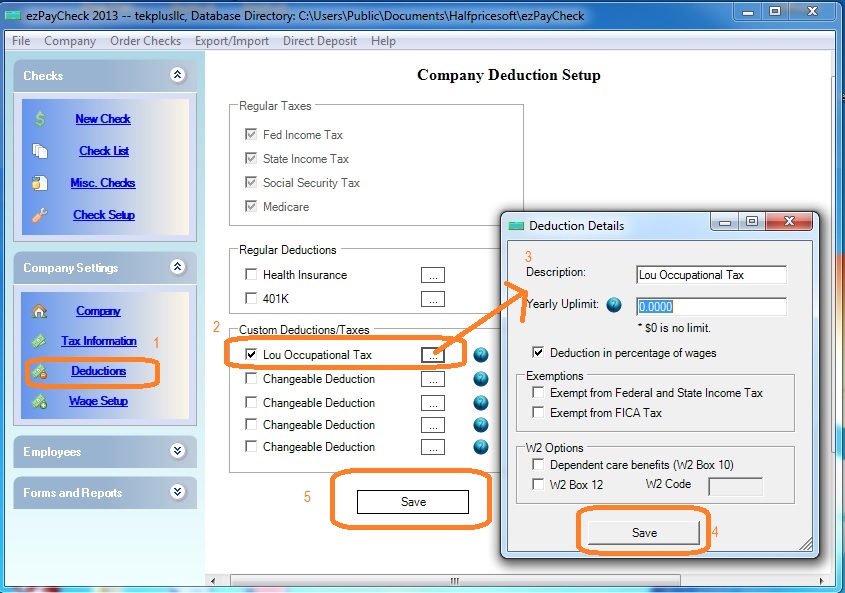
Step 1: Start ezPaycheck and open company deductions set up screen

Step 2: Add a new deduction for Occupational Tax

  • Check one changeable deduction field
  • Click button behind it to enter the details. You can set up this deduction by amount or by percent.
  • Save your changes on each step.

    occupational tax
    (Click image to enlarge)

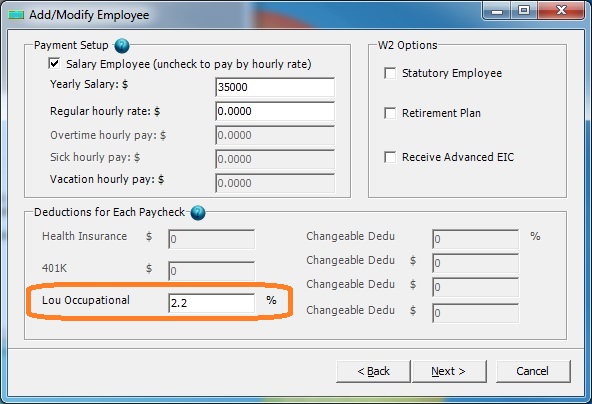
    Step 3: Edit employee profile and enter the withhold amount or percent for Occupational Tax

    Occupational tax deduction setup
    (Click image to enlarge)

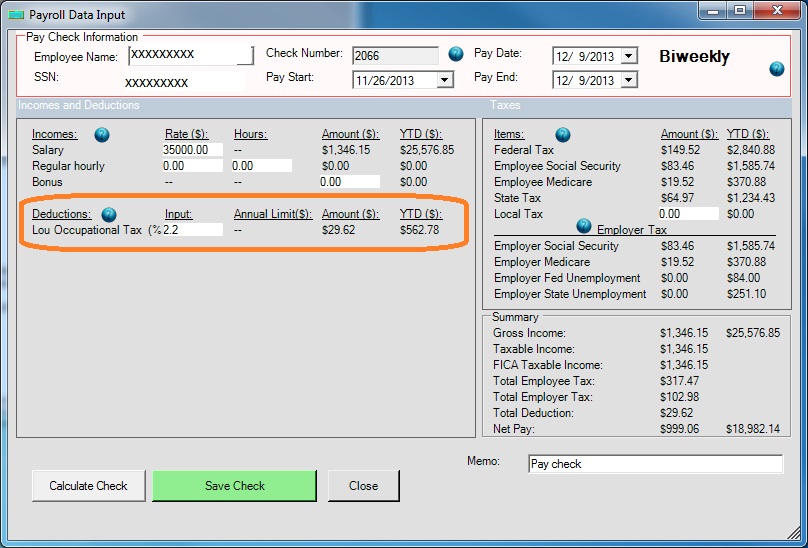
    Step 4: Add a new check

    You will see the new occupational deduction on the new check. If needed, you can modify the value when you add a new check.

    withhold child support deduction from paycheck
    (Click image to enlarge)


    Related Links:


    Download Now >    Buy Now