ezPaycheck Payroll Software: How to Print a Paycheck on Pre-printed Blank Check
In house payroll softwware ezPaycheck can print paychecks on blank stock and pre-printed checks. Users can customize check layout easily with font, logo, signature, extra text labels and lines.
Here are the steps to print a paycheck on pre-printed blank check:

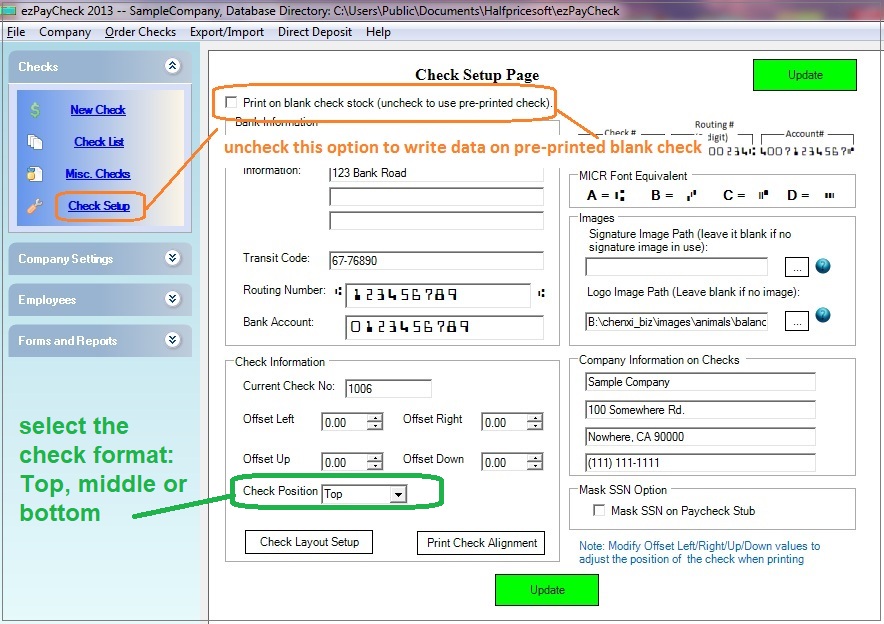
Step 1: Specify check paper type in check setup screen
You can click the ezPaycheck left menu "Checks" then "Check Setup" to access Check Setup screen. Uncheck the option "Print on blank check stock" to use pre-printed check.
(Click image to enlarge)
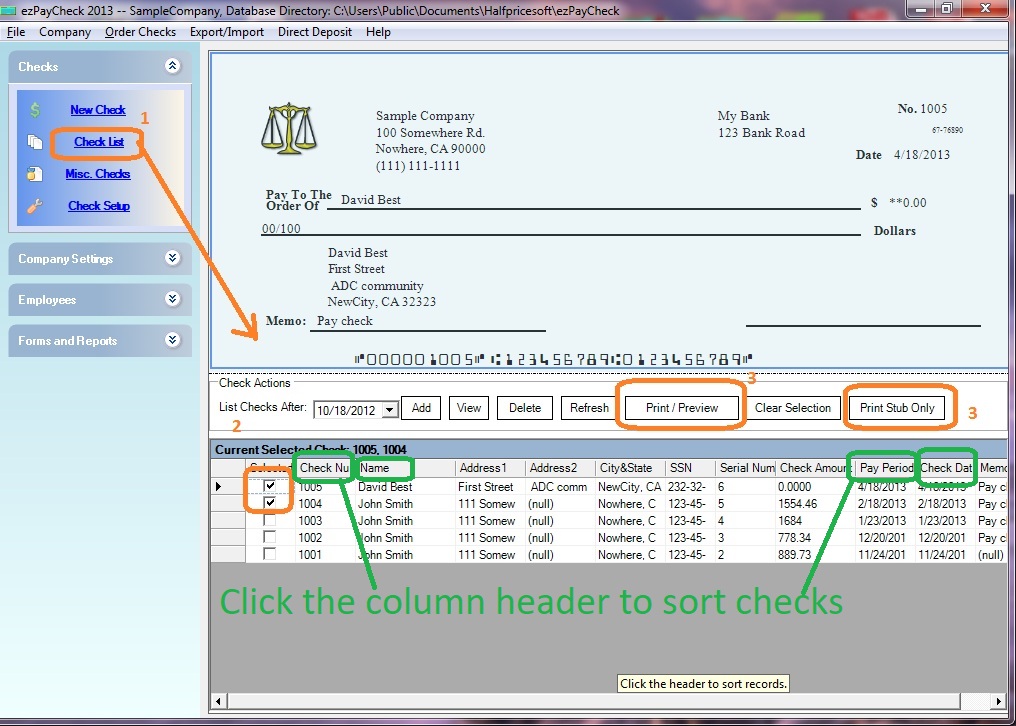
Step 2: Create a new check and write data on pre-printed check
- Create new checks
- Select checks from check list
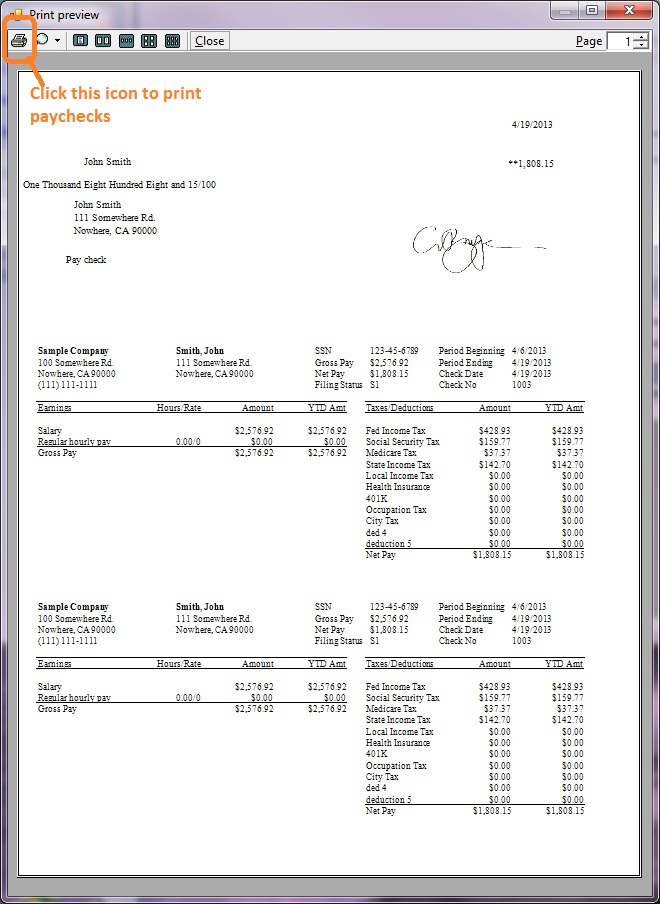
- Click Print button to print checks.
Since you select to write data on pre-printed check, ezPaycheck will print data only without bank information.
(Click image to enlarge)
(Click image to enlarge)
More Information
Sample Paychecks How to print paychecks on blank stock
Related Links: