No obligation. No credit card required. No risk
Your platform is detected automatically
Follow these simple steps
Ensure you're logged into Windows as an administrator or a user with installation permissions.
Click the Download button above to get ezPaychecksetup.msi. Once downloaded, find it in your browser's downloads or your Downloads folder and double-click to launch the installer.
Follow these sub-steps during installation:
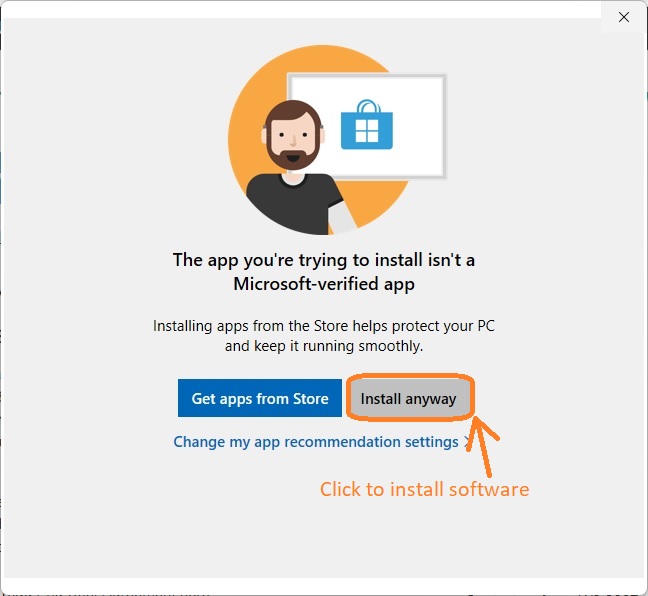
3.1 If you encounter an alert stating that ezPaycheck is not listed in the Microsoft Store, confidently click Install anyway to proceed.
3.2 Navigate through the user-friendly ezPaycheck installation wizard. Accept the terms by clicking I Agree on the license agreement screen.
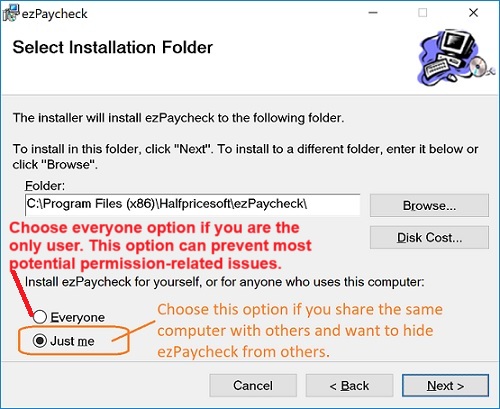
3.3 Choose whether to install ezPaycheck for yourself or all users on the computer.
3.4 Follow the on-screen instructions to complete the installation process seamlessly.

A desktop shortcut will be created for easy access. Click it to run ezPaycheck payroll software.

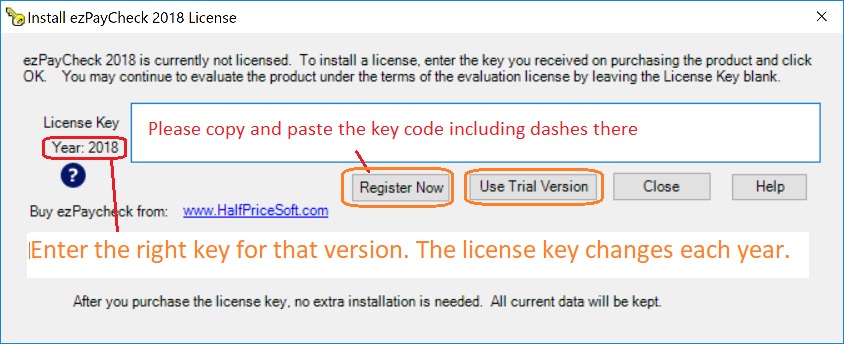
New customers, follow the quick start guide to set up ezPaycheck step by step.
ezPaycheck Quick Start Guide
