If you are using the latest version, please click here.
Due to reported printing issues with the latest Windows computers, QB online, Latest QuickBooks/Quicken version and printers, we have ceased our support for ezCheckprinting and Virtual printer Versions 5, 6, and 7. As a solution, we highly recommend upgrading to the latest version.
>> Learn more here.
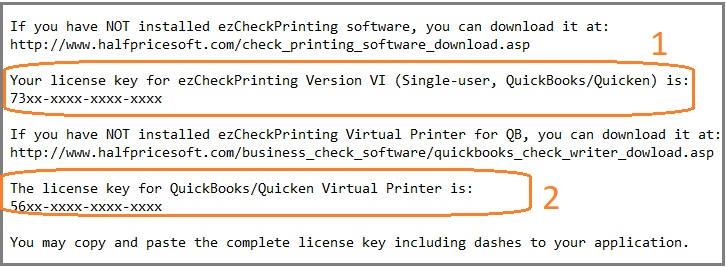
After you purchase ezCheckPrinting for QuickBooks/Quicken version, you will receive the license messsage. There are two key codes in that message: one for ezCheckPrinting and one ezCheckPrinting QB virtual printer.
1. Register the ezCheckPrinting key, the first license from your license message
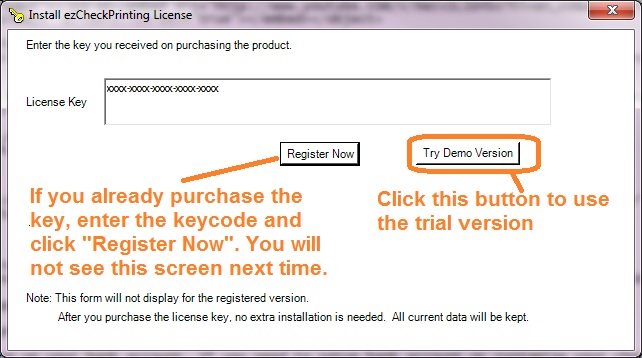
1.2 Click the desktop shortcut to start ezCheckPrinting application. If you have not registered the license, you will see the input license popup screen. Register the ezCheckPrintign license here.
1.3 If you printed QB checks during the trial period, please remove the previous QB checks from ezCheckPrinting check list.
2. Register the virtual printer license, the second license from your license message
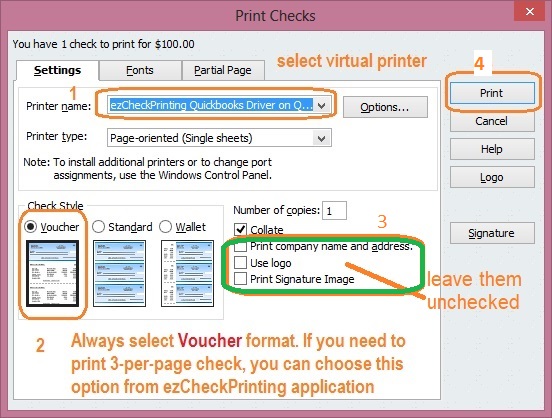
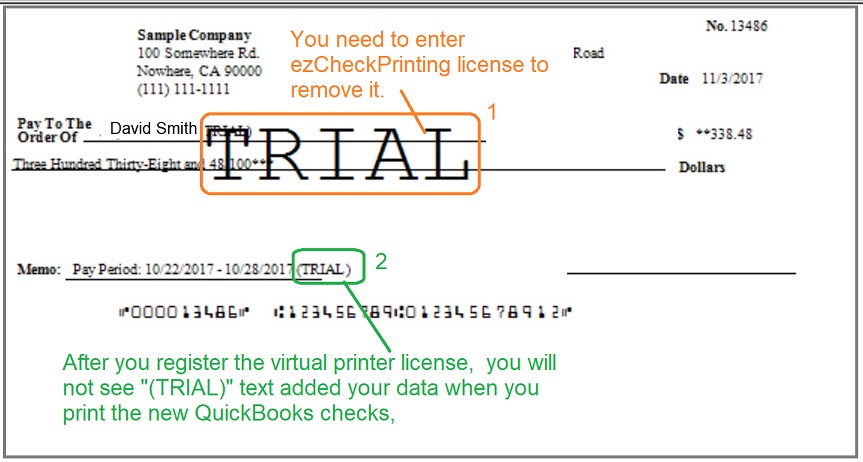
2.1 Start QuickBooks and print checks as usual. On print check option screen, select EzCheckPrinting QuickBooks Virtual Printer as the current printer and click the Print button.
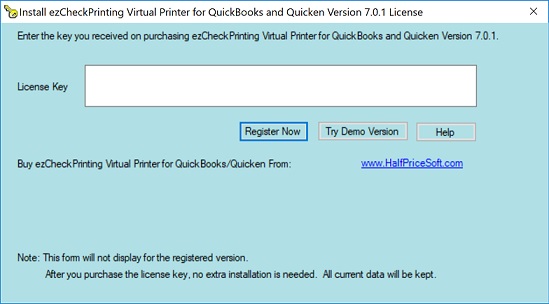
If you are using trial version, you will see the key input pop up window. (Once you register the license, you will not see it again.)
You should copy and paste the key code including "-" for ezCheckPrinting virtual printer here. (Note: the key codes for ezCheckPrinting and virtual printer are different. When you purchase ezCheckPrinting QuickBooks version, you will see two key codes in the key message. Please use the correct license)
ezCheckPrinting for QuickBooks allows QuickBooks users to print checks on blank stock with MICR encoding and logo in house. You can also use it to fill out preprinted blank checks also.
If you have not installed this software, you can download and try it free with no obligation and no credit card needed.
ezCheckPrinting for QuickBooks is compatible with Windows 11, 10, 8.1, 8, 7, Vista, XP and other Windows computers.