Tips: Search for a Solution
Please feel free to contact us anytime you need assistance. We will response your request as soon as possible. For an instant solution, you can also search from our site. Here are some tips:
1. Using the Keywords Search from Our Site Page
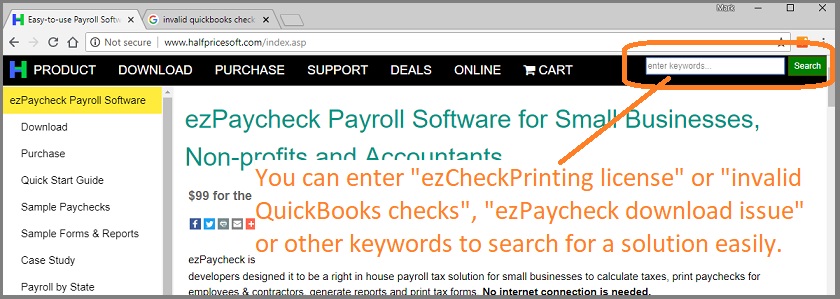
Click
Search at the top right corner of any page (or press Ctrl+K, or ⌘K on a Mac) to open the search box. Type your keywords or question there and find the answer quickly. If you type a page's exact title or web address, press Enter to go straight to it.
Sample keywords:
ezPaycheck rollbackMICR PositionezCheckPrinting invalid licenseezCheckPrinting versionmove ezW2 new machineInvalid QuickBooks checksAfter fact payroll...2. Using the Help Button within Software
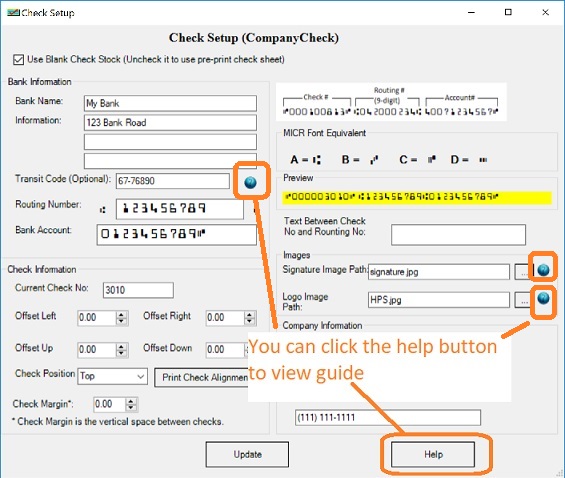
If you have question about one feature, you can click the help button or the help link from your screen.
3. View FAQs by Clicking the Help Menu within Software
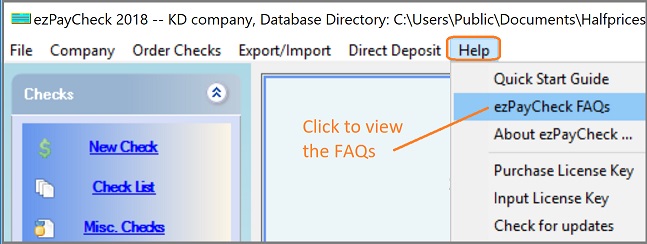
You can click the help menu within our software to view the FAQs page.